CONTACT CUSTOMER CARE 1+(619)449-2392
.
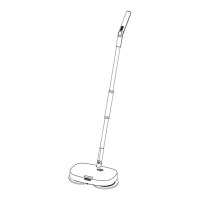
Check the connection between the top aluminum pole & bottom aluminum
pole to make sure they are fitted tightly together and there is no gap.
.
Ensure there is a proper electrical connection by confirming that the handle
is connected to the top pole and the main unit is connected to the bottom pole.
.
Please use a small metal tipped object (such as a paperclip) to push into the
hole to release the lock mechanism.
Troubleshooting:
Just in case...
Unit will not turn on.
Disassembling the aluminum tubes.
3
4
IMPORTANT BATTERY SAFETY INSTRUCTIONS
WARNING: When using electric devices, basic safety precautions should always be followed to reduce
the risk of fire, electric shock and personal injury, including the following:
WARNING:
1. This device complies with Part 15 of FCC Rules. Operation is subject to the following two condi-
tions: (1) This device may not cause harmful interference, and (2) This device must accept any
interference received, including interference that may cause undesired operation. YRD#: HI2105
This equipment has been tested and found to comply with the limits for a Class B digital device,
pursuant to part 15 of FCC Rules. These limits are designed to provide reasonable protection
against harmful interference in a residential installation. This equipment generates, uses, and can
radiate radio frequency energy and, if not installed and used in accordance with the instruc-
tions, may cause harmful interference to radio communications. However, there is no guarantee
that interference will not occur in a particular installation. If this equipment does cause harmful
interference to radio or television reception, which can be determined by turning the equipment
off and on, the user is encouraged to try to correct the interference by one or more of the
following measures:
- Reorient or relocate the receiving antenna.
- Increase the separation between the equipment and receiver.
- Connect the equipment into an outlet on a circuit different from that to which the receiver is
connected.
- Consult the dealer or an experienced radio/TV technician for help.
Importer YRDLLC, Address:9545 Pathway Street, Santee, CA 92071 telephone number: 1+ (619)
449-2392
2. Rechargeable Lithium Ion batteries are potentially hazardous and can present a serious FIRE
HAZARD if damaged, defective or improperly used. Failure to read, and follow Li-ion safety in-
structions and warnings may result in personal injury, fire, and property damages if the battery
is charged and/or used improperly. DO NOT SHORT CIRCUIT. Short circuits may cause fire, and
injury!
3. If liquid leaks from the battery cell, discontinue use immediately and dispose of properly.
4. Do not charge battery in rain or in wet location.
5. Use only the included battery.
6. Battery Type is: Li-ion Battery 7.4v 2000mAh..
7. Do not attempt to disassemble, remodel or destroy the battery, as it may cause battery
leakage, fire, or bursting; and could also create sulfuric acid spills from the battery resulting in
possible burns to person and damage to the immediate environment.
8. Charge battery using the specified charger and under the charging conditions as specified.
Charging the battery under any other conditions may cause the battery to overheat, emit
hydrogen gas, leak, ignite or burst.
9. When charging the battery always do so in a well ventilated area and where you can observe
the charging process.
10. Never dispose of batteries in the garbage. Disposal of batteries in the garbage is unlawful
under state and federal environmental laws and regulations. Always take used batteries to your
local battery-recycling center.


 To Next Page
 Loading...