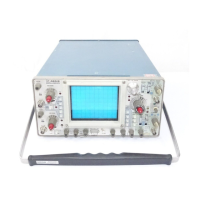
Performance Check/Calibration-Type 422 AC-DC
Precision
DC
voltmeter
Standard
amplitude
calibrator
42-inch
50-ohm
BNC cable
Dual
binding post
adapter
50-ohm
BNC
termination
Low-frequency
constant-amplitude
sine-wave generator
BNC T
connector
1 8-inch
BNC cable
Three-inch
screwdriver
i x
probe
Fig. 5-30. Test equipment required for steps 54 through 59.
Partial Procedure
If beginning a partial procedure with this step, set the
controls as given under Preliminary Control Settings.
54. Check External Horizontal Operation
a. Test equipment required for steps 54 through 59 is
shown in Fig. 5-30.
CAUTION
To prevent permanent damage to the CRT phosphor,
reduce the INTENSITY control setting if a halo
forms around the external horizontal display.
b. Change the following control settings:
HORIZ ATTEN (LEVEL) Clockwise
TIME/DIV EXT HORIZ
c. Connect the standard amplitude calibrator output
connector to the HORIZ IN (TRIG IN) connector with the
42-inch BNC cable.
d. Set the standard amplitude calibrator for a 50-volt
square-wave output.
e. Center the display (two dots) on the graticule with
the horizontal POSITION control.
f. CHECK—CRT display for horizontal deflection be
tween 4.0 and 6.7 divisions (10 volts/division ±25%).
g. Pull the X I0 MAG switch.
h. Set the standard amplitude calibrator for a five-volt
square-wave output.
i. Center the display on the graticule with the horizontal
POSITION control.
j. CHECK—CRT display for horizontal deflection be
tween 4.0 and 6.7 divisions (one volt/division ±25%). Note
the exact horizontal deflection.
k. Set the standard amplitude calibrator for a 50-volt
square-wave output.
l. Turn the HORIZ ATTEN control fully counterclock
wise.
m. CHECK—CRT display for horizontal deflection
equal to or less than noted in part j (indicates 10:1 or
greater range).
n. Disconnect all test equipment.
5-35


 To Next Page