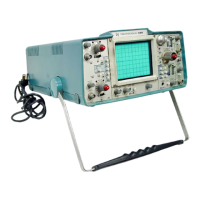
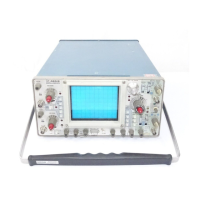
Operating Instructions—Type 422 AC-DC
24. Set the vertical Mode switch to ALG ADD. The
display should be eight divisions in amplitude. Notice that
either vertical POSITION control moves the display.
25. Pull the INVERT switch to invert the Channel 2
signal The display is a straight line (if the Channel 1 and 2
gain is set correctly) indicating that the algebraic sum of the
two signals is zero. Set either VOLTS/DIV switch to .01.
The square wave display indicates that the algebraic sum of
the two signals is no longer zero. Return the vertical Mode
switch to CH 1 and both VOLTS/DIV switches to CALI
BRATE 4 DIVISIONS. Push in the INVERT switch.
Triggering Controls
26. Rotate the LEVEL control throughout its range.
The display free runs at the extremes of rotation.
27. Pull the LEVEL control to set the TRIGGERING
Mode switch to NORM. Again rotate the LEVEL control
throughout its range. Notice that a display is presented only
when correctly triggered. Push in the LEVEL control to
return the TRIGGERING Mode switch to AUTO.
28. Set the SLOPE switch to the negative-going posi
tion. The trace starts on the negative part of the square
wave. Return this switch to the position-going position; the
trace starts with the positive part of the square wave.
29. Set the TRIGGERING Coupling switch to DC. Turn
the Channel 1 POSITION control until the display becomes
unstable (only part of square wave visible). Return the
TRIGGERING Coupling switch to AC; the display is again
stable. Since changing vertical position of the trace changes
the DC level of the internal trigger signal, this demonstra
tion shows how changes in the DC level affect DC trigger
coupling. Return the display to the center of the display
area.
30. Set the vertical Mode switch to CH 2; the display
should remain stable. Set the Channel 1 VOLTS/DIV
switch to .01; the display free runs. Set the TRIGGERING
Source switch to CH 1 & 2; the display is again stable.
Return the Channel 1 VOLTS/DIV switch to CALIBRATE
4 DIVISIONS.
31. Connect the 10X probe to the TRIG IN connector.
Position the probe tip so it is in contact with the CALI
BRATOR jack. Set the TRIGGERING Source switch to
EXT. Operation of the TRIGGERING Coupling, SLOPE,
Mode and LEVEL controls for external triggering is the
same as described in steps 26 through 30. Set the TRIG
GERING Source switch to CH 1.
Normal and Magnified Sweep
32. Note the CRT display. Then, set the TIME/DIV
switch to 5 ms. Pull the X10 MAG switch. The display
should be similar to that obtained with the TIME/DIV
switch at .5 ms and the X I0 MAG switch pushed in.
33. Turn the horizontal POSITION control so the dis
play starts at about the center of the graticule. Now turn
the horizontal POSITION control in the opposite direction.
Notice that for about five divisions the trace moves slowly
to the left and the control turns easily. Then, the drag on
the control increases slightly and the trace begins to move
much faster to the left. This control provides a combination
of course and fine adjustment. To use the control effective
ly, turn it slightly past the desired point of adjustment
(coarse adjust). Then reverse the direction of rotation and
use the fine adjustment to establish more precise position
ing. Set the TIME/DIV switch to .5 ms and push in the X10
MAG switch. Return the start of the trace to the left edge
of the graticule.
34. Turn the VARIABLE TIME/DIV control through
out its range. Notice that the UNCAL light comes on when
the VARIABLE TIM E/DIV control is moved from the CAL
position (fully clockwise). The sweep rate is reduced as the
VARIABLE control is turned counterclockwise as indicated
by more cycles displayed on the CRT. Return the V ARIA
BLE TIME/DIV control to CAL.
35. If an external signal is available (one to 10 volts
peak to peak), the function of the external horizontal amp
lifier can be demonstrated. Turn the INTENSITY control
to a lower setting to protect the CRT phosphor. Then set
the TIME/DIV switch to EXT HORIZ and turn the HORIZ
ATTEN control (LEVEL) fully clockwise. Connect the ex
ternal horizontal signal to the HORIZ IN connector (TRIG
IN).
36. Set the INTENSITY control to provide an adequate
display. The display should be rectangular, four divisions
vertically with the horizontal length of the display variable
with the HORIZ ATTEN control (vertical deflection pro
vided by internal Calibrator signal).
37. Set the HORIZ ATTEN control so the display is less
than one division horizontally. Pull the X I0 MAG switch.
Re-position the display onto the viewing area if necessary
and notice that the display is about 10 times larger horizon
tally. Push in the X I0 MAG switch.
External Blanking
38. If an external signal is available (positive two volts
peak, minimum), the function of the External Blanking cir
cuit can be demonstrated. Connect the external signal to
the INPUT 1 connector. Set the Channel 1 Input Coupling
switch to DC and set the Channel 1 VOLTS/DIV switch to
display about five divisions of the signal. Now, connect the
external signal to the EXT BLANKING connector also. No
tice that the positive peaks of the display are blanked out.
39. Disconnect all test equipment.
This completes a description of the basic operating pro
cedure for the Type 422. Instrument operations not ex
plained here, or operations which need further explanation
are discussed under General Operating Information.
2-12


 To Next Page
 Loading...