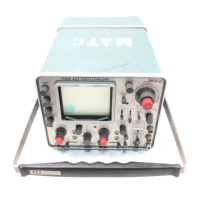
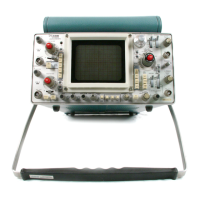
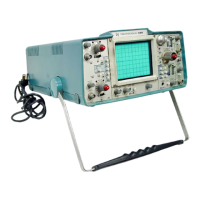
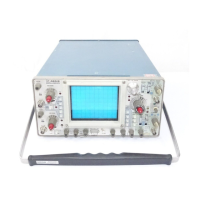
Operating Instructions—Type 422 AC-DC
r
i
I
1
Other controls
INTENSITY
FOCUS
ASTIGMATISM
SCALE ILLUM
POWER
Counterclockwise
Centered
Centered
Any position
Pushed in
2. Connect the Type 422 to an AC power source that
meets the voltage and frequency requirements of the instru
ment. If external DC or internal batteries must be used for
this procedure, see Operating Voltage in this section.
13. Set the Channel 1 VOLTS/DIV switch to 1 and po
sition the trace to the center horizontal line with the Chan
nel 1 POSITION control. This provides a ground reference
at the center horizontal line.
14. Connect the 10X probe (supplied accessory) to the
INPUT 1 connector. Position the probe tip so it is in con
tact with the CALIBRATOR jack.
15. Set the Channel 1 Input Coupling switch to DC.
Notice that the baseline of the waveform remains at the
center horizontal line (ground reference).
3. Pull the POWER switch out to turn on the instru
ment. Allow several minutes warmup so the instrument
reaches a normal operating temperature before proceeding.
16. Set the Channel 1 Input Coupling switch to AC
Notice that the waveform is centered about the center hori
zontal line (ground reference).
CRT Controls
4. Advance the INTENSITY control until the trace is at
the desired viewing level (about midrange).
5. Adjust the FOCUS and ASTIGMATISM controls for
a sharp, well-defined display over the entire trace length.
6. Set the Channel 1 VOLTS/DIV switch to .01.
7. Position the trace with the Channel 1 POSITION con
trol so it coincides with the center horizontal graticule line.
If the trace is not parallel with this graticule line, see Trace
Alignment Adjustment in this section.
17. Set the vertical Mode switch to CH 2 and the Chan
nel 2 VOLTS/DIV switch to the CALIBRATE 4 DIVIS
IONS position. Connect the 10X probe to the INPUT 2
connector.
18. Turn the CH 2 POSITION control to center the
display. The display will be similar to the previous display
for Channel 1. Check the Channel 2 gain as described in
step 10. The Channel 2 VARIABLE control operates as
described in step 11 and the Channel 2 Input Coupling
switch operates as given in steps 13 through 16.
19. Check the Channel 2 step attenuator balance as de
scribed in step 12.
8. Rotate the SCALE ILLUM control throughout its
range and notice that the graticule lines are illuminated as
the control is turned clockwise (most obvious with mesh or
tinted filter installed). Set control so graticule Sines are
illuminated as desired.
Vertical Controls
9. Set the Channel 1 VOLTS/DIV switch to the CALI
BRATE 4 DIVISIONS position.
10. Center the display with the Channel 1 POSITION
control. The display is a square wave, four divisions in amp
litude with about five cycles displayed on the screen. If the
display is not four divisions in amplitude, see Vertical Gain
Adjustment in this section.
11. Turn the Channel 1 VARIABLE control throughout
its range. Notice that the UNCAL light comes on when the
VARIABLE control is moved from the CAL position (fully
clockwise). The deflection should be reduced to about two
divisions in the fully counterclockwise position. Return the
Channel 1 VARIABLE control to CAL.
12. Change the Channel 1 VOLTS/DIV switch between
.05 and .01. If the vertical position of the trace shifts, see
Step Attenuator Balance in this section.
20. Set the Channel 2 VOLTS/DIV switch to .5 and the
Channel 2 Input Coupling switch to AC. Position the probe
tip so it is in contact with the CALIBRATOR jack. The
CRT display should be about 0.4 division in amplitude.
21. Pull the X I0 GAIN AC switch. The display should
be increased to four divisions. Push in the X10 GAIN AC
switch.
22. Set the MODE switch to ALT and return both
VOLTS/DIV switches to CALIBRATE 4 DIVISIONS. Posi
tion the Channel 1 waveform to the top of the graticule
area and the Channel 2 waveform to the bottom of the
graticule area. Turn the TIME/DIV switch throughout its
range. Notice that the display alternates between channels
at all sweep rates.
23. Set the vertical Mode switch to CHOP and the
TIME/DIV switch to 10 [is. Notice the switching between
channels as shown by the segmented traces. Set the TRIG
GERING Source switch to CH 1; the traces should appear
more solid, since the instrument is no longer triggered on
the between-channel switching transients. Turn the TIME/
DIV switch throughout its range. A dual-trace display is
presented at all sweep rates but, unlike ALT, both channels
are displayed on each sweep on a time-sharing basis. Return
the TIME/DIV switch to .5 ms.
2-11


 To Next Page
 Loading...