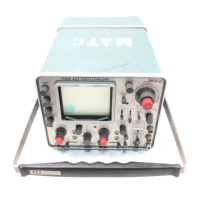
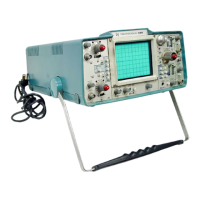
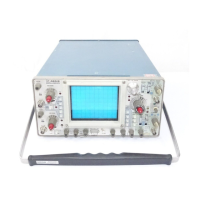
Operating Instructions—Type 422 AC-DC
TEST SETUP CHART
General
5. Set the FOCUS control so the vertical portion of the
trace is as thin as possible.
Fig. 2-8 shows the front panel of the Type 422. This
chart may be reproduced and used as a test-setup record for
special measurements, applications or procedures, or it may
be used as a training aid for familiarization with this instru
ment.
GENERAL OPERATING INFORMATION
Intensity Control
The setting of the INTENSITY control may affect the
correct focus of the display. Slight readjustment of the
FOCUS and ASTIGMATISM controls may be necessary
when the intensity level is changed. To protect the CRT
phosphor, do not turn the INTENSITY control higher than
necessary to provide a satisfactory display. The light filters
reduce the observed light output from the CRT. When using
these filters, avoid advancing the INTENSITY control to a
setting that may burn the phosphor. When the highest in
tensity display is desired, remove the filters and use the
clear graticule only. Apparent trace intensity can also be
improved in such cases by reducing the ambinet light or
using a viewing hood. Also be careful that the INTENSITY
control is not set too high when changing the TIME/DIV
switch from a fast to a slow sweep rate, or when switching
to the external horizontal mode of operation.
The Type 422 CRT uses deflection-plate blanking to de
flect the CRT beam off the viewing area during retrace time
and when the sweep is not operating. With this type of
blanking system, the CRT cathode is emitting electrons at
the same rate whether a display is produced or not. The
cathode current is determined entirely by the setting of the
INTENSITY control. For this reason, the CRT may fail
prematurely even though a display has not been presented
if the INTENSITY control is left at a high setting for exten
ded periods of time. Therefore, to obtain maximum CRT
life, always set the INTENSITY control fully counterclock
wise except when viewing the CRT.
Focus and Astigmatism Adjustment
The following procedure provides a convenient method
of establishing optimum setting of the FOCUS and ASTIG
MATISM controls.
1. Set the VOLTS/DIV switch to CALIBRATE 4 D IVI
SIONS.
2. Set the TIME/DIV switch to .5 ms and the LEVEL
control for a stable display.
3. With the FOCUS AND ASTIGMATISM controls set
to midrange, adjust the INTENSITY control so the rising
portion of the display can just be seen.
4. Set the ASTIGMATISM control so the vertical and
horizontal portions of the display are equally focused (not
necessarily well focused).
6. Repeat steps 4 and 5 for best overall focus. Make
final check at normal intensity.
Trace Alignment Adjustment
If a free running trace is not parallel with the horizontal
graticule lines, set the Trace Rotation adjustment as fol
lows: Position the trace to the center horizontal line. Ad
just the Trace Rotation adjustment (the power supply must
be operated remotely for access to this adjustment) so the
trace is parallel with the horizontal graticule lines.
Graticule
The graticule of the Type 422 is internally marked on
the faceplate of the CRT to provide accurate, no-parallax
measurements. The graticule is marked with eight vertical
and 10 horizontal divisions. Each division is 0.8 centimeter
square. In addition, each major division is divided into five
minor divisions at the center vertical and horizontal lines.
The vertical gain and horizontal timing are calibrated to the
graticule so accurate measurements can be made from the
CRT. The illumination of the graticule lines can be varied
with the SCALE ILLUM control.
Fig. 2-9 shows the graticule of the Type 422 and defines
the various measurement lines. The terminology defined
here will be used in all discussions involving graticule meas
urements.
Second
vertical
line
Center
vertical
line
Tenth
vertical
line
1 1 1 1iiii
iiii
MM
tHt
MM
Center
horizontal
" line
Fig. 2-9. Definition of measurement lines on Type 422 graticule.
Light Filter
The mesh filter provided with the Type 422 provides
shielding against radiated EMI (electro-magnetic interfer
ence) from the face of the CRT. It also serves as a light
filter to make the trace more visible under high ambient
light conditions. To remove the filter, press down at the
bottom of the frame and pull the top of the filter away
from the CRT faceplate (see Fig. 2-10).
2-14


 To Next Page
 Loading...