EasyManua.ls Logo

Teledyne Tekmar Lumin 15-2500-074 - User Manual

Teledyne Tekmar Lumin 15-2500-074
224 pages
Print Icon
To Next Page IconTo Next Page
Loading...
Lumin User Manual
Part Number: 15-2500-074
Rev: B, April - 2016

Table of Contents

Questions and Answers

Summary

Preface and Safety Information

Warranty Information

Provides information on product warranty and sales terms.

Teledyne Tekmar Customer Support

Contact details for technical assistance and customer support.

Essential Instructions for Safe Operation

Crucial instructions for safe installation, operation, and maintenance.

Notations and Hazard Severity Levels

Explanation of symbols and hazard levels used in the manual.

Lumin Safety Symbols

Identifies safety symbols and their meanings as per EN61010-1:2010.

Lumin Safety Labels

Details safety labels used on the instrument for hazard identification.

Working Safely with the Lumin

Guidelines and precautions for safe operation and handling of the instrument.

Introduction to the Lumin System

Purge and Trap Background

Explains the fundamental principles of Purge and Trap (P&T) technology.

Purge and Trap Operation Overview

Describes the basic steps involved in the Purge and Trap process.

Installation and Setup Guide

Pre-Installation Requirements

Covers essential requirements before installing the concentrator.

Unpacking the Lumin Instrument

Instructions for unpacking and inspecting the Lumin for damage.

Installation Kit Box Contents

Details the components included in the installation kit for setup.

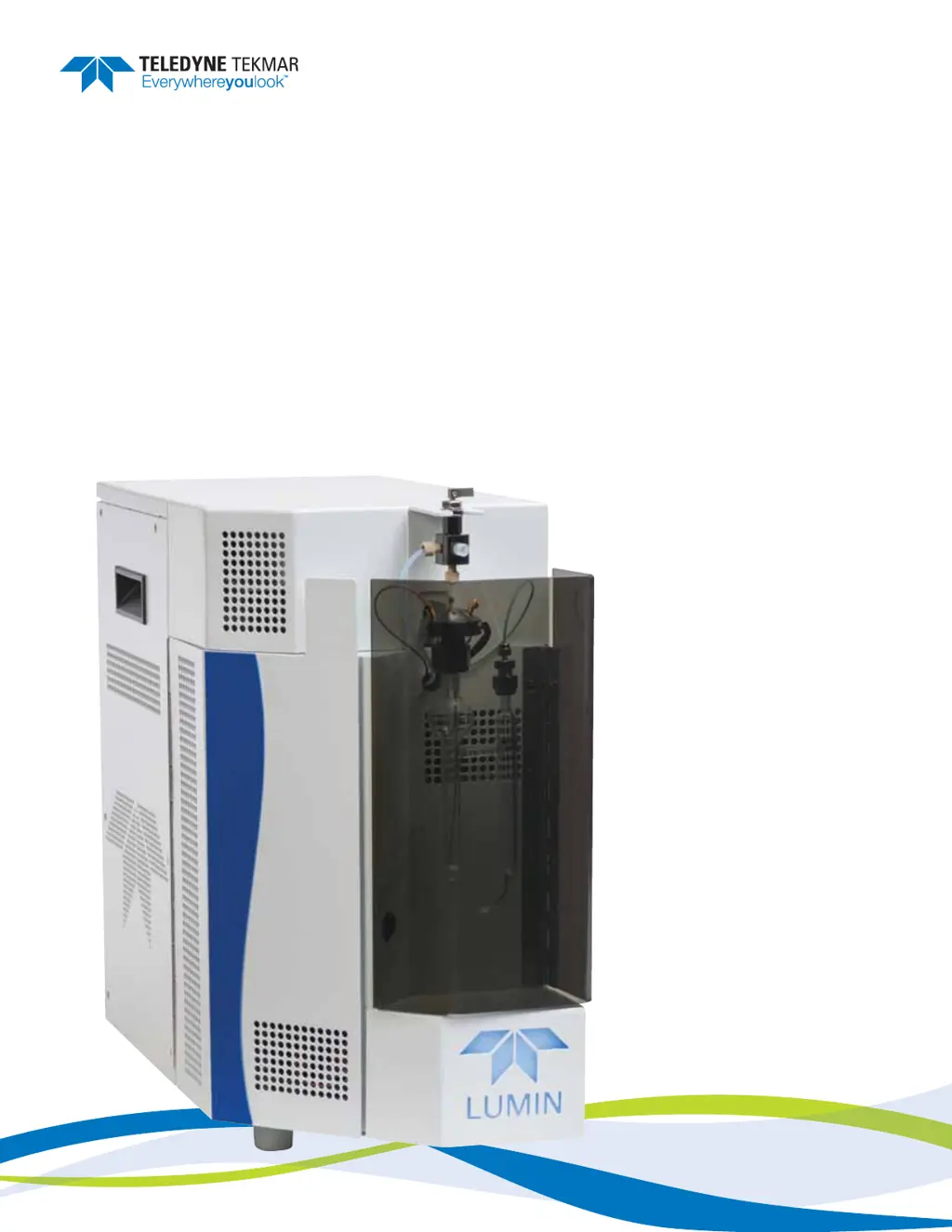
Concentrator Component Overview

Provides a visual overview of the Lumin's main components.

Electrical and Data Connections

Guides on making necessary electrical and data cable connections.

Lumin TekLink Software Overview

About Lumin TekLink Software

Introduces the Lumin TekLink software and its primary functions.

Lumin TekLink Software Environment

Describes the software's user interface and touchscreen capabilities.

Instrument Operations Guide

Concentrator Mode Descriptions

Explains the different operating modes of the concentrator system.

Maintenance and Troubleshooting Guide

Replacing Instrument Parts

Procedures and considerations for replacing parts on the Lumin.

Appendix A: Diagrams

Lumin Electrical Schematic

Detailed electrical schematic diagram of the Lumin instrument.

Lumin Plumbing Diagram

Visual representation of the Lumin's plumbing system and components.

Lumin Flow Diagrams

Illustrates gas flow paths for various Lumin operating modes.

Preface and Safety Information

Warranty Policy

Details the terms and conditions of the product warranty.

Teledyne Tekmar Customer Support

Contact information for technical support and customer service.

Essential Operational Instructions

Key instructions for proper installation, use, and maintenance of the Lumin.

Notations and Hazard Severity Levels

Lumin Safety Symbols

Lumin Safety Symbols (Continued)

Lumin Safety Labels

Working Safely with the Lumin

Safety Precautions for Operation

Introduction to the Lumin System

Purge and Trap Background

Explains the fundamental principles of Purge and Trap (P&T) technology.

Purge and Trap Fundamentals

Details the basic concepts of P&T to aid understanding of the system.

Introduction to Lumin Operations

Brief History of Purge and Trap

Provides historical context for the development of P&T technology.

Purge and Trap Operation Overview

Describes the general operational steps of the Purge and Trap process.

Introduction to Lumin Operation

Trapping, Adsorption, and Desorption

Explains the process of capturing, holding, and releasing analytes on the trap.

Lumin Specifications

Lumin Specifications

Details the general and performance specifications of the Lumin instrument.

Lumin Specifications and Certifications

Lumin Component Details

Lumin Component Overview

Sample Mount and Sparger Details

Describes the sample mount and sparger, including available options.

Guardian Foam Sensor & Eliminator

Explains the optional foam sensing and elimination system for sample safety.

Unit Status Light Indicator

Unit Status Light Indicator

Details the color indicators for the Lumin's operational state.

Sample Purge Gas Inlet

Describes the inlet for sample purge gas and its recommended flow.

Mass Flow Controller (MFC)

Mass Flow Controller (MFC)

Explains the function of the MFC in controlling gas flow rates.

Sample Pathway Description

Describes the inert sample pathway for corrosion resistance and compound integrity.

Analytical Trap Functionality

Analytical Trap Functionality

Explains how the analytical trap captures and releases VOCs.

Moisture Control System (MCS)

Details the MCS for condensing and removing water from the sample gas.

Carrier Gas and Sample Transfer Lines

Instrument Valving System

Three-Port Sample Valve Function

24 VDC Power Supply

24 VDC Power Supply

Identifies the 24VDC power supply and its function.

5 VDC Power Supply

Identifies the 5VDC power supply and its function.

Multi-Channel Temperature Control Board

CPU Communication Board (Master Board)

DC Valve Control Board

Optional Autosampler Compatibility

Optional Autosampler Compatibility

Discusses the use of the AQUATek 100 autosampler for automated analysis.

Optional Guardian Foam Sensor & Eliminator

Details the optional system to safeguard against liquid entering the gas pathway.

Installation and Setup Guide

Pre-Installation Steps

Covers requirements for electric, gas, and software before installation.

Installation Overview

Outlines the chapter's content regarding pre-installation and connection.

Operating Environment Requirements

Specifies the recommended temperature and humidity for operation.

Work Surface Requirements

Details requirements for the surface where the Lumin will be placed.

Installation Requirements

Electrical Requirements

Specifies voltage, amperage, and circuit protection needs for the Lumin.

Gas Supply Requirements

Details requirements for sample purge gas and carrier gas supply.

Gas Supply and Tubing Considerations

Computer and Tool Requirements for Installation

Minimum Computer Requirements

Lists the minimum specifications for the controlling computer.

Required Tools and Supplies

Lists all tools and supplies needed for the Lumin installation.

Unpacking the Lumin Instrument

Unpacking the Lumin Instrument

Instructions for unpacking and inspecting the Lumin and its kit box.

Installation Kit Box Contents

Details the parts provided in the installation kit for setting up the Lumin.

Concentrator Overview

Electrical and Data Connections

AC Power Cord Connection

Procedure for connecting the AC power cord to the Lumin.

USB and GC I;O Connections

USB Interface Cable Connection

Guides on connecting the Lumin to a computer via USB cable.

GC I;O Connection

Instructions for connecting the GC I/O cable for communication with the GC.

Connecting Sample Purge Gas Supply

Carrier Gas and Sample Transfer Line Connection to GC

Routing the Drain Tubing

Install Lumin TekLink Software

Software Installation Prerequisites

Microsoft SQL Server Installation

Procedure for installing SQL Server, a prerequisite for TekLink.

.NET Framework Installation

Steps to install the .NET Framework required for Lumin TekLink.

USB Driver Installation

USB Driver Installation

Instructions for installing USB drivers to enable computer communication.

Creating an Instrument Profile

Create an Instrument Profile

Guide to creating a new instrument profile in Lumin TekLink.

Instrument Profile Configuration Options

Leak Check Configuration Tab

Instrument Profile Creation and Connection

Connect to Instrument Profile

Steps to connect Lumin TekLink to a configured instrument profile.

Autosampler Setup and Connection

Autosampler Setup and Connection

Instructions for connecting and configuring the autosampler.

Communication Cable Connection

Details on connecting the autosampler communication cable.

Aqueous Transfer Line Installation

Steps for installing the aqueous transfer line to the sample mount.

Autosampler Method Configuration and Foam Sensor

Autosampler Method Configuration

How to configure method parameters for the AQUATek 100 autosampler.

Guardian Foam Sensor & Foam Eliminator Configuration

Explains how to activate and configure the optional foam sensor.

Foam Sensing and Elimination Scenarios

Configuring Guardian Foam Sensor & Eliminator

Lumin TekLink Software Overview

About Lumin TekLink Software

Introduces the Lumin TekLink software and its main functions.

Lumin TekLink Software Environment

Describes the software's user interface and touchscreen capabilities.

Software Interface Features

Touchscreen Capability

Notes that the software is designed for touchscreen use.

Pinnable Screens Feature

Explains how to pin screens to keep them visible.

Title Bar Information

Describes the information displayed in the title bar of certain screens.

Software Navigation and Buttons

Open, Save, Load, and Print Buttons

Explains the function of common file management buttons.

Instrument Control Buttons

Describes buttons used to abort, hold, or step through instrument modes.

Delete at Next Archive Option

Explains the function of the checkbox for deleting items at next archive.

Software Control and Archiving

Primary Software Screens

Primary Software Screens

Introduces the main screens of the Lumin TekLink software.

The Home Screen

Describes the Home Screen and its navigation buttons.

Instrument Status Panel

Instrument Status Panel

Displays real-time status of the concentrator, including schedule and modes.

Methods Screen - Standby Tab

Methods Screen Overview

Introduces the Methods Screen with tabs for defining parameters.

Standby Tab Settings

Configures standby temperatures and flows for the concentrator.

Purge Tab Settings

Purge Tab Settings

Defines time, flow, and temperature parameters for the Purge Mode.

Purge Mode Parameters

Desorb Tab Settings

Desorb Tab Settings

Configures time, flow, and temperature parameters for Desorb Mode.

Bake Tab Settings

Bake Tab Settings

Defines time, flow, and temperature parameters for Bake Mode.

AQUATek 100 Tab for Autosampler

AQUATek 100 Tab Settings

Configures time and temperature parameters for the AQUATek 100 autosampler.

AQUATek 100 Parameters

Schedules Screen Functionality

Tools Screen for Control and Diagnostics

Tools Screen Menus

Prime Menu Options

Functions related to priming AQUATek 100 standards and DI water tubing.

Commands Menu Operations

Overrides concentrator functions for diagnostics and troubleshooting.

Tools Screen Commands: Bake and Desorb

Bake Command

Manually configures Bake Mode settings and advances the concentrator.

Desorb Command

Manually steps the concentrator to Desorb Mode.

System Menu: Configuration and Diagnostics

pH Probe Check

Checks the pH probe if installed on the AQUATek 100.

System Menu Options

Accesses configuration settings, instrument manager, and system properties.

System Configuration: General and Options Tabs

System Configuration: Options and GC Type

Leak Check Configuration Tab

Instrument Manager and System Properties

Instrument Manager Dialog

Used to create, connect, and view properties of instrument profiles.

System Properties Dialog

Configures data and communication settings, including email alerts and archives.

Email Server Configuration

Email Alerts Configuration

History Filter and Data Tab

Data Tab Settings

Displays default locations for storing methods, schedules, and history.

Connection Tab Settings

Miscellaneous Tab and On-Screen Keyboard

Miscellaneous Tab Settings

Settings to enable/disable the on-screen alphanumeric keyboard.

About Dialog and Diagnostics

About Dialog Information

Shows Lumin TekLink software and firmware details.

Diagnostics: Valves and Flows

Provides discrete control of valves and MFC for diagnostics.

Diagnostics: AQUATek 100 and History Log

AQUATek 100 Diagnostics

Manual control of the AQUATek 100 autosampler for diagnostics.

View History Log

Displays sample, instrument, and error events for review.

History Log Filtering and Event Filtering

Instrument History Filtering and Firmware Upgrade

Upgrade Firmware Procedure

Steps to download and install firmware updates for the concentrator.

Benchmark Test and Instrument Profile Creation

Benchmark Test Function

Tests components and software routines to ensure proper operation.

Create an Instrument Profile

Guide to creating a new instrument profile for the Lumin.

Instrument Profile Configuration Options

Options Tab and Leak Check Tab

Instrument Profile Creation and Connection

Connect to Instrument Profile

Steps to connect Lumin TekLink to a configured instrument profile.

Instrument Profile Management

Deactivate an Instrument Profile

Procedure for deactivating an instrument profile.

Creating a Method in Lumin TekLink

Creating a Method

Guide to defining method parameters for analysis.

Saving a Method

Save the Method

Procedure for saving a newly created or modified method.

Opening a Method

Open a Method

How to open existing or archived methods from the Methods Screen.

Printing a Method

Print a Method

Procedure for printing the current or completed method.

Printing a Method

Creating a Schedule for Analysis

Creating a Schedule

Guide to building sample schedules for the Lumin and autosampler.

Building Schedules: Use Column and Adding Blanks

Schedule Building: Methods, Standards, and Lines

Saving and Loading Schedules

Save Schedule

Procedure for saving the active schedule.

Load (Run) the Schedule

How to load and start running a schedule.

Loading and Running Schedules

Aborting Samples or Schedules

Abort a Sample or Schedule

Procedure for aborting a running sample or the entire schedule.

Schedule Control: Step, Hold, Print, Open

Schedule Control: Step, Hold, Print, Open

Instrument Operations Guide

Concentrator Mode Descriptions

Explains the programmed operating steps and modes of the concentrator.

Lumin Mode Descriptions

Lumin Valve Output Chart

Lumin Valve Output Chart (Continued)

Instrument Optimization

Temperature Settings for Optimization

Discusses temperature settings for transfer line, valve oven, and sample mount.

Lumin with AQUATek 100 Valve Output Chart

Lumin with AQUATek 100 Valve Output Chart (Continued)

Lumin with AQUATek 100 Optimization

Optimization: Temperatures and Standby Mode

Temperature Settings for Optimization

Discusses temperature settings common to all operational modes.

Standby Mode Operation

Explains standby temperatures and flows for trap and condenser.

Optimization: Purge Ready, Pre-Purge, and Sample Temperature

Purge Ready Mode

Indicates when the system is ready to begin sample analysis.

Pre-Purge Mode

Used with sample heater to remove oxygen from headspace before purging.

Sample Temperature and Pre-Heat Mode

Settings for sample temperature and preheat time when a sample heater is used.

Optimization: Purge, Dry Purge, Desorb Ready, Desorb Pre-Heat

Purge Mode Operation

Explains the VOC extraction process during Purge Mode.

Dry Purge Mode Function

Used to remove excess water from the analytical trap.

Desorb Ready Mode

Indicates the trap is loaded and ready for GC transfer.

Desorb Pre-Heat Mode

Heats the trap to release analytes before the main desorb step.

Optimization: Desorb Mode and Bake Mode

Desorb Mode Operation

Analyte transfer from trap to GC using carrier gas and temperature.

Bake Mode Function

Regenerates the trap and condenser for the next run.

Analytical Trap Conditioning Settings

Table of recommended temperatures and times for conditioning analytical traps.

Analytical Trap Operating Conditions

Analytical Trap Operating Conditions

Table of recommended operating conditions for various analytical traps.

Maintenance and Troubleshooting Guide

Replacing Instrument Parts

Procedures and considerations for replacing parts on the Lumin.

Preventative Maintenance Checks

Preventative Maintenance Checks

Outlines required preventative maintenance for continued successful operation.

Daily Maintenance Checks

Checklist for daily maintenance tasks on the Lumin.

Weekly Maintenance Checks

Checklist for weekly maintenance tasks on the Lumin.

Monthly Maintenance Checks

Checklist for monthly maintenance tasks on the Lumin.

Preventative Maintenance Chart

Preventative Maintenance Chart

A chart summarizing required preventative maintenance actions and frequency.

GC;IO Cable and GC Type Reference

Instrument Access Panels

Instrument Access Panel Locations

Instrument Access Panel Locations

Plumbing Overview

Plumbing Components Identification

Electrical Overview

Power Supplies

Identifies the 5 VDC and 24 VDC power supplies within the Lumin.

Printed Circuit Boards (PCBs)

Printed Circuit Boards (PCBs)

Identifies the three primary PCBs in the Lumin.

Glassware Cleaning Procedures

Sparger Replacement Procedure

Sparger Replacement Procedure Details

Analytical Trap Replacement

Analytical Trap Replacement Procedure

Analytical Trap Connections and Installation

Analytical Trap Conditioning

Analytical Trap Heater Jacket

Analytical Trap Heater Jacket Replacement

Analytical Trap Cooling Fan Replacement

Cooling Fan Replacement Procedure

Cooling Fan Installation and Mounting

Routing Fan Cable and Reassembly

MCS Cooling Fan Replacement

MCS Cooling Fan Replacement Procedure

MCS Cooling Fan Cable Routing and Reassembly

Pencil Filter Replacement

Check Valve Replacement

Valve Manifold Replacement

Valve Manifold Replacement Details

Valve Replacement Procedure

Valve Replacement Procedure

Step-by-step guide for replacing individual valves.

Moisture Control System (MCS) Replacement

MCS Replacement Procedure Details

Mass Flow Controller (MFC) Replacement

MFC Replacement Procedure and 6-Port Valve

MFC Replacement Procedure

Steps for removing and installing a new MFC, including gas connections.

6-Port Valve Replacement

Tools required and procedure for replacing the 6-port valve.

6-Port Valve Replacement Procedure

Power Entry Module (PEM) Fuse Replacement

PEM Fuse Replacement Details and Fuse Ratings

Multi-Channel Temperature Control Board Fuse Replacement

Main Fuse Replacement Procedure

Main Fuse Replacement and Heater Output Fuses

Main Fuse Replacement

Completes main fuse replacement and covers heater output fuse replacement.

Heater Output Fuses Replacement

Procedure for replacing heater output fuses on the temperature control board.

Locating Heater Output Fuses

Heater Output Fuses Replacement and PCB Replacement

Heater Output Fuses Replacement

Details on replacing heater output fuses and handling electrostatic discharge.

Multi-Channel Temperature Control PCB Replacement

Tools and procedure for replacing the temperature control PCB.

Temperature Control PCB Replacement Procedure

CPU Communication PCB Replacement

CPU Communication (Master) PCB Replacement

Tools and procedure for replacing the CPU Communication Board.

CPU Communication PCB Replacement Procedure

CPU Communication PCB Disconnection and Removal

DC Valve Control PCB Replacement

DC Valve Control PCB Replacement

Tools and procedure for replacing the DC Valve Control Board.

DC Valve Control PCB Replacement Procedure

DC Valve Control PCB Disconnection and Reinstallation

5 VDC Power Supply Replacement

5 VDC Power Supply Replacement Procedure

24 VDC Power Supply Replacement

Firmware and Software Upgrade

Upgrade Firmware

Instructions for downloading and installing firmware updates.

Upgrade Software

Instructions for downloading and installing software updates.

Troubleshooting: Benchmark Test

Troubleshooting Guide

General guide for troubleshooting instrument issues.

Benchmark Test Procedure

How to run the benchmark test to check instrument components.

Benchmark Test Prompts and Results

Leak Check Procedures

Initial Leak Check

Procedure for initiating and monitoring a basic leak check.

Advanced Leak Checking Flow Chart

Advanced Leak Check Guidelines

Advanced Leak Check Guidelines

Procedure for isolating and checking specific sections for leaks.

Leak Check Troubleshooting Steps

Leak Check Troubleshooting: MFC and Valve Manifold

Advanced Leak Checking Flow Chart

No Power Troubleshooting Flow Chart

No Power Troubleshooting Flow Chart

A flow chart to diagnose issues related to the instrument not powering on.

Top-of-Trap (TOT) Injection Port

Top-of-Trap (TOT) Injection Port

Information on installing and using the TOT injection port for troubleshooting.

TOT Injection Port Installation and Leak Check

TOT Injection Port Software Configuration

Software Configuration for TOT Port

How to configure the software for standalone unit operation with TOT port.

Creating Schedule and Method for TOT Injection

No Response Troubleshooting Flow Chart

Low Response Troubleshooting Flow Chart

Carryover Contamination Flow Chart and Returning the Lumin

Carryover Contamination Flow Chart

Flow chart to diagnose and resolve carryover contamination issues.

Returning the Lumin Instrument

Procedure and authorization requirements for returning the instrument.

Unit and Parts Disposal and Technical Assistance

Unit and Parts Disposal

Instructions for returning the system for proper disassembly and disposal.

Technical Assistance Information

Steps to follow when seeking assistance for problem-solving.

Appendix A: Diagrams

Lumin Electrical Schematic

Detailed electrical schematic diagram of the Lumin instrument.

Lumin Plumbing Diagram

Visual representation of the Lumin's plumbing system and components.

Lumin Flow Diagrams

Illustrates gas flow paths for various Lumin operating modes.

Lumin Basic Flow Diagram

Shows the fundamental gas flow path in the Lumin.

Lumin Standby;Dry Purge Flow Diagram

Illustrates gas flow during Standby and Dry Purge modes.

Lumin Purge Flow Diagram

Shows the gas flow path during the Purge Mode.

Lumin Desorb Flow Diagram

Illustrates the gas flow path during the Desorb Mode.

Lumin Bake Flow Diagram

Shows the gas flow path during the Bake Mode.

Lumin with GFS & Eliminator Flow Diagrams

Contains flow diagrams for Lumin with Guardian Foam Sensor and Eliminator.

Lumin with GFS & Eliminator - Basic Flow Diagram

Basic gas flow path for Lumin with GFS and Eliminator.

Lumin with GFS & Eliminator - Standby;Dry Purge Flow Diagram

Gas flow path for Standby/Dry Purge with GFS and Eliminator.

Lumin with GFS & Eliminator - Eliminator Ready Flow Diagram

Gas flow path when the Eliminator is ready.

Lumin with GFS & Eliminator - Purge Flow Diagram

Gas flow path during the Purge Mode with GFS and Eliminator.

Lumin with GFS & Eliminator - Add Defoamer Flow Diagram

Gas flow path when adding defoamer with GFS and Eliminator.

Lumin with GFS & Eliminator - Eliminator Rinse Flow Diagram

Gas flow path during Eliminator Rinse with GFS and Eliminator.

Lumin with GFS & Eliminator - Desorb Flow Diagram

Gas flow path during Desorb Mode with GFS and Eliminator.

Lumin with GFS & Eliminator - Bake Flow Diagram

Gas flow path during Bake Mode with GFS and Eliminator.

Teledyne Tekmar Lumin 15-2500-074 Specifications

General IconGeneral
ModelLumin 15-2500-074
ManufacturerTeledyne Tekmar
CategoryLaboratory Equipment
Detection MethodChemiluminescence
Sensitivity1 RLU
Power Requirements100-240 VAC, 50/60 Hz
InterfaceRS-232, USB
Dynamic Range5 Orders of Magnitude

Related product manuals