10
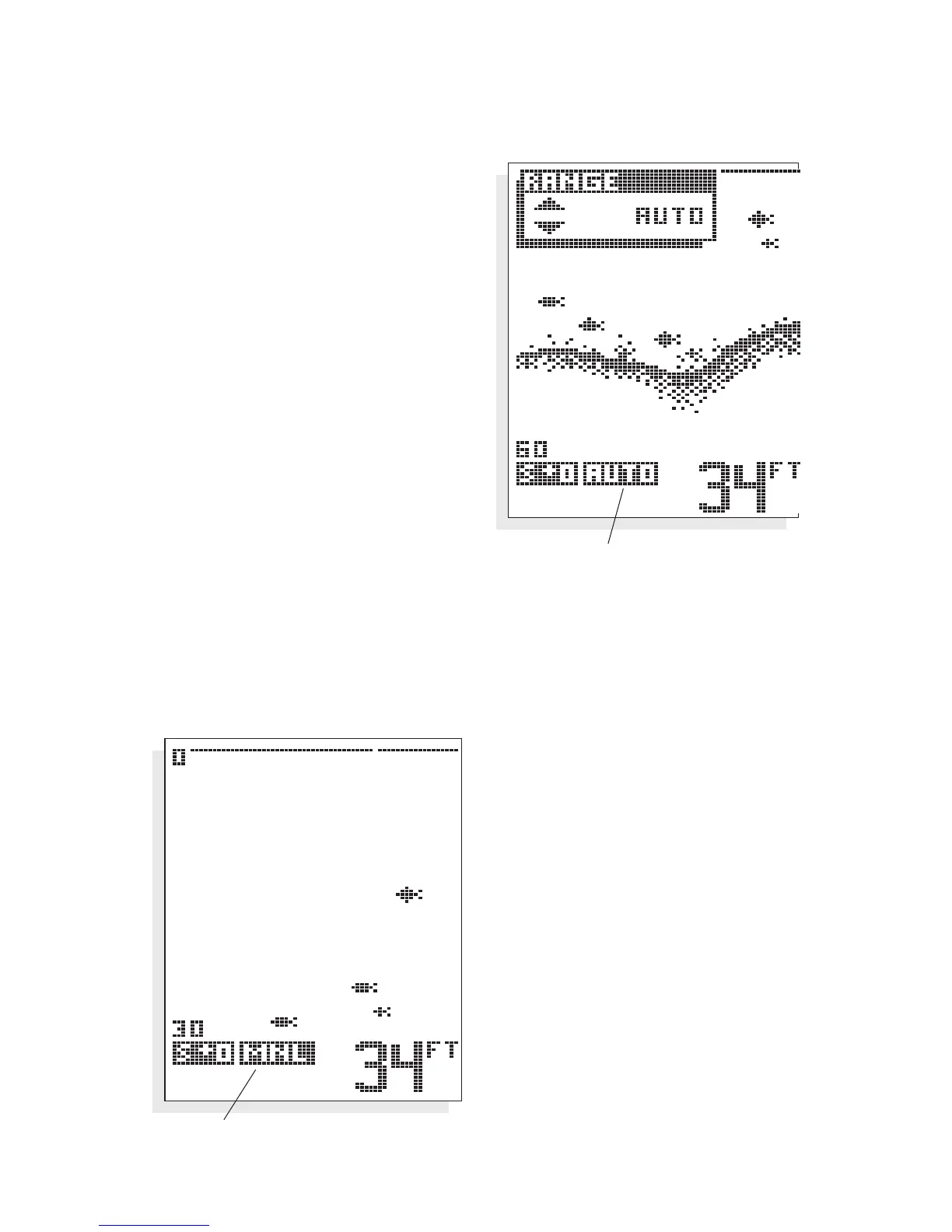
RANGE. 100ID adjusts the depth
range automatically, so the bottom
return is displayed at the bottom
¹⁄₃ of
the display. This leaves the top
²⁄₃ to
display anything between the surface
and the bottom. As your boat moves
over deeper or shallower water, the
unit adjusts the depth range of the
display to keep the bottom return in
the same general area on the screen.
However, you may choose to control
this range adjustment manually. By
pressing the
UP and DOWN arrow
buttons you can select manual opera-
tion, meaning the unit will no longer
adjust the depth range automatically.
The depth range selected is also
controlled by the
UP and DOWN arrow buttons. Ranges of 0 - 15,
30, 60, 120, 180, 240, 360, 480, and 600 feet can be selected. An
on-screen icon indicates whether the unit is in “AUTO” (automatic)
or “MNL” (manual) range control.
If you alter the depth range,
Manual operation is auto-
matically selected. This
feature is valuable if you are
only interested in targets
near the surface. The
100ID
will always display the digital
depth of the water, regard-
less of whether the bottom
is shown on the selected
depth range.
USING THE 100ID SERIES
MENU FUNCTIONS
Auto Range Control Indicator
Manual Range Control


 To Next Page