3. Installation
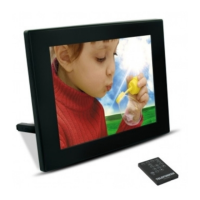
- Take your frame and its accessories out of their packaging.
- Remove the plastic film protecting the front of the frame.
- Pull the plastic tab protecting the contacts in the remote control.
- Install the frame's stand by sliding it into the slot provided on the back of the frame.
- Position the frame in the desired location, pulling the adjustable stand towards you.
- Connect the electrical cord to the frame in the space provided.
- Plug your frame into an outlet. Your frame will start up automatically.
II. Use your frame
1. Selecting a language
Once the slideshow has launched, press the "EXIT" key on the remote to display the main menu
screen, then press the "SETUP" button.
Use the "RIGHT/LEFT" keys on the remote to select the "Language" icon, then press "ENTER".
Select your language using the "UP/DOWN" keys on the remote, then press the "SLIDESHOW" key on
the remote to restart the slideshow.
2. Reading a memory card or a USB key
If your frame is off:
- Insert your card or USB key in the space provided.
- Switch on your frame: the slideshow will automatically play the contents of your memory card or
USB key.
If your frame is on:
- Press the "EXIT" key on your remote to display the main menu screen.
- Use the "RIGHT/LEFT" keys on your remote to select the "Card Selection" icon (on the bottom
left), then press "ENTER".
- Select the desired card using the "RIGHT/LEFT" keys on your remote and press "ENTER" to
confirm your choice. The main menu will appear again; press the "SLIDESHOW" key to launch
the slideshow.


 To Next Page