29
EN
6. CD OPERATION
This appliance reads CD, CD-R/-RW and MP3-CD discs. Other discs are not supported
by this appliance.
slowest burning speed.
The appliance will automatically switch to the standby mode about 13 to 16 minutes after:
–
– pressing (17, 41) on the main unit or on the remote control to pause playback.
– pressing (12, 43) on the main unit or on the remote control to stop playback.
To continue using the appliance at standby mode, press
(21, 27) on the main unit or
on the remote control to switch on the appliance.
6.1 Inserting and removing a disc
Press repeatedly FUNCTION (6, 28) on the main unit or on the remote control to select
CD operation mode.
Open the disc compartment by pressing the lid release (10) marked "Open" located on
the disc compartment lid.
Remove the protective card from the inside of the disc compartment and insert a CD
with labelled side upwards.
Press the disc compartment lid downwards to close the disc compartment.
Note: Flip the carrying handle (16) back, before opening the disc compartment lid.
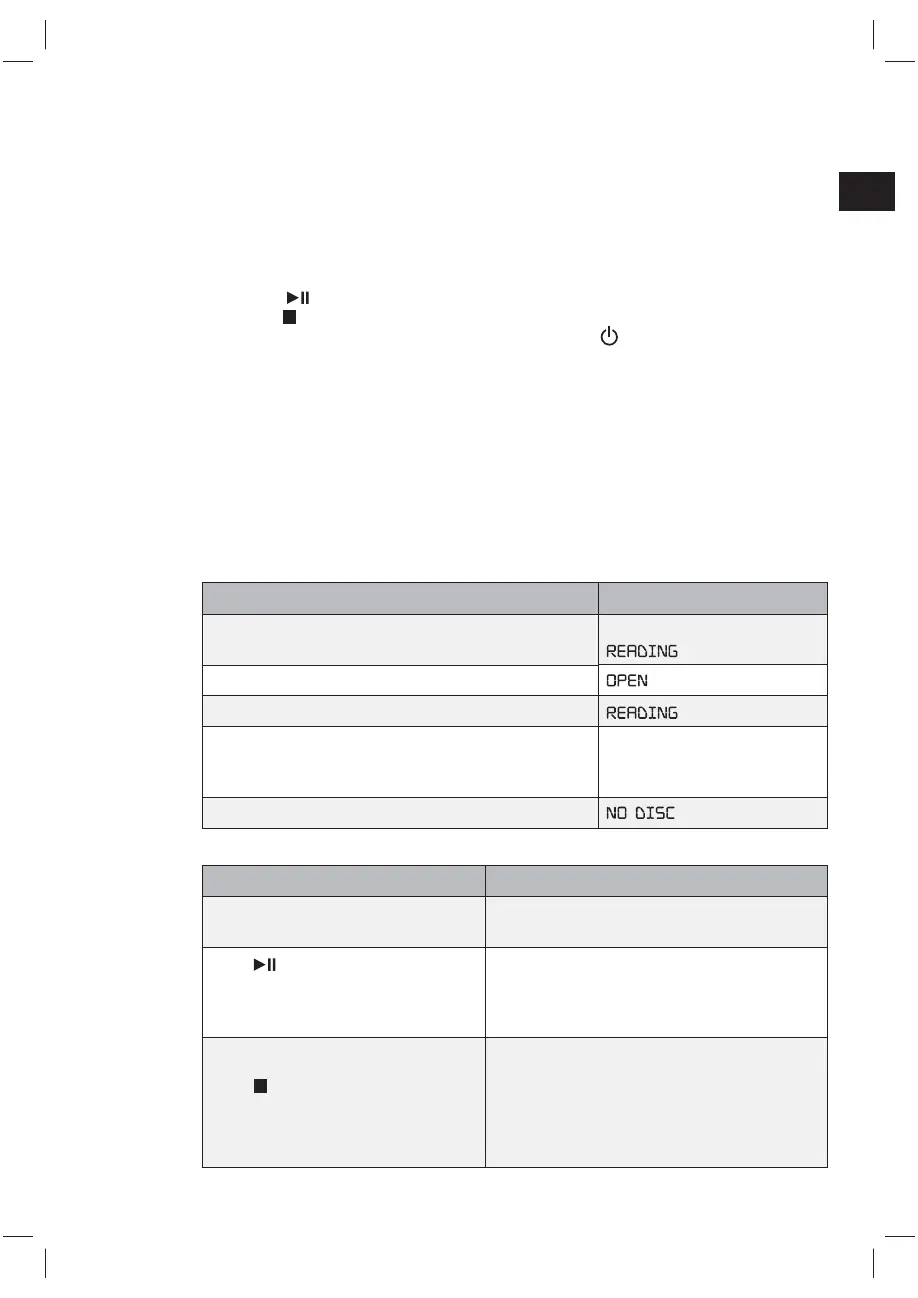
Process Display
Press FUNCTION (6,28) on the main unit or on the
remote control to select CD operation mode.
CD
Open the disc compartment.
Insert an Audio or MP3 CD.
CD or MP3
Track number
Elapsing time
No disc / damaged CD / incompatible format.
6.2 Playing a disc
Action Display
Playback starts automatically with the
Track number and elapsed time are shown
during playback.
Press
(17, 41) on the main unit
or on the remote control to pause
playback. Press again to resume
playback.
shown on the display during pause.
Press
(12, 43) on the main unit
or on the remote control to stop
playback.
For Audio CD:
Total number of tracks and total playing time
are shown.
For MP3 CD:
Total number of tracks and total folder are
shown.
(IM_for_approval)953-000067_RC1002BM_GB_V03_080115_2010955.indd 29 1/9/15 8:35 PM


 To Next Page