21
Using audio player
Tips:
1. Audio player allows you to listen to audio les in various formats: WAV, AMR,
MP3, MIDI, AAC.
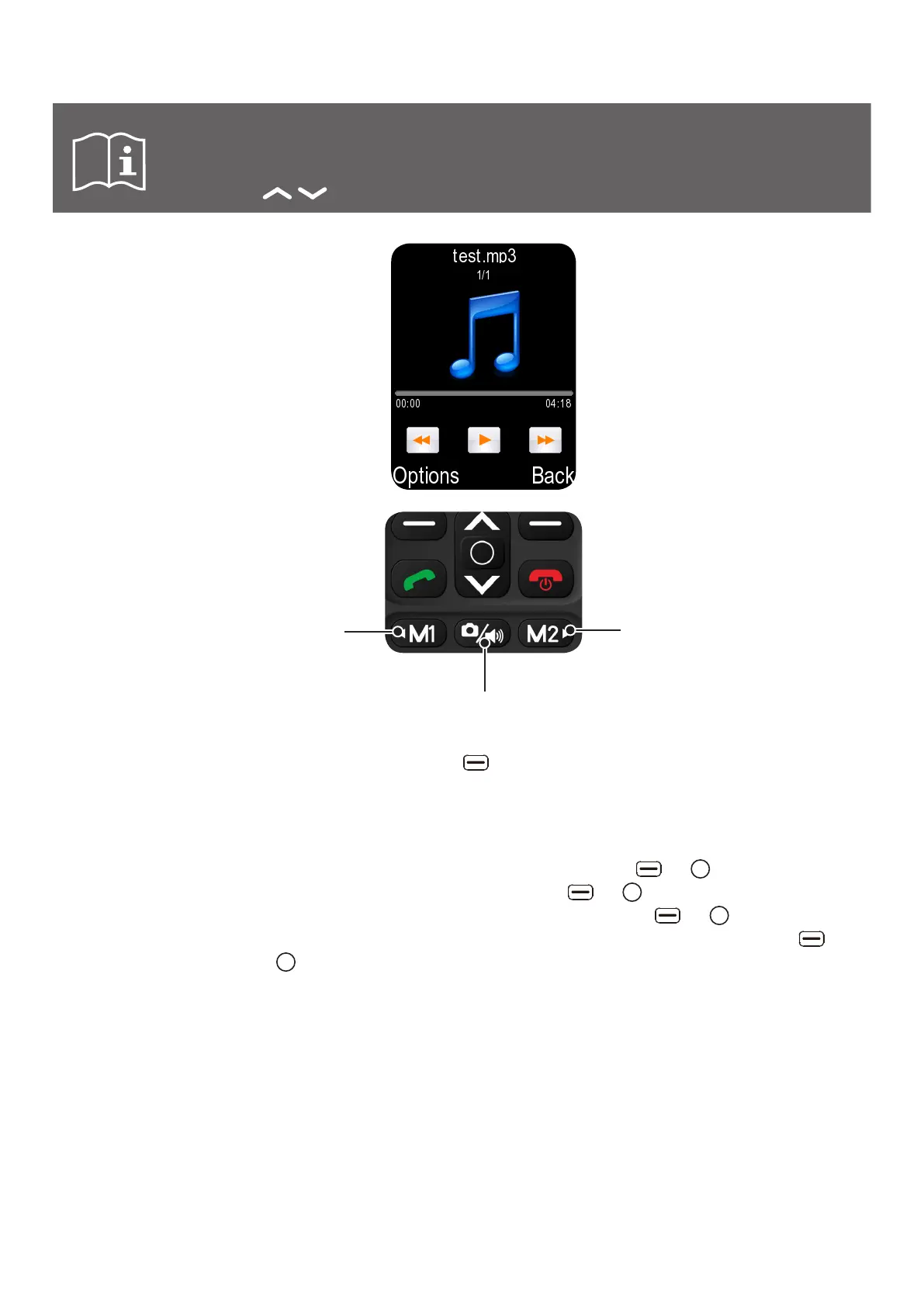
2. Use the / keys to increase or decrease the volume.
fNext audio file
f Press and hold to
fast-foward
fPress to play/pause
fPrevious audio file
fPress and hold to rewind
h While in the Audio player menu, press the left key to browse available Options:
Pause/Play Pause the currently playing song, or play the currently paused song.
Music list Access and manage the music list.
Add Add the currently active song to a playlist. To add to a saved play
list, select To saved playlist, press the left or key, select the
desired playlist, then press the left or key again. To add to a new
playlist, select To new playlist, press the left or key, type in a
name for the new playlist with your keypad, then press the left or
key again.
Set as ringtone Set the selected audio file as ringtone of incoming call or alarm.
To modify the Ringtone, need to put phone in General profile first.
Because if phone is in Silent or Vibration profile when set the ringtone
from audio player, it won't change anything.
Shuffle Toggle shuffle on or off.
Repeat Switch between off, repeat all, and repeat once.
Settings Change various audio player settings: background play, equalizer,
Bluetooth stereo output, and Bluetooth stereo headset.



 To Next Page