14
TELESVAR
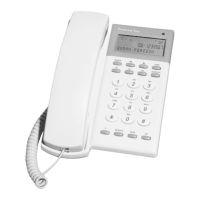
PreView Top have special function keys used for Telia TeleSvar.
1. Lift the handset
2. Press TELESVAR-key. TeleSvar will be called.
RADERA, Scroll keys and TELESVAR-key are now used to control
TeleSvar.
Erasing the message being played.
Skip forward, jumps to next message.
Jumps back to the beginning of played message.
Pause/Play, toggle between pause and play.
The message waiting indication will automatically be turned off after use of
TELESVAR key. You can also turn off the MWI by pressing RADERA.
RADERA
Telia TeleSvar
Retrieve messages
You can select the display contrast in 8 levels.
1. The line must be connected and handset on hook.
2. Press one of the scroll keys (to enter CID scroll mode).
3. Step to wanted contrast by pressing the # key.
Contrast


 To Next Page