29
EN
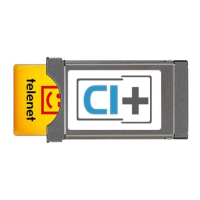
television on one CI+ TV at a time. Your CI+ module must always
be inserted in your TV. Want to use your CI+ module in another
TV? That’s possible, but the first time you will have to configure it to
the Telenet network to tune digital channels.
8. Do I have a programme guide with ‘TV with a card’?
Yes, but this depends on the type of TV you have.
Consult the user manual of your TV.
9. My television is asking me for a PIN code. Where can I find this
PIN code?
The PIN code is provided in the manual of your television. If you
no longer have the manual, try the most common codes, such
as 0000, 1111 or 1234.
10. I’m not having any luck with the installation process. What now?
Reset your TV to the factory default settings. You can find out
how at telenet.be/tvmeteenkaartje/help.
11. The time in my programme guide is incorrect.
You can set the correct time zone in your television’s settings.
Recordings
1. Can I record a programme with ‘TV with a card’?
Yes, some TVs allow you to record TV programmes to an external
hard drive. Important:
• This is a feature of your TV. It is not a feature associated with
‘TV with a card’
• Keep in mind that Telenet does not offer any support for recording
programmes using ‘TV with a card’.
2. Can I use ‘TV with a card’ to rewind or pause programmes?
Yes, but this depends on the type of TV you have. If your TV
allows you to rewind live programmes, this will also work with
‘TV with a card’. The maximum time available for rewinding or
pausing depends on the capacity of your storage device.
TELNDIV6T746_Update_Handleiding_180Hx120.indd 29 04/05/16 17:07


 To Next Page