EasyManua.ls Logo

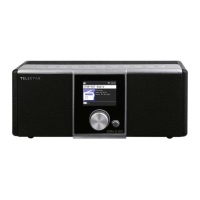
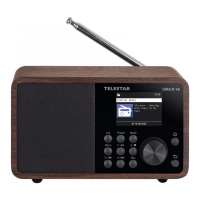
Telestar DIRA M 14i - User Manual

Telestar DIRA M 14i
398 pages
Go to English
Print Icon
To Next Page IconTo Next Page
Loading...
Bedienungsanleitung
User manual
Manuel d’utilisation
Istruzioni d‘uso
Handleiding
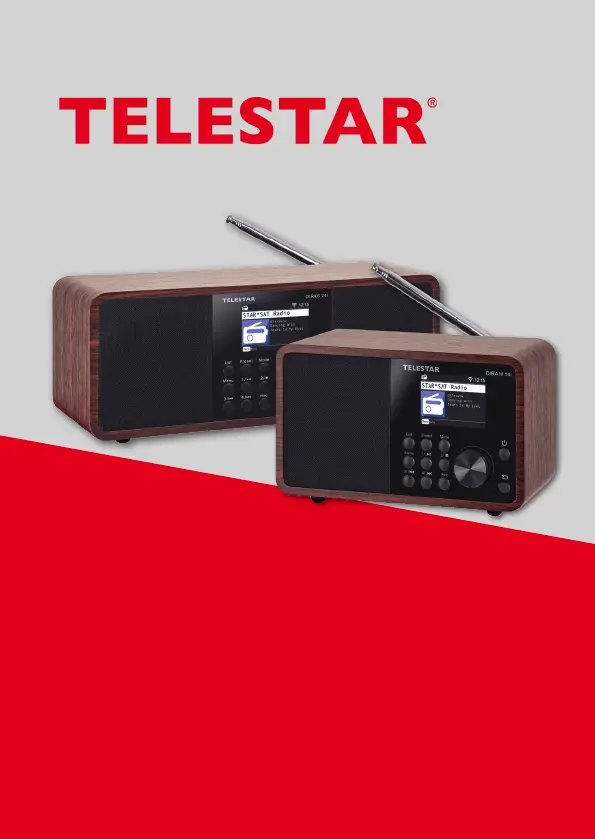
DIRA M 14i / DIRA S 24i
V4_07_01_21

Table of Contents

Questions and Answers

Summary

Safety Instructions

Explanation of Symbols

Explains hazard symbols like DANGER, WARNING, CAUTION, and NOTE used throughout the manual.

Safety Notice

General safety warnings for device usage, injury risks, and suffocation hazards from packaging materials.

Operational Safety

Details risks from electric shock, fire, and safe operation, including handling malfunctions.

Connect Device

Instructions for correctly connecting the device to a power source and ensuring proper installation.

Protect Device From Defects

Guidance to prevent device damage from environmental factors like moisture, heat, and physical stress.

Risk of Injury

Warns about potential hearing damage from excessive volume when using headphones or earphones.

Notes on Radio Interface

Information on electromagnetic fields and their potential impact on medical devices like pacemakers.

Handling Batteries

Covers safe practices for batteries, including risks of injury, explosion, and proper disposal.

Remote Control

Power, Mode, and Menu Navigation

Controls for device power (Standby), mode selection, and basic menu navigation (Back, ENTER/OK).

Volume, Media, and Program Lists

Functions for adjusting volume (VOL+/VOL-), controlling media tracks, and accessing station lists (LIST, FAV+).

Installation

Prepare the Remote Control

Instructions for activating and replacing batteries in the remote control, with safety warnings.

Power Connection

Steps for connecting the power adapter and turning on the radio for the first time.

Network Selection

Connecting the device to a WiFi network by selecting the network and entering the password.

Settings

System Settings

Accessing the system menu to configure language, date/time, network, and alarms.

Network

Setting up the network connection for Internet radio functionality.

Alarm; Alarm Clock

Configuring up to two alarm times, including sound source and repetition intervals.

Service

Select Internet Radio Station

Navigating the menu to select and tune into Internet radio stations.

USB Playback

Playing MP3 music files from a USB storage device connected to the USB port.

Bluetooth

Connecting external devices like smartphones or tablets via Bluetooth for audio playback.

Troubleshooting

Summary

Safety Instructions

Explanation of Symbols

Explains hazard symbols like DANGER, WARNING, CAUTION, and NOTE used throughout the manual.

Safety Notice

General safety warnings for device usage, injury risks, and suffocation hazards from packaging materials.

Operational Safety

Details risks from electric shock, fire, and safe operation, including handling malfunctions.

Connect Device

Instructions for correctly connecting the device to a power source and ensuring proper installation.

Protect Device From Defects

Guidance to prevent device damage from environmental factors like moisture, heat, and physical stress.

Risk of Injury

Warns about potential hearing damage from excessive volume when using headphones or earphones.

Notes on Radio Interface

Information on electromagnetic fields and their potential impact on medical devices like pacemakers.

Handling Batteries

Covers safe practices for batteries, including risks of injury, explosion, and proper disposal.

Remote Control

Power, Mode, and Menu Navigation

Controls for device power (Standby), mode selection, and basic menu navigation (Back, ENTER/OK).

Volume, Media, and Program Lists

Functions for adjusting volume (VOL+/VOL-), controlling media tracks, and accessing station lists (LIST, FAV+).

Installation

Prepare the Remote Control

Instructions for activating and replacing batteries in the remote control, with safety warnings.

Power Connection

Steps for connecting the power adapter and turning on the radio for the first time.

Network Selection

Connecting the device to a WiFi network by selecting the network and entering the password.

Settings

System Settings

Accessing the system menu to configure language, date/time, network, and alarms.

Network

Setting up the network connection for Internet radio functionality.

Alarm; Alarm Clock

Configuring up to two alarm times, including sound source and repetition intervals.

Service

Select Internet Radio Station

Navigating the menu to select and tune into Internet radio stations.

USB Playback

Playing MP3 music files from a USB storage device connected to the USB port.

Bluetooth

Connecting external devices like smartphones or tablets via Bluetooth for audio playback.

Troubleshooting

Telestar DIRA M 14i Specifications

General IconGeneral
TypeDigital Radio
DAB+Yes
FMYes
InternetradioYes
BluetoothYes
WLANYes
EthernetYes
USBYes
Headphone JackYes
App controlYes
Power SupplyAC 100-240V, 50/60Hz
Headphone Jack Size3.5 mm
Frequency Range87.5 - 108 MHz (FM)
Display2.4" TFT Colour Display

Related product manuals