EasyManua.ls Logo

Telestar DIRA S 20C - User Manual

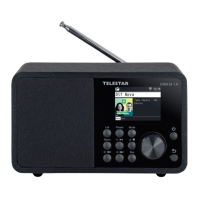
Telestar DIRA S 20C
406 pages
Go to English
Print Icon
To Next Page IconTo Next Page
Loading...
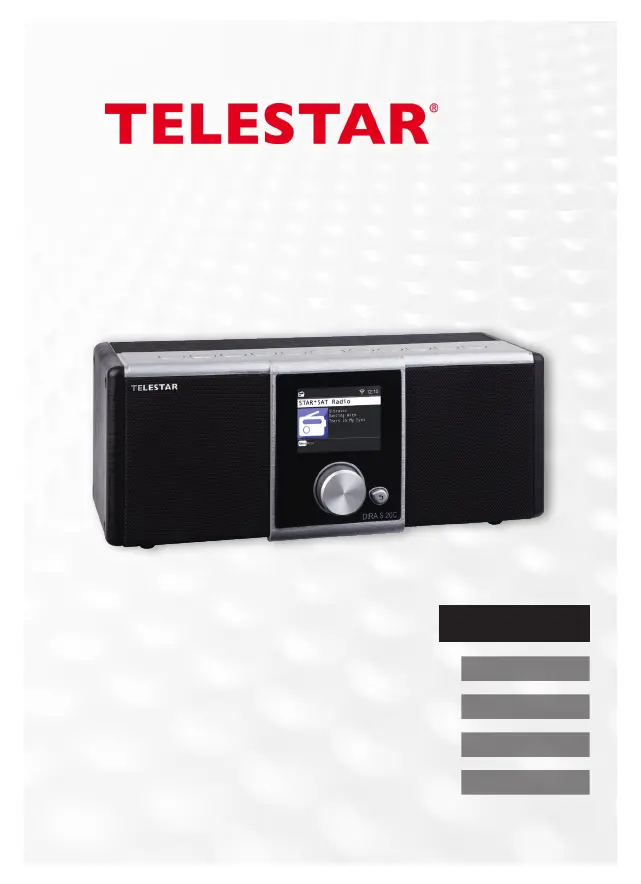
DIRA S 20C
Bedienungsanleitung
English
Francais
Italiano
Nederlands
Deutsch

Table of Contents

Questions and Answers

  • N
    Natasha EllisAug 6, 2025
    How to fix Telestar DIRA S 20C Radio WiFi connection?
    • M
      Mary PearsonAug 6, 2025
      If your Telestar Radio is having trouble connecting to WiFi, check the availability of WiFi networks. Try reducing the distance between the WiFi router and the radio. Also, ensure that you are using the correct WEP/WPA password when connecting to your WiFi router.
  • T
    timothygrantAug 10, 2025
    Why won't my Telestar Radio connect to the network?
    • A
      Austin WhiteAug 10, 2025
      If a network connection cannot be established, check the WiFi function. Ensure the DHCP function is activated on the router to which the radio is registered. Also, be aware that an active firewall in the network may be the reason.
  • A
    Andrew HortonAug 15, 2025
    How to increase the volume on my Telestar DIRA S 20C?
    • J
      Justin JacksonAug 15, 2025
      If the volume on your Telestar Radio is too low, check the volume setting on the radio itself. Also, check the volume setting on the paired device from which you are playing music to ensure it is set appropriately.
  • H
    hpetersAug 20, 2025
    What to do if AUX playback is not working on Telestar DIRA S 20C?
    • G
      gallegosdavidAug 20, 2025
      If AUX playback is not working on your Telestar Radio, ensure the radio is in ‘AUX’ mode. Check the cable connection between the radio and the external device. Also, verify that the audio file has an adequate bit rate; for MP3 files, a bit rate of 192Kbit/s or higher is recommended.
  • L
    Leonard SimmonsAug 23, 2025
    Why are no internet radio stations available on my Telestar DIRA S 20C?
    • I
      ingramreginaAug 23, 2025
      If no internet radio stations are available on your Telestar Radio, check the network access points. The radio station itself may be temporarily unavailable, or the station’s link may have changed, or it is no longer transmitting.
  • L
    Larry MurphyAug 28, 2025
    How to fix Telestar Radio when USB data carrier is not recognized?
    • H
      Heidi HoganAug 28, 2025
      If your Telestar Radio is not recognizing the USB data carrier, make sure that the USB device is formatted as FAT32.
  • D
    Debra MyersSep 1, 2025
    What to do if there is no sound from Telestar DIRA S 20C Radio but all other functions are OK?
    • S
      sean62Sep 1, 2025
      If there is no sound coming from your Telestar Radio, but all other functions are working, check to see if headphones are plugged in. If they are, unplug them.

Summary

Safety Information

Understanding Safety Symbols

Explains the meaning of various warning symbols used throughout the manual to indicate hazards.

General Safety Guidelines

Provides essential safety guidelines for users, including precautions for children and general warnings.

Operational Safety Procedures

Details safety measures related to the device's operation, including electric shock and fire risks.

Safe Connection Practices

Guidance on connecting the device to a power source and other components safely.

Battery Safety and Handling

Critical safety instructions for handling batteries, including risks of injury and proper disposal.

Device and Remote Control Overview

Device Controls and Ports

Identifies and explains the function of buttons, knobs, and ports on the TELESTAR DIRA S 20C unit.

Remote Control Functions

Details the purpose and operation of each button on the TELESTAR DIRA S 20C remote control.

Installation and Setup Procedures

Cable and Power Connections

Guidance on connecting antenna cables and the power adapter for device operation.

Device Settings Management

System Settings

Accessing and managing system-wide settings like language, date, network, and software.

Software Updates and Factory Reset

Procedures for updating software and restoring the device to factory default settings.

Device Operation

DVB-C Radio Operations

Receiving digital radio stations via cable, including automatic and manual search procedures.

Internet Radio Operations

Selecting and searching for internet radio stations through the menu or dedicated button.

Troubleshooting and Support

Troubleshooting Common Issues

Provides solutions for common problems like display issues, signal reception, and network connectivity.

Telestar DIRA S 20C Specifications

General IconGeneral
TypeDigital Radio
DAB+Yes
FMYes
Internet RadioYes
BluetoothYes
USBYes
Headphone JackYes
EthernetNo
WLANYes
Remote ControlYes
Weight1.7 kg
DisplayColor Display
Frequency RangeFM 87.5-108 MHz, DAB+ 174-240 MHz
Power SupplyAC 100-240V, 50/60 Hz

Related product manuals