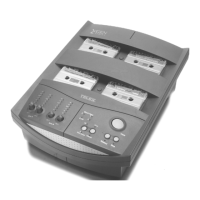
Controls and Indicators
Control/Indicator Function
Record Level
indicator
For each channel, displays the level of signal obtained
from the master cassette and sent to the copy
cassette. For channel assignments, see X-Gen
Channel Descriptions on page 7.
Record Level control
Your X-Gen is calibrated to produce copies at
recording levels approximately equal to the master
copy when the Record Level control is set to the
middle of its range. To adjust a control, rotate the
knob to raise or lower the recording level (for copy
cassette characteristics or incorrectly recorded master
cassettes). To prevent your setting from being
accidentally disturbed, press the knob into the down
position.
Short Tape
indicators
During a Copy cycle, lights red if a copy cassette
reaches its end before the master cassette finishes.
This might indicate a too-short copy cassette or a tape
jam. Lights green in Standby mode or when a Copy
cycle was successfully completed.
Power indicator
Lights red when the duplicator is switched on and
equalized for ferric oxide (Type I) cassettes. Lights
green when the duplicator is switched on and
equalized for copying onto chromium dioxide (Type II,
chrome bias) cassettes.
Side Select switch
Sets the duplicating system to copy either both sides
of the master cassette simultaneously (AB) or to copy
one side only (A). Press and hold to change the
setting.
Auto/Manual switch
Sets the duplicator to either Automatic or Manual
mode. Works with the Copy button (see below).
Copy button
Depends upon the position of the Auto/Manual switch.
Manual mode.
Copy
starts motors, engages heads,
and moves all cassettes forward until end-of-tape.
Auto mode.
Copy
starts a sequence which rewinds
cassettes to beginning, starts copying cassettes, stops
when tapes end, and rewinds tapes to beginning.
Rewind button Rewinds all cassettes to their beginnings.
Stop button Stops the Copy or Rewind functions.
5


 To Next Page