Need help?
Do you have a question about the Telguard Hy-can and is the answer not in the manual?
Explains the function of the polarity check LED.
Details wiring for CAN bus, microphone, and speaker connections.
Explains the use of isolated input with relays or switches.
Explains programming the unit via PC or modem for advanced settings.
Lists default relay codes and login credentials for system access.
Covers CPA requirement, dedicated lines, and power supply usage.
Guides on setting up telephone numbers for call points using voice commands.
Explains procedures for entering phone numbers, including pauses and clearing entries.
Offers tips for using the voice assist feature, like repeating statements and adjusting levels.
Guides on setting up a new PIN and assigning it to relays.
Details the process for removing or changing an existing PIN.
Recommends using PC/modem for deep parameter adjustments.
Illustrates various satellite panel layouts from 1 to 7.
Describes the System HUB and Satellite PCB components and capabilities.
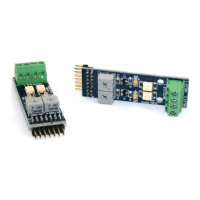
Shows the PCB HUB and details the dual opto relay module.
Illustrates Satellite PCB connections for CAN bus, mic, speaker, and expansion.
 General
| Brand | Telguard |
|---|---|
| Model | Hy-can |
| Category | Intercom System |
| Language | English |

 To Next Page