EasyManua.ls Logo

Telguard TG-7 Series - User Manual

Default Icon
2 pages
Print Icon
To Next Page IconTo Next Page
Loading...
24 HOUR ZONE (
N
.
C
.)
TELCO DIALER
ANTENNA
T
R
www.Telguard.com
REFER TO INSTALLATION AND
OPERATING INSTRUCTIONS
MANUAL. THIS DEVICE COMPLIES
WITH FCC RULE PART 15.
SIM
1
2
3
4
5
Power LED
CAUTION: INCORRECT
CONNECTIONS MAY RESULT
IN DAMAGE TO UNIT.
EARTH
GROUND
LED Mode
Toggle Button
4
LEDs 2-5
Signal (dBm)
NO
SVC
< -110 > -110 > -100 > -90 > -80 > -70 > -60
RSSI (bars) NONE 1 2 3
System Status LEDs (RSSI Mode)
OFF
BLINKING
ON
System Status
LEDs
Alarm Panel
1 FLASH = AC LOW/MISSING
2 FLASH = LBC LOW BATTERY
3 FLASH = LFC LINE FAULT
4 FLASH = NSC NO SERVICE
5 FLASH = RFC RADIO FAILURE
6 FLASH = DTF DIAL TONE FAIL
7 FLASH = PPF PNL PRES FAIL
LED 1
OFF NOT ACTIVATED
ACTIVATEDON
System Status LEDs (Normal Mode)
ACTIVATION DENIEDFLASHING
ACTIVATION
LED 2
OFF
FLASHING
SYSTEM
TROUBLE
NO TROUBLE
TROUBLE:
LED 3
OFF
ON
PANEL COMM
PANEL ON-HOOK (PRIMARY)
PANEL ON-HOOK (BACKUP)
LED 4
OFF IDLE
WAITING FOR RESPONSE
FROM TMC
ON
ACTIVATION DENIEDFLASHING
TMC COMM
LED 5
OFF IDLE
RADIO INITIALIZINGON
RADIO COMMUNICATINGFLASHING
RADIO STATUS
Battery
Connector
Acceptable RSSI Range
AC
(12V 800MA)
Battery wire should
be at least ¼ inch
apart from AC wires
24 HOUR ZONE
(
N
.
O
.)
2
3
4
5
7
GREEN
R
1
T
RED
INCOMING
TELCO
RJ31X
WARNING:
HIGH VOLTAGE
PRESENT ON PHONE
LINES.
DISCONNECT PRIOR
TO SERVICING.
TO EXTERNAL
TRIP INPUT
PANEL OFF-HOOKFLASHING
BATTERY
6
8
LED 6
LED 7LED 8
OFF
NOT USED
OFF
NOT ACTIVATED OR
RESTORED
NOT USED
TRIP INPUT
AC NOT CONNECTED TO UNIT
AC CONNECTED TO UNIT
OFF
ON
POWER LED
FLASHING
LINK SUPERVISION ENABLED
(2 FLASHES EVERY 6 SECONDS)
TELGUARD
Digital TG-7
STC2
(N.C.)
STC1
(N.O.)
1
2
3 5 6
1 2
1 2 1 32
4
Optional
Battery
+
-
ACTIVATEDON
Telguard TG-7 Series
QUICK INSTALLATION GUIDE [BACKUP MODE]
NOTE: If a TG-PEM Power and Expansion Module accessory is part of your installation, refer to the
full Installation and Operation Guide available from www.telguard.com/7install.
Installation Summary
There are seven steps in installing Telguard properly. IF YOU DO NOT
PROCEED IN THE ORDER AND MANNER PRESCRIBED, YOU MAY
NOT COMPLETE THE INSTALLATION IN THE TIME ALLOCATED.
STEP 1: REGISTER FOR CELLULAR SERVICE
The registration form may be completed online through our 24/7 dealer portal
www.telguard.com.
STEP 2: LOCATE UNIT AND MEASURE SIGNAL STRENGTH (RSSI)
First, you will be confirming that Telguard has adequate cellular signal strength. Press the
LED/RSSI Mode Toggle button one time, LEDs will now indicate signal strength. Minimum
recommended is 2 (2 on solid). Press the LED/RSSI Mode Toggle button a second time to exit
RSSI mode.
STEP 3: TRANSMIT PANEL ALARMS OVER THE TELCO CONNECTION
Next, you will verify that the alarm panel is programmed properly. This step is important to verify
that the alarm panel is programmed with valid account code and central station information
before transmitting signals through the cellular network.
STEP 4: PROGRAM, ACTIVATE & TRANSMIT PANEL ALARMS OVER THE
CELLULAR RADIO NETWORK
Next, you will be connecting the alarm panel's digital dialer output to Telguard and verifying that
alarm signals can be reliably sent through Telguard over cellular to the central station digital
receiver. The incoming Telco line is not connected to Telguard during this step. A minimum of
two alarm signals must be transmitted. Activation is confirmed when LED 1 is illuminated.
(NOTE: THE FIRST ALARM WILL ACTIVATE THE UNIT AT THE TELGUARD COMMUNICATION
CENTER, IT WILL NOT GO TO THE CENTRAL STATION, ALL SIGNALS AFTER THE FIRST ARE
SENT TO THE CENTRAL STATION)
STEP 5: CONNECT SUPERVISORY TRIP OUTPUTS
Next, you will wire Telguard's supervisory trip outputs to the alarm panel and then test.
STEP 6: CONNECT TRIP INPUT (OPTIONAL)
Optionally, you can wire an external relay input to the trip input lead and ground, and test.
STEP 7: COMPLETE THE INSTALLATION
Your last step will be to attach earth ground, reconnect Telco, and permanently mount the unit.
ULC Note: To maintain compliance in Canada, the radio frequency warning
label (supplied) must be affixed to the cover of the TG-7 series device.
Question and Answer IconNeed help?

Do you have a question about the Telguard TG-7 Series and is the answer not in the manual?

Summary

Telguard TG-7 Series Quick Installation Guide

Register for Cellular Service

Register for cellular service via the 24/7 dealer portal.

Locate Unit and Measure Signal Strength (RSSI)

Confirm adequate cellular signal strength using LEDs.

Transmit Panel Alarms Over the Telco Connection

Verify alarm panel programming for central station communication.

Program, Activate & Transmit Panel Alarms Over Cellular Radio Network

Connect panel, transmit alarms via cellular network, verify activation.

Connect Supervisory Trip Outputs

Wire and test Telguard's supervisory trip outputs to the alarm panel.

Connect Trip Input (Optional)

Wire an external relay input to the trip input lead and ground.

Complete the Installation

Attach earth ground, reconnect Telco, and permanently mount the unit.

Overview

The Telguard TG-7 Series is a communication device designed to transmit alarm signals, primarily over a cellular network, serving as a backup or sole path for alarm communication. It is intended for use in security and fire alarm systems, ensuring that critical signals reach a central monitoring station even if traditional telephone lines are compromised.

Function Description

The core function of the TG-7 Series is to provide reliable and secure transmission of alarm signals. It acts as an interface between an alarm control panel and a central monitoring station. In its "Backup Mode," the device monitors the existing Telco (telephone line) connection from the alarm panel. If the Telco line fails or is cut, the TG-7 automatically switches to the cellular network to transmit alarm signals. In "Sole Path Mode," the device completely replaces the traditional Telco connection, sending all alarm signals exclusively over the cellular network. This dual functionality ensures flexibility in deployment, catering to different security requirements and existing infrastructure.

The device incorporates a digital dialer output, allowing it to receive alarm signals from the control panel in a format compatible with cellular transmission. It then converts these signals and sends them over its integrated cellular radio. The TG-7 also provides supervisory trip outputs, which can be wired to the alarm panel to indicate the status of the cellular connection or other supervisory conditions. An optional trip input allows for external relay inputs, expanding its integration capabilities with other security components.

A key feature is its ability to measure and display cellular signal strength (RSSI – Received Signal Strength Indicator) through a series of LEDs. This allows installers to optimize placement for the best possible cellular reception, which is crucial for reliable communication. The device also includes various status LEDs that provide visual feedback on its operational state, including activation status, system trouble, panel communication, TMC (Telguard Monitoring Center) communication, radio status, and power status. These LEDs are essential for troubleshooting and verifying proper operation during installation and maintenance.

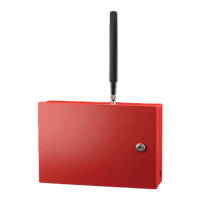
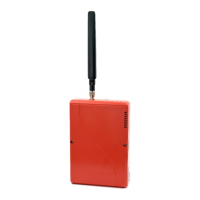
The TG-7 Series is designed to be a robust and dependable component of an alarm system. It includes a battery connector for an optional backup battery, ensuring continued operation during power outages. This power redundancy is vital for maintaining alarm communication in emergency situations. The device also features an antenna for cellular communication and an RJ31X jack for connecting to the Telco line (in backup mode) or directly to the alarm panel (in sole path mode).

Usage Features

The installation process for the Telguard TG-7 Series is structured into seven distinct steps, emphasizing a methodical approach to ensure proper setup and functionality.

  1. Registration for Cellular Service: Before physical installation, the device must be registered for cellular service through Telguard's dealer portal. This step activates the cellular communication capabilities.

  2. Locate Unit and Measure Signal Strength (RSSI): Installers must first determine the optimal placement for the unit by measuring cellular signal strength. This is achieved by pressing the LED/RSSI Mode Toggle button, which causes the LEDs to display the RSSI. A minimum recommended signal strength (indicated by 2 or 2.5 solid LEDs) is required for reliable operation. This step is critical to prevent communication failures due to poor cellular reception.

  3. Transmit Panel Alarms Over the Telco Connection (Backup Mode) / Configure Alarm Panel for Sole Path Connection (Sole Path Mode):

    • In Backup Mode, the installer verifies that the alarm panel is programmed correctly to transmit signals over the Telco connection. This ensures the panel's account code and central station information are valid before cellular transmission is enabled.
    • In Sole Path Mode, the alarm panel must be configured to use a single Telco connection, as the TG-7 provides only one. This may involve disabling a second Telco connection on the panel or splicing existing Telco lines into the TG-7's single jack.
  4. Program, Activate & Transmit Panel Alarms Over the Cellular Radio Network: This step involves connecting the alarm panel's digital dialer output to the TG-7. The installer then verifies that alarm signals can be reliably sent over the cellular network to the central station. A minimum of two alarm signals must be transmitted. The first alarm activates the unit at the Telguard Communication Center, while subsequent signals are sent to the central station. Activation is confirmed when LED 1 illuminates.

  5. Connect Supervisory Trip Outputs: The TG-7's supervisory trip outputs are wired to the alarm panel. These outputs provide feedback to the panel regarding the status of the cellular connection, allowing the panel to report any issues. After wiring, these outputs must be tested.

  6. Connect Trip Input (Optional): An external relay input can be wired to the trip input lead and ground, providing an additional input for monitoring or control. This feature is optional and depends on the specific system requirements.

  7. Complete the Installation: The final step involves attaching the earth ground, reconnecting the Telco line (if in backup mode), and permanently mounting the unit. This ensures the device is properly grounded and secured.

The device's LED indicators provide comprehensive status information, allowing installers and technicians to quickly assess its operational state. For example, a flashing "Activation Denied" LED indicates an issue with cellular service activation, while a flashing "Radio Communicating" LED shows active data transmission. The "System Trouble" LED flashes in different patterns to indicate specific issues like AC low/missing, low battery, line fault, no service, radio failure, dial tone failure, or panel presence failure.

Maintenance Features

The TG-7 Series is designed for low maintenance, with its primary maintenance features revolving around visual inspection and troubleshooting using the onboard LEDs.

  • LED Diagnostics: The various status LEDs are the primary tool for diagnosing issues. By observing the patterns and colors of the LEDs, technicians can quickly identify the source of a problem, such as a power issue (Power LED), cellular signal strength (RSSI LEDs), or communication failure (Radio Status, Panel Comm, TMC Comm LEDs). This eliminates the need for specialized diagnostic tools for many common issues.
  • Battery Backup: The optional battery backup ensures continued operation during power outages, reducing service calls related to temporary power loss. Regular checks of the battery's condition are part of routine system maintenance. The "System Trouble" LED will indicate a low battery condition (2 flashes).
  • Firmware Updates: While not explicitly detailed in the quick guide, Telguard devices typically support firmware updates, which can be performed remotely or locally to enhance functionality, address bugs, or improve compatibility with new alarm panels or cellular network standards.
  • Documentation and Support: The availability of a full Installation and Operation Guide on the Telguard website (www.telguard.com/7install) provides detailed information for advanced troubleshooting and maintenance procedures. Telguard's 24/7 dealer portal also offers support and resources for installers.
  • ULC Compliance: For installations in Canada, the device requires a radio frequency warning label to be affixed to its cover, ensuring compliance with regulatory standards. This is a maintenance consideration for Canadian installations.

Overall, the Telguard TG-7 Series is engineered for straightforward installation and reliable, long-term operation, with its diagnostic LEDs serving as the primary interface for ongoing monitoring and troubleshooting.

Telguard TG-7 Series Specifications

General IconGeneral
ModelTG-7 Series
Operating Temperature32°F to 120°F (0°C to 49°C)
Network SupportCellular
Cellular TechnologyLTE
CompatibilityCompatible with most fire alarm control panels
Communication ProtocolsContact ID, SIA

Related product manuals