EasyManua.ls Logo

Tellur Vox 55TLL511321 - User Manual

Tellur Vox 55TLL511321
9 pages
Print Icon
To Next Page IconTo Next Page
Loading...
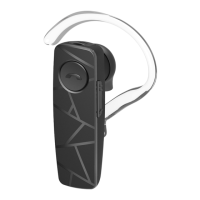
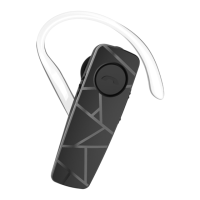
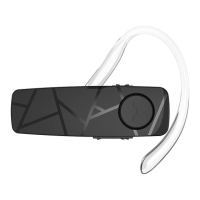
Vox 55 Bluetooth Headset
TLL511321
User Guide

Questions and Answers

  • J
    Jonathan DiazAug 3, 2025
    What to do if Tellur Vox 55 TLL511321 Headsets cannot be searched or pairing fails?
    • J
      jenny73Aug 3, 2025
      If your Tellur Headsets cannot be searched or pairing fails, it might be because the headset hasn't entered pairing mode. To fix this, enable the headset to enter pairing state. Also, the Bluetooth application of your cellphone might be in error, in that case close the cellphone and start again the pairing process.
  • J
    james31Aug 14, 2025
    Why my Tellur Vox 55 TLL511321 Headsets power on function failed?
    • A
      Anna StewartAug 14, 2025
      If the Tellur Headsets power on function failed, ensure the battery isn't discharged by using the charger to fully charge the battery and press the MFB button longer. Also, check that the toggle switch is in the right position, push the toggle switch again.
  • B
    Brenda RiveraAug 25, 2025
    What to do if Tellur Vox 55 TLL511321 power off function failed?
    • J
      jaclyn86Aug 25, 2025
      If the Tellur Headsets power off function failed, it might be that the headset program is in error due to an incorrect operation. Use the charger to charge and reset the headset.

Summary

Technical Specifications and Quick Start

Headset Components Overview

Lists and describes the parts of the headset, including LED indicator, MFB button, volume buttons, charging port, ear hook, microphone, and earpiece.

Basic Operations Guide

Power On and Bluetooth Pairing

Instructions for powering on the headset and initiating the Bluetooth pairing process using the MFB button or toggle switch.

Connecting, Call Management, and Volume Control

Details on connecting to devices, answering, rejecting, ending calls, controlling volume, and switching between headset and phone.

Advanced Features: Redial, Voice Dialing, and Multipoint

Guidance on redialing last number, using voice dialing, and managing connections with multiple devices simultaneously.

Three-party Calling and Factory Reset

Instructions for managing multiple calls and restoring the headset to its original factory settings.

Powering Off the Headset

Methods to safely turn off the headset using the MFB button or the toggle switch.

Charger and Battery Information

Charging Requirements and Procedure

Details on charger specifications, connection, charging indicator lights, and estimated charging time.

Battery Life and Maintenance

Information on talk time, standby time, low battery indication, and recommendations for long-term storage.

Troubleshooting Common Issues

Power On and Charging Failures

Solutions for problems encountered when powering on the headset or when the charging function fails.

Pairing and Connection Problems

Troubleshooting steps for when the headset cannot be searched or pairing attempts fail.

Disposal and Recycling Guidelines

Tellur Vox 55TLL511321 Specifications

General IconGeneral
ModelVox 55
Product CodeTLL511321
Wearing styleOver-ear
Connectivity TechnologyWired
USB ConnectivityYes
Cable length2.2 m
Ear couplingCircumaural
Headphone frequency20 Hz - 20 kHz
MicrophoneYes
Microphone frequency100 Hz - 10 kHz
Microphone direction typeOmnidirectional
ColourBlack
Product TypeHeadset
Recommended UseGaming
Impedance32 Ohm
Sensitivity105 dB
Microphone sensitivity-42 dB

Related product manuals