EasyManua.ls Logo

Tellur Vox 60 - User Manual

Tellur Vox 60
8 pages
Print Icon
To Next Page IconTo Next Page
Loading...
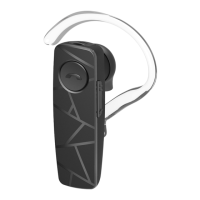
Vox 60 Bluetooth Headset
TLL511381
User manual
Manual de utilizare
Manual del usuario
Manuel d’utilisation
Manuale d'uso
Benutzerhandbuch

Questions and Answers

Summary

Technical Specifications

Headset Components

Lists the physical parts of the headset, such as LED, MFB button, and microphone.

Basic Operations

Power On and Pairing

Instructions for powering on the headset and initiating the Bluetooth pairing process.

Connecting to a Device

Steps to connect the headset to a mobile phone via Bluetooth.

Call Management

Procedures for managing incoming and ongoing calls, including answering, rejecting, and ending.

Volume and Talking Control

How to adjust volume and switch between headset and phone during a call.

Dialing Features

Instructions for redialing the last number and initiating voice commands.

Multi-point Function

Guide to connecting and managing two Bluetooth devices simultaneously.

Three-Party Calling

Managing multiple calls, including conference calls and call switching.

Restore Factory Settings

Steps to reset the headset to its original factory default settings.

Power Off

Methods for turning off the Bluetooth headset.

Charger and Battery

Charging Specifications

Details on recommended charger voltage, current, and charging time.

Battery Status and Charging

Information on low battery indicators, charging, and battery completion.

Troubleshooting

Disposal and Recycling Information

Tellur Vox 60 Specifications

General IconGeneral
TypeOver-ear
ConnectivityWired
MicrophoneYes
Frequency Response20Hz - 20KHz
Connection3.5mm jack
Impedance32 Ohm
Sensitivity108 dB
Microphone Sensitivity-38 dB

Related product manuals