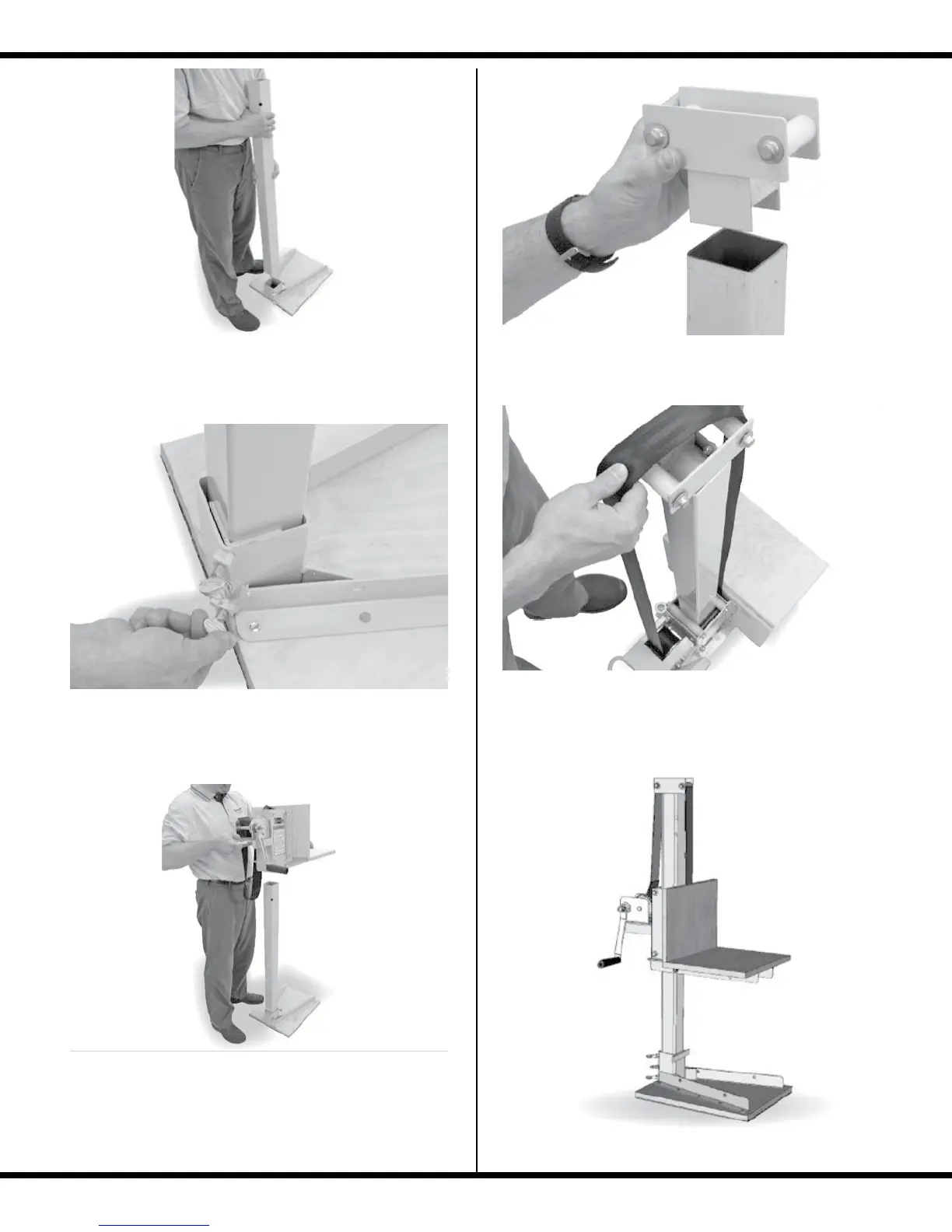
ASSEMBLY - Counter Base Configuration
4
1. Install either of the boom sections into the Counter
Base.
2. Tighten the thumb screws on the Counter Base to
hold the Boom rmly in place.
3. Let out a 2’ loop of strap on the Collar Assembly
and slide the Collar Assembly over the Boom Tube.
MAKE SURE the seat of the Collar Assembly is ori-
ented on the same side as the Counter Base as shown.
4. Insert the top roller assembly
5. Position the strap over the top rollers, making sure that
it is aligned straight with no twists.
Your Cabinetizer
TM
is now ready for use.



 To Next Page