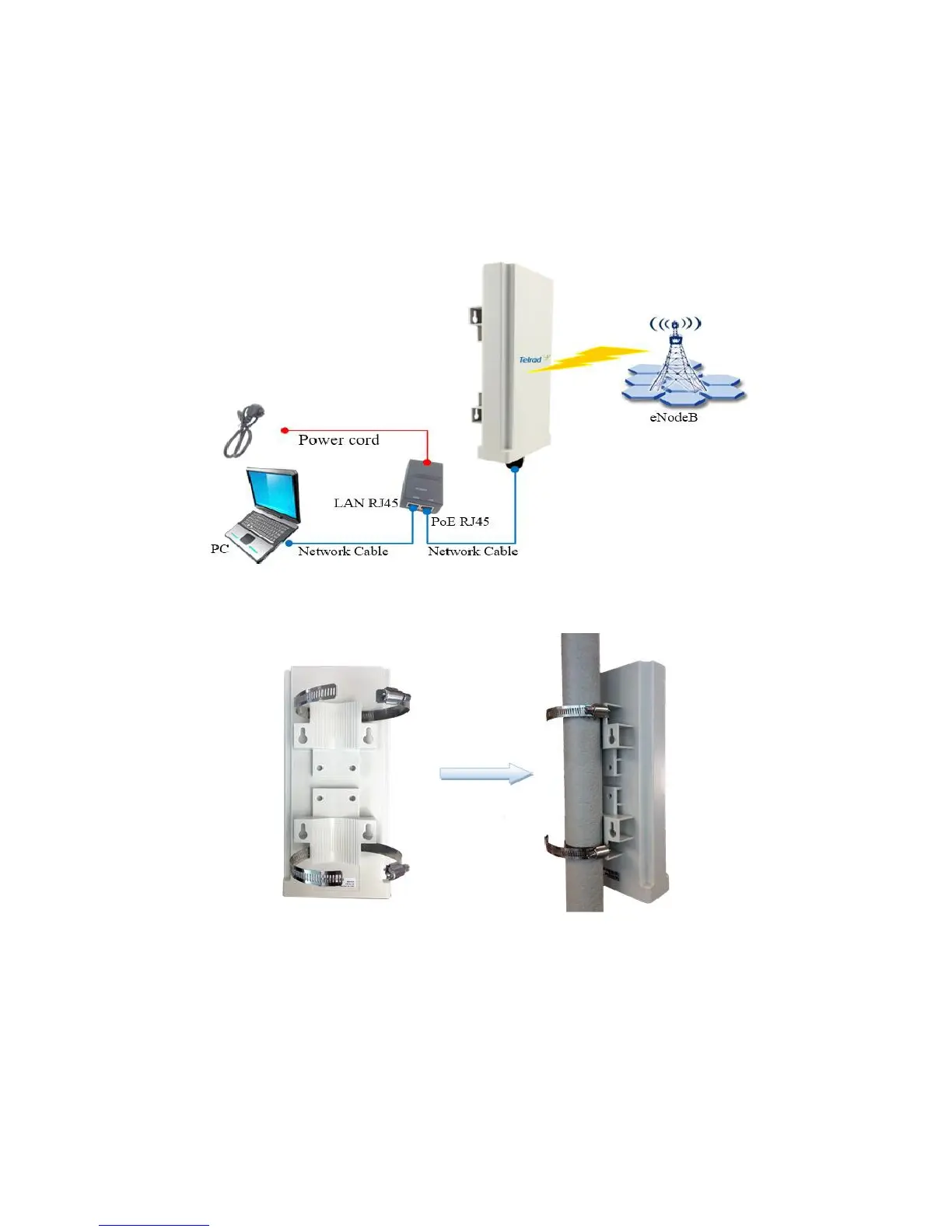
the system has completed the startup procedure.
To connect PC, LAN switch or other type of IP device to the CPE product, the user should use
standard CAT5 Ethernet cable and connect to the appropriate LAN port. Once connected,
the ETH LED indicator should come on.
Installing Outdoor Unit (ODU) – Clamp
Header Connection


 To Next Page