EasyManua.ls Logo

Telstra BUZZ - Manage Battery Life

Telstra BUZZ
133 pages
Print Icon
To Next Page IconTo Next Page
To Previous Page IconTo Previous Page
Loading...
Flashlight:
Turn
the
flashlight
on
or
off.
Display
brightness:
Slide
to
lower
or
increase
the
bright
ness
of
your
screen.
Auto-rotate:
Lock
your
device’s
orientation
in
portrait
or
landscape
mode.
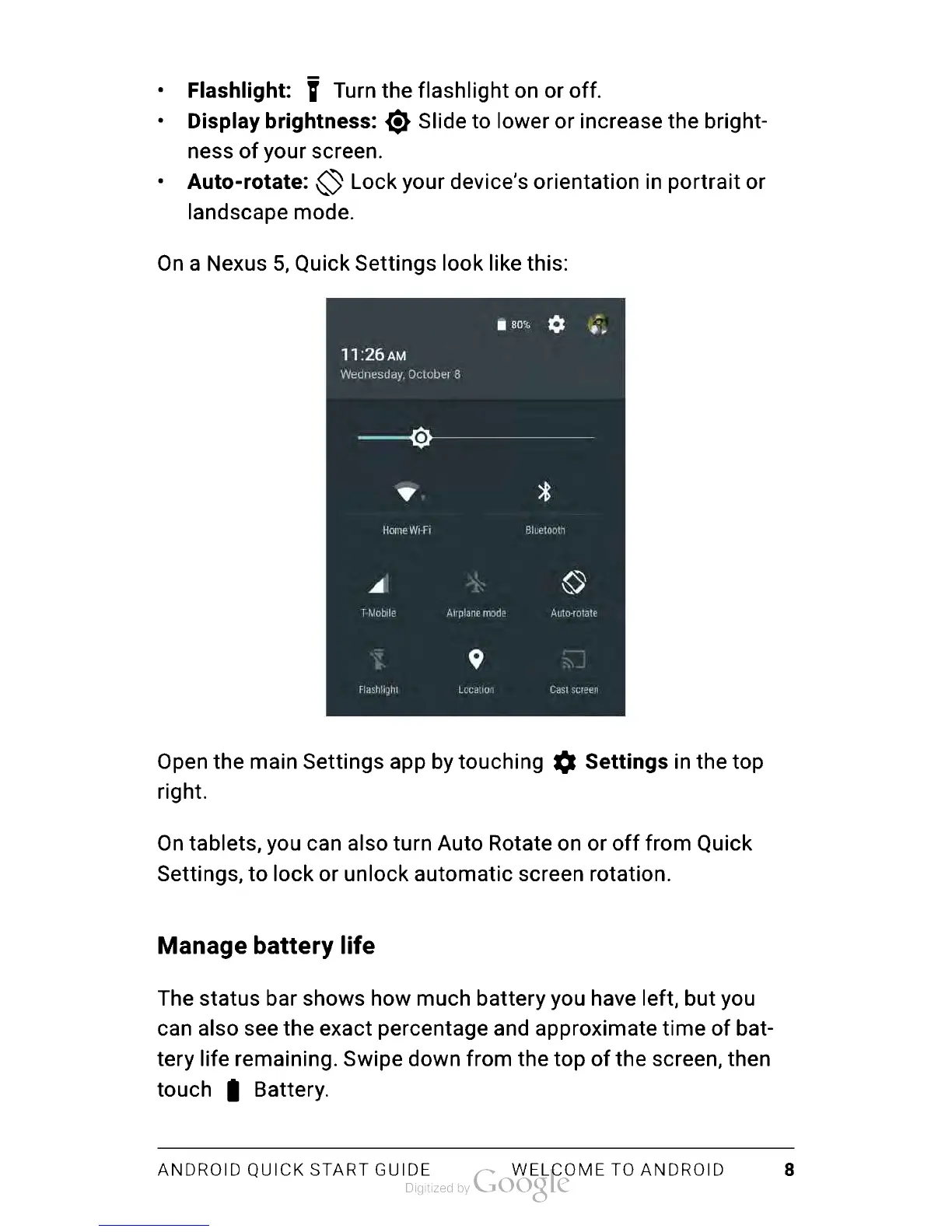
On
a
Nexus
5,
Quick
Settings
look
like
this:
Open
the
main
Settings
app
by
touching
Settings
in
the
top
right.
On
tablets,
you
can
also
turn
Auto
Rotate
on
or
off
from
Quick
Settings,
to
lock
or
unlock automatic
screen
rotation.
Manage
battery
life
The
status
bar
shows
how
much
battery
you
have
left,
but
you
can
also
see
the
exact
percentage
and
approximate
time
of
bat
tery
life
remaining.
Swipe
down
from
the
top
of
the
screen,
then
touch
Battery.
ANDROID
QUICK
START
GUIDE
WELCOME
TO
ANDROID
8

Table of Contents

Related product manuals