2
GETTING TO KNOW YOUR PHONE
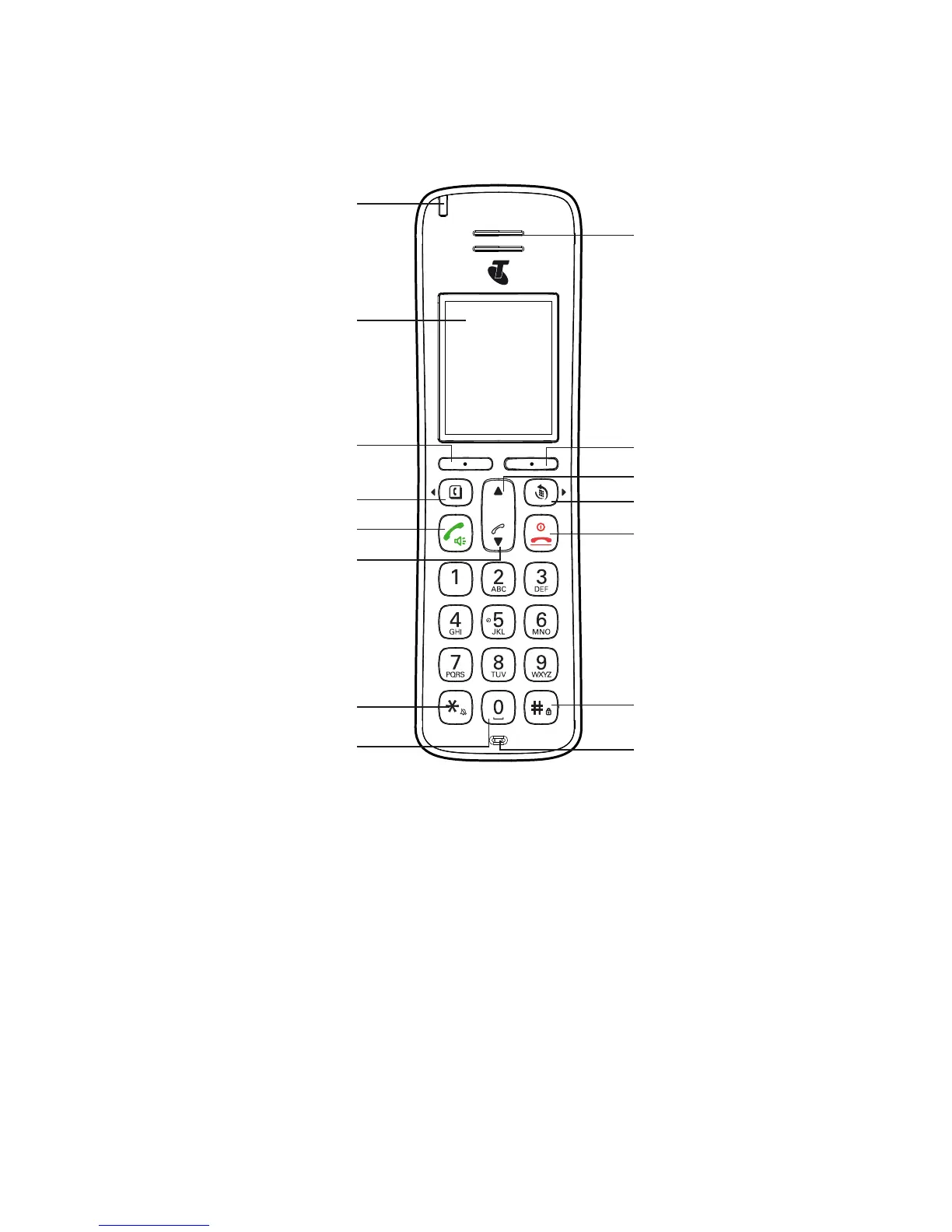
Overview of your handset
Symbol Function
B
(t)
Scroll left / Contacts / Recall - For scrolling left. Access to
phonebook. Press and hold to use Recall feature when connected
to a PABX, and with some Telstra Calling Features e.g. Call Waiting
u
Navigational key / Volume / Call List - For scrolling up. In call
volume adjustment during calls.
t
Talk key/Speakerphone - Make or answer a call. Activate and
deactivate hands-free during a call.
Earpiece
Display
Menu / OK
Navigation key / Volume /
Call list
Talk key / speaker phone
Activating / deactivating
the key lock
Scroll Right / Redial key
Microphone
Back / Clear / Mute
“End Call” / Power key / Exit
Navigation key / Volume
Activating / deactivating
the handset ringer / Change case /
Pulse to tone dialling
Pause / Space key
Scroll Left / Contacts / Recall
Ring indicator LED



 To Next Page