NAVIGATING THE MENU
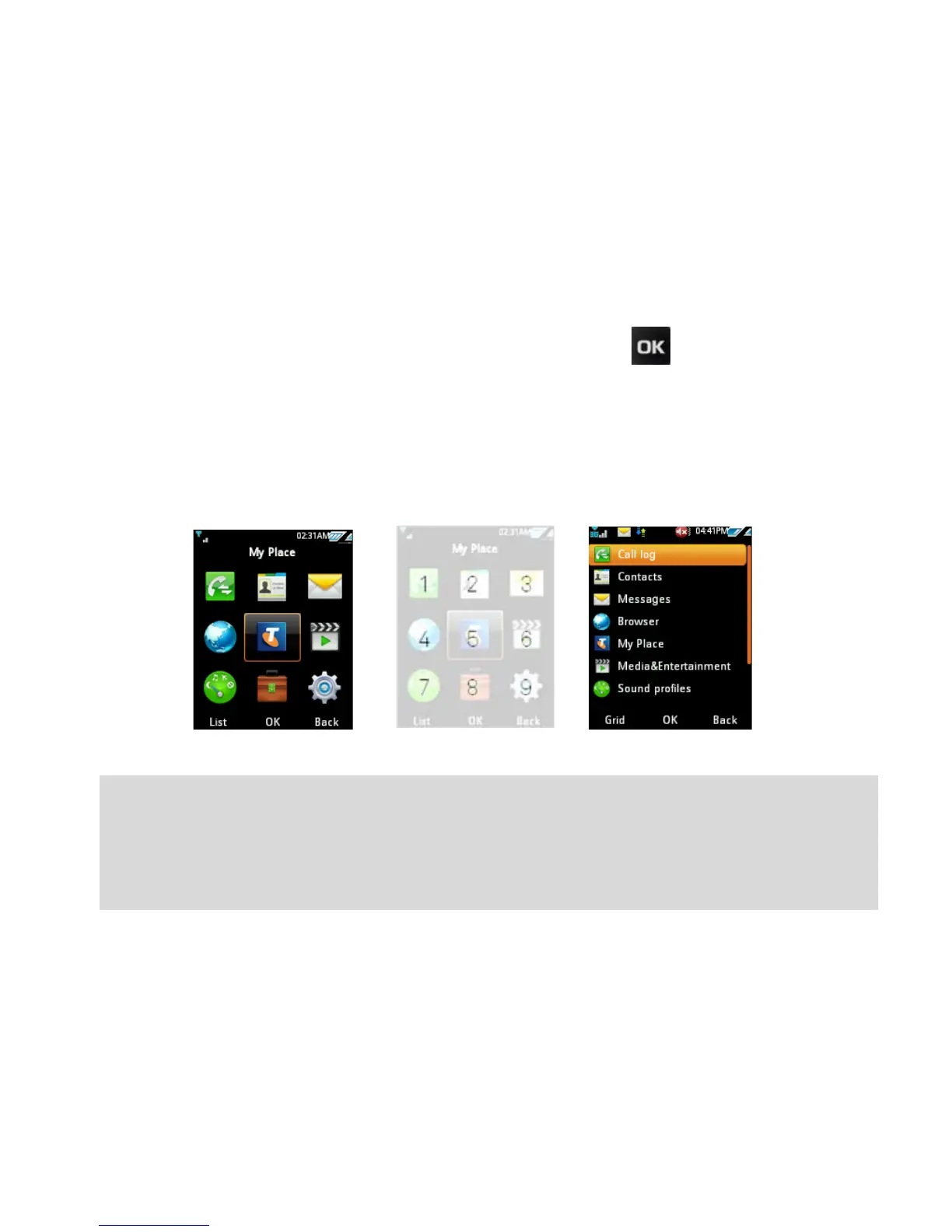
The Main Menu is a grid of icons to access key features on the phone.
• From the Home Screen press the centre button to access the
Main Menu.
• Use the Arrow Keys to move up, down, right or left and press the
centre button to select.
• Alternatively press the corresponding number key as shown on the
grid below. Eg Menu > 2 = Contacts
Handy Hint:
Use the left and right soft keys to select the functions at the bottom
of the display. By default the menu structure is a grid. You can
change this by pressing list on the left soft key.



 To Next Page