5
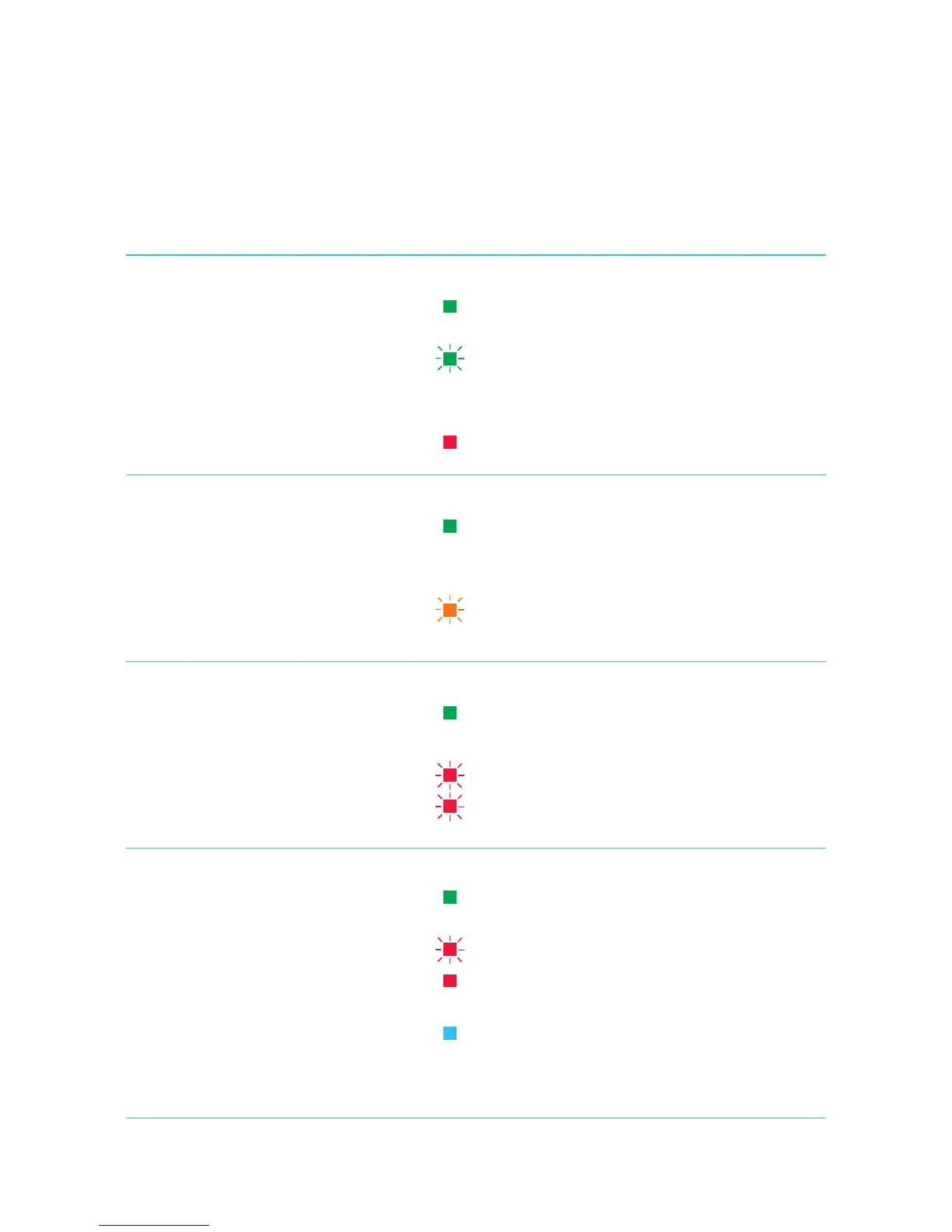
Internet
Green LED
Red LED
Solid Green - Internet connected,
no activity.
Flashing Green - Internet connected
and activity is ongoing.
Off No Internet is connected.
Solid Red - Internet connection failed.
6
DECT
Green LED
Orange LED
Solid Green - DECT is paired and ready
for use.
Off DECT is not paired.
Flashing Orange - DECT is in pairing mode
and is registering.
7
WPS
Green LED
Red LED
Solid Green - WPS setup successful.
Off Idle mode.
Fast Flashing Red - WPS error detected.
Intermittent Flashing Red -
WPS session overlap.
8
Status/Eco Power
Green LED
Red LED
Blue LED
No LED
Solid Green - Power on, all required
services are up and running.
Flashing Red - Device is booting up.
Solid Red - One of the required services
has failed.
Solid Blue - Device is in Eco mode (Wi-Fi
disabled) and is operating normally.
Power off.



 To Next Page