
 Need help?
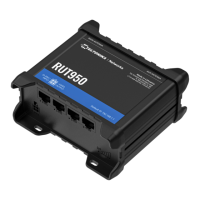
Do you have a question about the Teltonika RUT950 LTE and is the answer not in the manual?
Detailed technical specifications for LTE, UMTS, GSM, Ethernet, Wi-Fi, hardware, software, and environmental conditions.
Technical details for LTE connectivity, including bands and speeds.
Technical details for UMTS connectivity, including bands and speeds.
Technical details for GSM/GPRS/EDGE connectivity.
Technical details for Ethernet port specifications.
Technical details for Wi-Fi connectivity, including standards and encryption.
Details on the router's internal hardware components.
Overview of the router's software features and capabilities.
Specifications regarding power, dimensions, weight, and operating conditions.
Examples of how the router can be used in different scenarios.
Instructions for unpacking and physically connecting the router.
Identifies and explains the ports and indicators on the router.
Steps for attaching antennas and inserting the SIM card.
Procedure for accessing the router's web interface for configuration.
Guidance on using power sources other than the standard adapter.
Illustrates how to connect the router to power and network.
Displays details about the router's operating system and hardware.
Details on network connections, including mobile, WAN, LAN, and wireless.
Displays factory information written during manufacturing.
Information on ARP table and active IP routes.
Visualizes statistical data like load, traffic, and connections over time.
Records router events like logins, reboots, and firmware changes.
Settings for mobile network connection and data.
Configuration for the Wide Area Network connection.
Configuration of the Local Area Network.
Configuration of the router's wireless settings.
Setting up a backup internet connection.
Setting default firewall policies and SYN flood protection.
Configuring the Demilitarized Zone for specific internal hosts.
Setting up rules to forward incoming traffic to specific internal devices.
Defining rules to manage traffic flow between network zones.
Defining custom firewall rules using iptables commands.
Basic VRRP configuration for LAN and WAN.
Advanced VRRP settings for WAN connection monitoring.
Enabling and configuring website blocking based on hostnames.
Configuring content blocking based on URL using a proxy.
Enabling SNMP service, remote access, and community settings.
Configuring SNMP traps for network events and signal strength.
Configuring OpenVPN client and server connections.
Configuring IPsec tunnels for secure remote connections.
Configuring Generic Routing Encapsulation tunnels for network traffic.
Point-to-Point Tunneling Protocol configuration.
Layer 2 Tunneling Protocol server and client configuration.
Setting up and managing SMS rules for router actions.
Using phone calls to trigger router actions.
Grouping phone numbers for SMS management.
Reading and deleting received/stored SMS messages.
Configuring the router remotely via SMS.
Basic settings for the wireless hotspot, including AP IP and authentication.
Configuring wireless hotspot traffic logging to an FTP server.
Customizing the landing page for wireless hotspot clients.
Rebooting the router based on ping response failures.
Scheduling periodic automatic reboots for the router.
Step-by-step wizard for initial device configuration.
General administration settings for the router.
Inserting custom commands to execute at boot.
Using and managing the router's safe mode firmware.
Upgrading and managing the router's firmware.
Restoring firmware and configuration from a saved point.
Manually rebooting the router.
Sending and receiving SMS using HTTP POST/GET commands.
Using the physical reset button for reboot or factory reset.
Utilizing safemode for firmware updates and recovery.
Accessing the bootloader interface for firmware recovery.
 General
| WiFi Standards | 802.11b/g/n |
|---|---|
| WiFi Frequency | 2.4 GHz |
| Ethernet Ports | 4 |
| Power Supply | 9-30 VDC |
| Operating Temperature | -40°C to 75°C |
| WAN Ports | 1 |
| LAN Ports | 3 |
| GPS | No |
| LTE Data Rate | 150 Mbps (DL) / 50 Mbps (UL) |
| Cellular Technology | LTE |
| LTE Bands | B1, B3, B7, B8, B20 |
| LTE Category | LTE Cat 4 |
| SIM Slots | 2 x SIM slots (Mini SIM – 2FF) |






 To Next Page