
 Need help?
Do you have a question about the Teltonika RUT955 and is the answer not in the manual?
Essential safety precautions for using the router to avoid injury or damage.
Diagram for connecting the router and its detailed technical specifications.
Steps for physical installation, hardware setup, and router interface access.
Setting up SIM card, APN, and network operator for mobile data.
Configuring main and backup WAN interfaces, protocols, and modes.
Setting up the local area network, IP addresses, and DHCP server.
Configuring Wi-Fi as an access point or client with security settings.
Implementing security measures like firewall rules, DMZ, and DDOS prevention.
Defining routes, managing traffic distribution, and configuring network protocols.
Establishing secure remote access via OpenVPN, IPsec, GRE, PPTP, and L2TP.
Managing SMS messages, calls, and remote router control via SMS.
Setting up GPS for location tracking and configuring wireless hotspot features.
Viewing router status, system, network, and service information.
Reviewing system events, network logs, and using diagnostic tools.
Managing router settings, firmware updates, backups, and recovery.
Record of changes and updates applied to the router's firmware.
 General
| DSL WAN | No |
|---|---|
| Ethernet WAN | Yes |
| Wi-Fi band | Single-band (2.4 GHz) |
| Wi-Fi standards | 802.11b, 802.11g, Wi-Fi 4 (802.11n) |
| Top Wi-Fi standard | Wi-Fi 4 (802.11n) |
| WLAN data transfer rate (max) | 300 Mbit/s |
| Networking standards | IEEE 802.11b, IEEE 802.11g, IEEE 802.11n |
| Ethernet LAN data rates | 10, 100 Mbit/s |
| Ethernet LAN interface type | Fast Ethernet |
| USB 2.0 ports quantity | 1 |
| Compatible memory cards | MicroSD (TransFlash) |
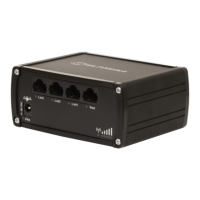
| Ethernet LAN (RJ-45) ports | 4 |
| 4G standard | LTE |
| 2G standards | Edge |
| 3G standards | DC-HSPA+, HSPA+, WCDMA |
| GSM bands supported | 800, 850, 900, 1800, 1900 MHz |
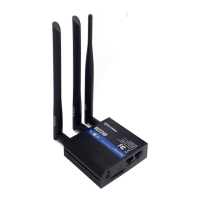
| Antennas quantity | 5 |
| Security algorithms | IPSEC, SNMP, WEP, WPA, WPA2 |
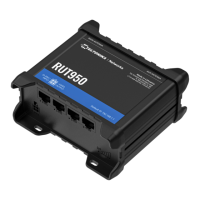
| Product type | Tabletop router |
| Product color | Black |
| LED indicators | LAN, Power |
| Housing material | Aluminum |
| Processor frequency | 560 MHz |
| AC input voltage | 100 - 240 V |
| Power source type | AC, DC |
| Power consumption (typical) | 7 W |
| Storage temperature (T-T) | -45 - 80 °C |
| Operating temperature (T-T) | -40 - 75 °C |
| Storage relative humidity (H-H) | 5 - 95 % |
| Operating relative humidity (H-H) | 10 - 90 % |
| Cables included | LAN (RJ-45) |
 Weight and Dimensions
| Depth | 46 mm |
|---|---|
| Width | 106 mm |
| Height | 80 mm |
| Weight | 280 g |






 To Next Page


