7
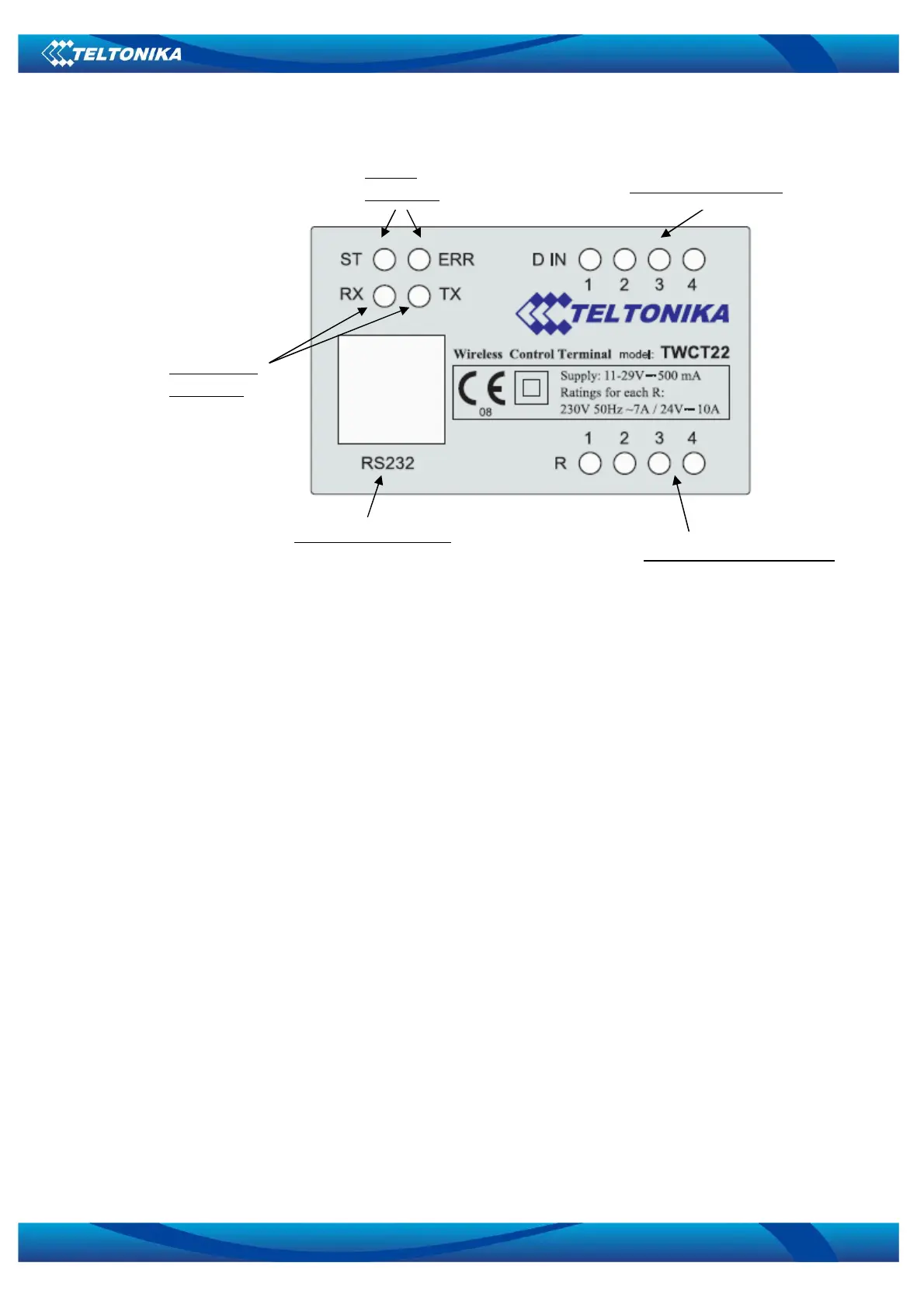
5.3 FRONT PANEL
ST – Power LED turns on when power is applied to TWCT22. It also shows the device’s working status:
• LED ON;
• LED blink low (0.2s ON, 0.6s OFF) – the device is registered in GSM network;
• LED blink high (0.4s ON, 0.4s OFF) – the device transmits data via GSM network.
ERR – Error LED turns on when the device has faulty working conditions.
RX – Indicate the receiving data to the device via serial port.
TX – Indicate the sending data from the device via serial port.
DIN – Indicate the digital input’s voltage “true” level.
ROUT – Indicate the relay output status.
RS232 – Standard serial communication port.
4 relay outputs state LED
Serial port connector
2 serial port
state LED
Device
state LED
4 digital inputs LED
Figure 5.3.1


 To Next Page