4
(-) to the negative terminal (Diag. B).
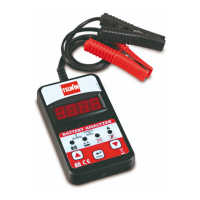
The display (Diag. A-1) will switch on
showing the no-load battery voltage.
- Press “Enter” (Diag. A-4) and select
“bAtt” using the cursors ▲ ▼ (Diag.
A-3) to test the battery.
Selecting the Battery
Selecting the battery type: use the cursor
buttons ▲ ▼ (Diag. A-3) to select the
battery:
- SEAL (VRLA/GEL/AGM type sealed
maintenance-free batteries).
Or
- SLI (WET Standard batteries).
Press “Enter” to conrm the setting.
Selecting Reference Standards
- Use the cursor buttons ▲ ▼ to select
the reference standard used by the
battery manufacturer: EN, IEC, DIN,
SAE or CA (MCA).
The Standard acronym or CA (MCA)
value is normally indicated on the
battery unit.
Press “Enter” to conrm the setting.
SelectingCCAorCAvalues
- Use the cursor buttons ▲ ▼ to select
the CCA or CA value indicated by the
battery manufacturer.
NOTE:
CCA = Cold Cranking Amps; i.e. the cold
start current.
The CCA value is generally indicated
in Amperes by the manufacturer on the
battery unit: e.g. 520A (EN).
CA = Cranking Amps or MCA (Marine
Cranking Amps); i.e. the “Battery
Council International” Standard starter
current.
Battery test
- Press “Enter” to start the test: the word
“TEST” will appear on the display.
N.B:
“CHA-“ may appear on the display to
ask whether or not the battery has been
charged: press “Enter” and select either
YES / NO using the cursors ▲ ▼. Press
“Enter”againtoconrmthesetting.
- At the end of the test, the display will
show the actual starter current in amps
(A) and the test result using the various
indicator LEDs ((Diag. A-2 and A-5)
whose meanings can be seen below:
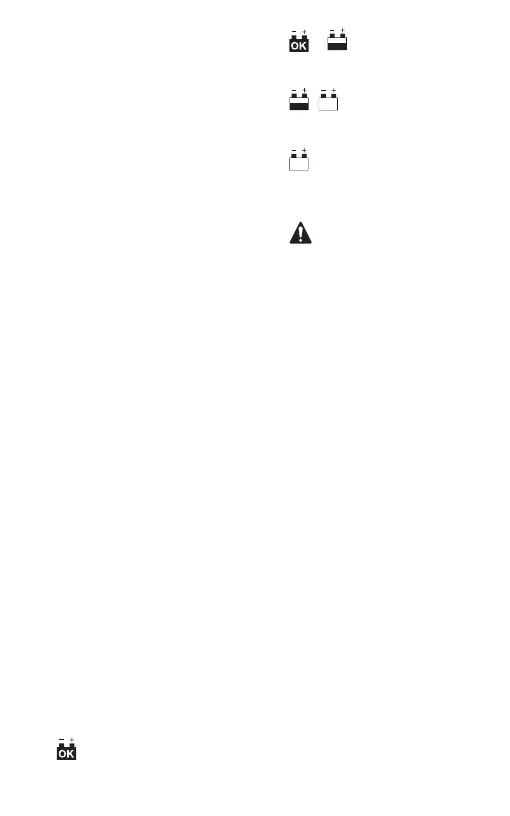
-
GREEN LED
on: the battery is good and fully
charged.
-
/ GREEN and YELLOW
LEDs
on: the battery is good but needs
charging.
-
/ YELLOWandREDLEDs
on: the battery is low and its
conditions cannot be assessed.
Charge the battery and try again.
-
RED LED
on: the battery is unable to keep
its charge status, or a cell has
short-circuited and needs replacing
immediately.
-
ERROR LED
on: the clamps are not connected
correctly or the CCA value of the
battery being tested exceeds the
instrument’s maximum allowed value.
Disconnect the clamps when the test has
been completed.
TESTING THE STARTER SYSTEM
- Disconnect all the vehicle’s electrical
loads: e.g.: turn off the lights, disconnect
all accessories, and close the doors
including the boot.
- Connect the red clamp (+) to the positive
battery terminal, and the black clamp (-)
to the negative terminal. The display will
switch on showing the no-load battery
voltage.
- Press “Enter” (Diag. A-4) and select
“Syst” using the cursors ▲ ▼ (Diag.
A-3) to test the starter system.
- Press “Enter”: the word “CrAn” will
appear on the display.
- Press “Enter”: the tester will read the
minimum voltage value reached by the
battery.
- Start the vehicle then read the voltage
detected by the tester:
A. If voltage is over 7.2V, the GREEN
LED will light up: Starter system =
OK.
B. If voltage is between 7.2V and 5.8V,
the YELLOW LED will light up:
Starter system = Poor. Check the
system components (starter motor,
connections, undersized battery
etc..).
C. If voltage is under 5.8V, the RED
LED will light up: Starter system =
Low. Promptly check the system
components (starter motor,
connections, undersized battery
etc..).
TESTING THE CHARGING SYSTEM
- On completing the test (see paragraph


 To Next Page
 Loading...