EasyManua.ls Logo

Tempco TPC-1000 - Menu Flowchart

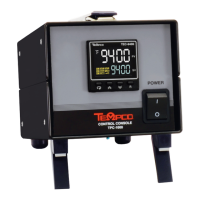
Tempco TPC-1000
20 pages
Print Icon
To Next Page IconTo Next Page
To Previous Page IconTo Previous Page
Loading...
Page 4 of 18
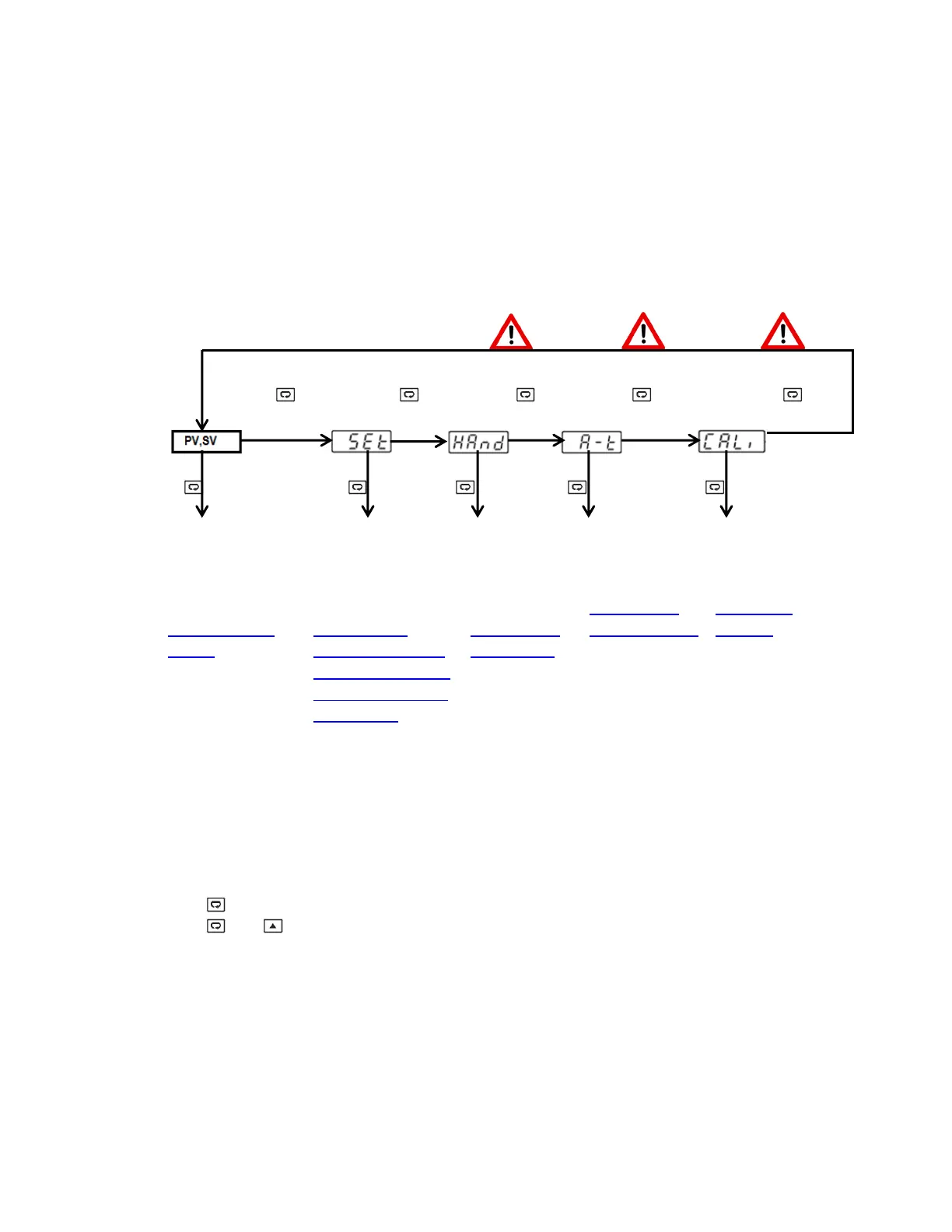
1.1 Menu Flowchart
The Menu has been divided in to 5 groups. They are as follows:
1. User Menu
2. Setup Menu
3. Manual Mode Menu
4. Auto-Tuning Mode Menu
5. Calibration Mode Menu
User Menu
Setup
Menu
Manual Mode
Auto-Tuning Mode
Calibration Mode
5 Sec 6.2 Sec 7.4 Sec 8.6 Sec 9.8 Sec
5 Sec 5 Sec 2 Sec Min
3 Sec Max
To access a
parameter
In the User Menu,
Refer to
Section 1.1.1.1,
page 5
To access a
parameter in
the Setup Menu,
Refer to
Section 1.1.1,
Starting on Page 5.
8 Sub-menu options
are available for the
setup menu.
- Basic Menu
- Output Menu
- Alarm Menu
- Event Input Menu
- User Select Menu
To start
Manual
Control
Mode, Refer to
Section 1.1.2
Page 7 & 18
To start
Auto-Tuning
Mode, Refer to
Section 1.1.3
Page 7, 15 & 16
To access
Calibration Mode,
Refer to
Section 2.5
Page 14
Press for the next parameter
Press and key to return to the previous parameter.

Related product manuals