E-mail: tenamic@aliyun.com 07
SYSTEM RESET
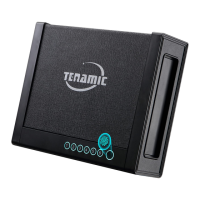
● Long press the green button for 3 seconds, when you hear “Clear", it means that the system reset is
successful (restore to factory settings).
START VIBRATION ALARM FUNCTION
● Touch the digital panel, press “*”. When you hear "Alarm function on", it means that the alarm function is
turned on. When the panel is vibrated, the horn will alarm for 1 minute.
● During the alarm period, enter the correct fingerprint or password to open the door, and the alarm will stop.
● After the alarm stops, you need to press "*“ to turn it on again.


 To Next Page