G5 Pro User Manual
⑦ Monitor: 3.5mm output port; Monitor earphone jack, used to monitor all sound of audio console in
real-time.
⑧ Headset: 3.5mm port; Used to sound input by a headphone with microphone function. ALSO
simultaneously can monitor all sound of audio console in real-time.
⑨ Microphone: 3.5mm port; Connect a 3.5 mm condenser mic that does not require external power
supply. 【48V mic need a phantom power then use XLR to 3.5mm mic cable to connect the G5 Pro
microphone jack】
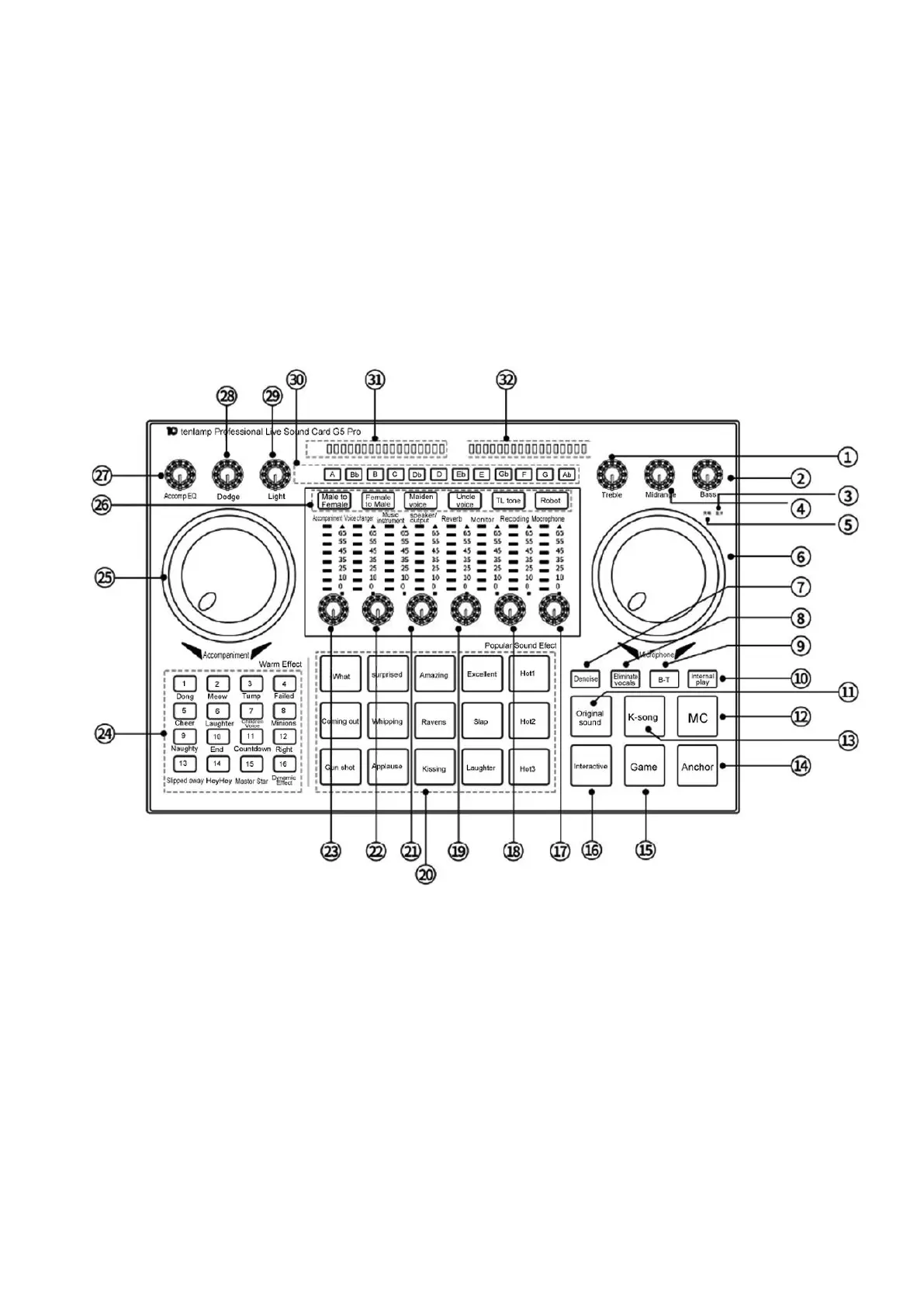
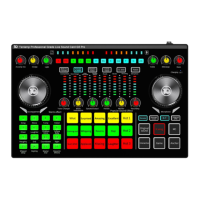
3.2 Panel keys or knobs Definition
1.Treble knob: Adjust the treble effect of the vocal voice of the microphone/Headset.
2. Bass knob: Adjust the bass effect of the microphone/Headset vocals.
3. B-T status light: flashing when BT is waiting for connection, and is always on when connected.
4. Midrange knob: Adjust the midrange effect of vocals of the microphone/headset.
5. Battery light: when working, it will be red when the USB charging cable is plugged in, and green
when it is fully charged.
6. Microphone knob: adjust the input volume of Microphone/Headset input.
7. Denoise button: Turn on/off the noise reduction function of the mic, and control the pickup range of
the mic.
8. Eliminate vocals button: Eliminate the singer's voice in the accompaniment song.
9. B-T button: Turn on/off the BT function of theG5 audio console.
10. Internal-play button: turn on/off the audio console "Loopback" function.
11. Original sound button: switch to the original sound mode.


 To Next Page