G5 Pro User Manual
3. Interface Wiring & Panel Definition
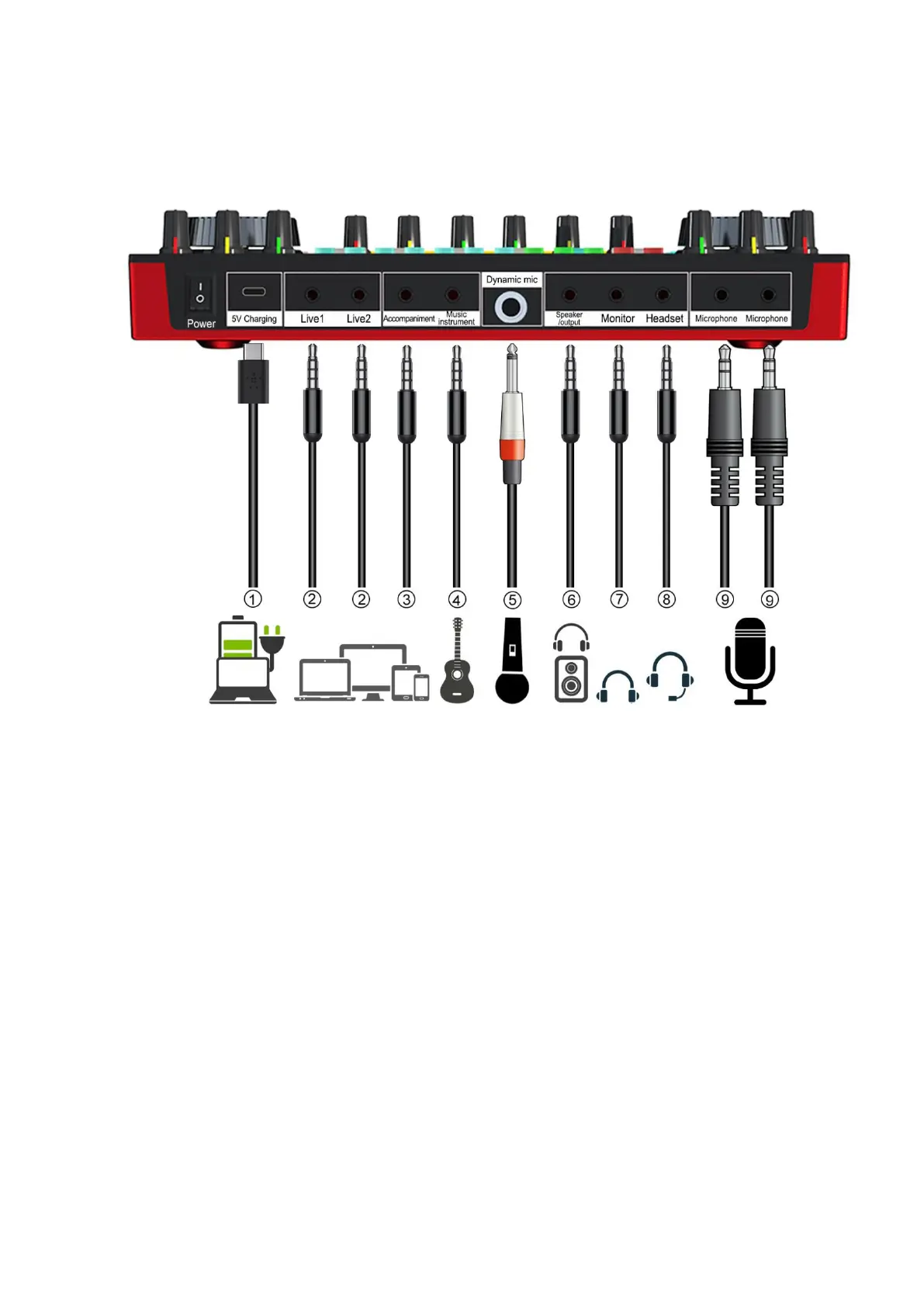
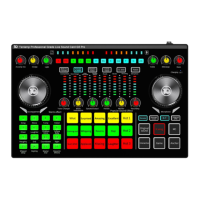
3.1 G5 Pro Wiring Diagram
① 5V Charging: DC+5v charging; USB-C OTG input/output port; Used for audio data transmission; Also
used as a PC or smartphone live streaming interface and PC or smartphone devices accompaniment
music input interface; The G5 Pro serves as an external audio console for the computer, laptop,
smartphone and tablet while live streaming, recording or singing. If
..
you
...
use
...
iPhone
......
for
...
live
....
streaming
.........
or
..
playing
.......
accompaniment
.............
through
.......
this
....
port,
.....
please
......
use
...
C100
....
or
..
C101
....
USB-C
.....
to
..
Lightning
.........
Cable;
......
Type-C
......
port
....
smartphone
..........
please
......
use
...
USB-C
.....
to
..
USB-C
.....
cable
.....
.
② Live: 3.5mm master output; The processed sound can be output to the smartphone, tablet PC or
other devices with a 3.5mm TRRS cable. Can live stream to multiple platforms at the same time. Can be
connected to the desktop
.......
computer
........
microphone
..........
jack
....
or laptop
......
3.5mm
.....
audio
.....
jack
....
when using PC live
streaming. If you use iPhone for live streaming, please use 3.5mm to lightning adapter(but not included).
③ Accompaniment: 3.5mm Music accompaniment input port; Connect an external audio source or
devices to the audio console via an 3.5mm TRRS audio cable, to play music during live streaming or
audio production. When input music, it can be connected to the smartphone headphone jack, desktop
computer earphone jack or laptop 3.5mm jack. If
..
you
...
use
...
iPhone
......
for
...
live
....
streaming
.........
or
..
playing
.......
accompaniment
.............
through
.......
this
....
port,
.....
please
......
use
...
3.5mm
.....
to
..
Lightning
.........
adapter
.......
;
.
Type-C
......
port
....
smartphone
..........
please
......
use
...
3.5mm
.....
to
..
USB-C
.....
cable
.....
or
..
use
...
smartphone
..........
BT
..
function
........
.
.
④ Music instrument: 3.5mm input port; connect guitar, electronic organ, ect musical instruments
⑤ Dynamic mic: 6.35mm dynamic microphone input jack.
⑥ Speaker/Output: 3.5mm output port; Connect audio playback device such as speakers or monitor
headphones.


 To Next Page