6
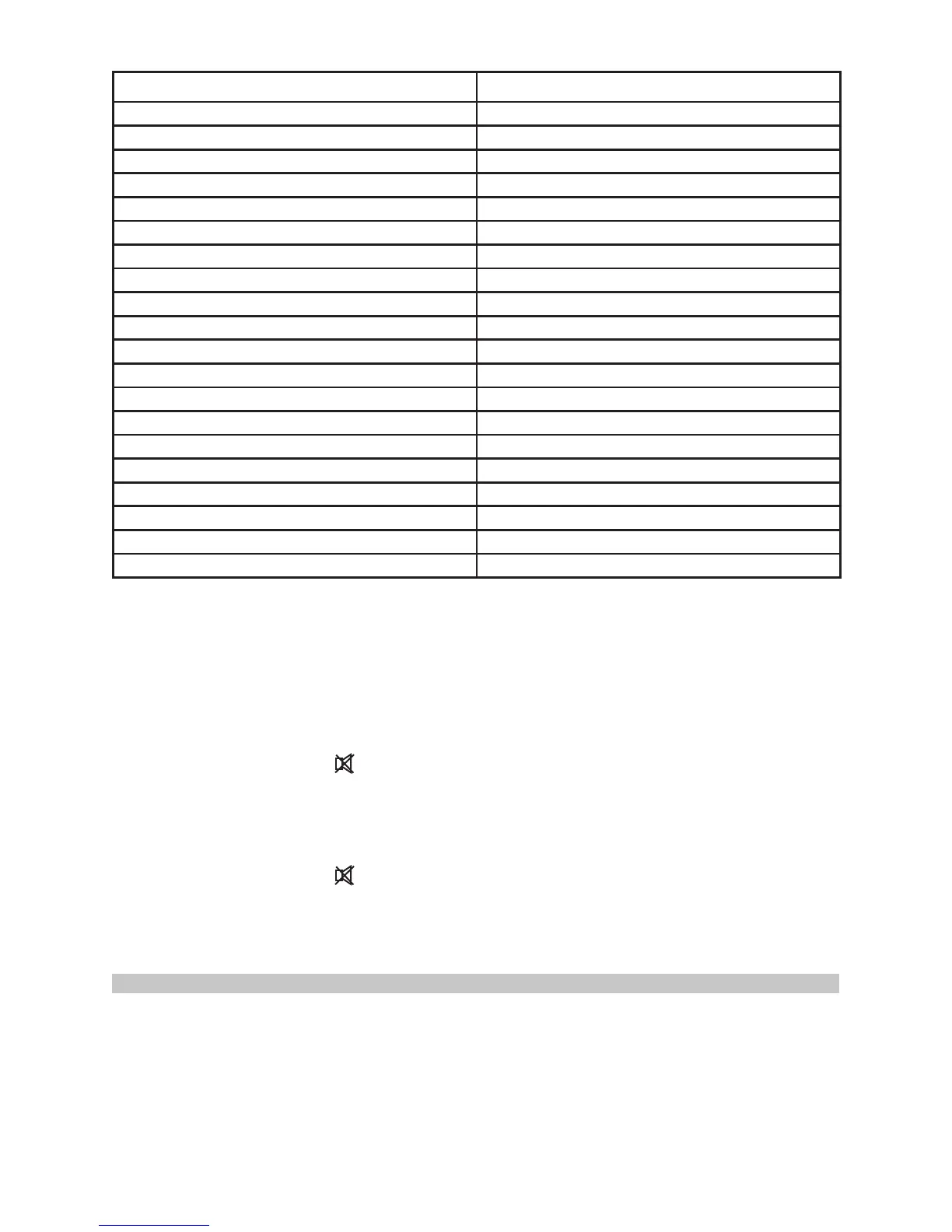
Measure Surface (non-metals) Switch Setting
Asbestos 0.95
Asphalt 0.95
Basalt 0.7
Carbon clean 0.8-0.9
Graphite 0.7-0.8
Carborundum 0.9
Ceramic 0.95
Clay 0.95
Concrete 0.95
Cloth 0.95
Plate glass 0.85
Gravel 0.95
Gypsum 0.8-0.95
Ice 0.98
Limestone 0.98
Paper (any colour) 0.95
Opaque plastic 0.95
Soil 0.9-0.98
Water 0.93
Wood (natural) 0.9-0.95
Temperature units
• Press SET to enter the setting mode of Centigrade or Fahrenheit then select ▼ to
set the default.
Temperature Limit Value setting
• Press SET to enter the high limit setting. MAX will ash on the display. Select ▼
or ▲ to adjust in 0.1 degree increments. Hold the adjustment button for a rapid
incremental change.
• The sounder indicator will start ashing to allow you to allow or disable the high
limit audible warning.
• Press SET to enter the low setting. MIN will ash on the display. Select ▼ or ▲ to
adjust in 0.1 degree increments. Hold the adjustment button for a rapid incremental
change.
• The sounder indicator will start ashing to allow you to allow or disable the low
limit audible warning.
• When the sounder is active, an intermittent sound is emitted when the recorded
temperature is above or below the set max/min values set.
OPERATION EXAMPLES
Testing Contactors
• Press SET to select emissivity. Press ▲/▼ to select relatively low emissivity for
bright contacts, or 0.7 mid level for darkened contacts.
• Press MODE to select MAX.
• Measure line and load side of one pole without releasing trigger.
• A temperature difference between the line and load sides of a pole indicate
increased resistance of one point and a contactor may be failing.


 To Next Page