4
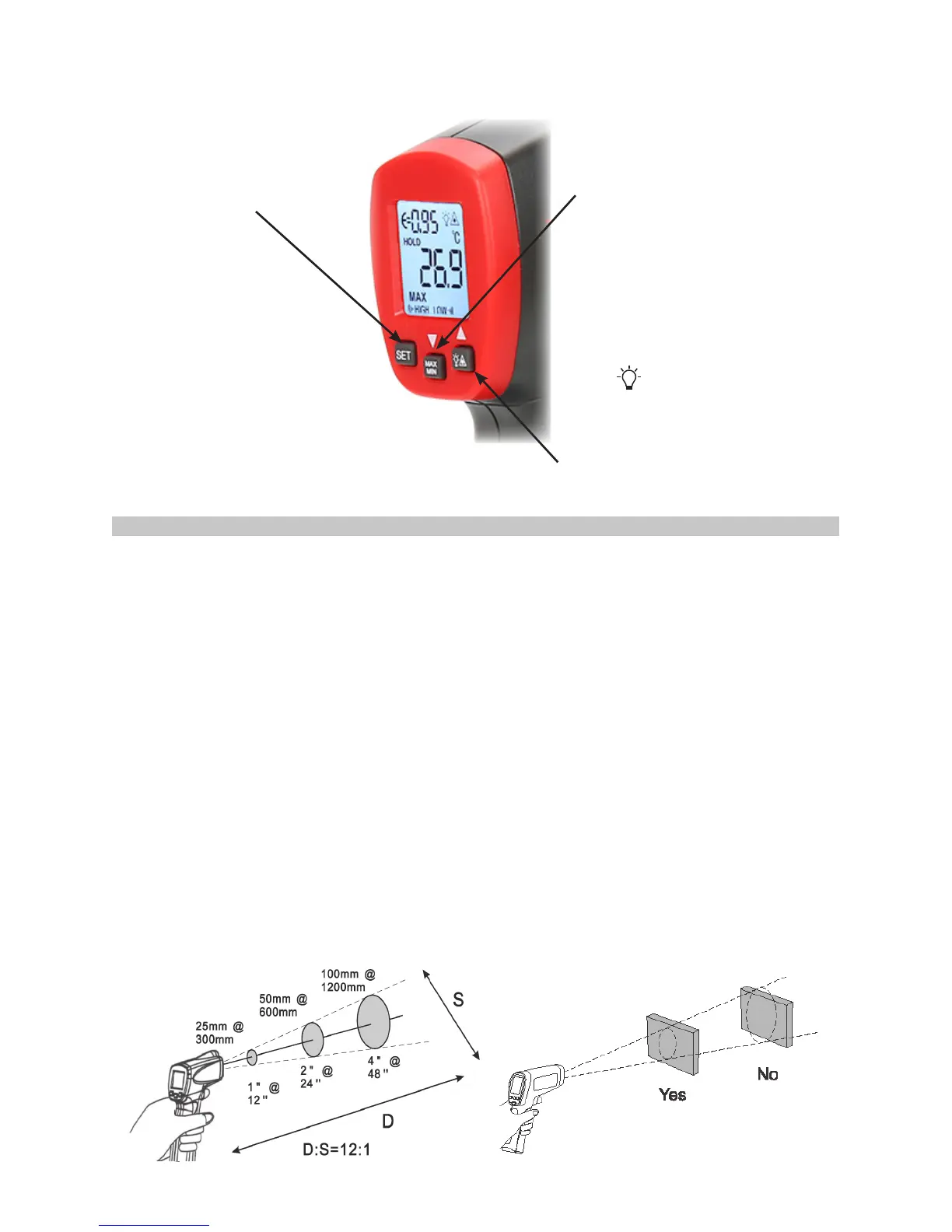
Press SET to enter set up
mode stepping through
Emissivity,
o
C/
o
F, High &
Low limit set up.
Press to turn on the display
backlight. Press again to switch
on laser target function.
When Thermometer enters user
set up mode use ▲ to select a
further option.
Button operation.
OPERATION FUNCTION
• Infrared thermometers measure the surface temperature of an opaque object. The
Thermometer’s optics sense infrared energy, which is collected and focused onto
a detector. The Thermometer’s electronics then translate the information into a
displayed temperature reading which appears on the display. The laser is used for
aiming purposes only.
• The Thermometer turns on when you press the trigger. The Thermometer turns off
when no activity is detected for 8 seconds.
• To measure temperature, aim the Thermometer at the target, pull and hold the
trigger. Release the trigger to hold a temperature reading.
• To nd a hot or cold spot, aim the Thermometer outside the target area. Then,
slowly scan across the area with an up and down motion until you locate the hot or
cold spot.
Distance and target spot size
• As the distance (D) from the target being measured increases, the spot size (S)
of the area measured by the unit becomes larger. The spot size indicates 90%
encircled energy. The maximum D:S is obtained when the Thermometer is 600mm
(23.62in) from the target resulting in a spot size of 20mm (0.78in).
• Make sure that the target is larger than the spot size.
Press MAX/MIN to display these
measurements on the LCD.
When Thermometer enters user
set up mode use ▼ to select a
further option.


 To Next Page