4
5.4 Auto Recording
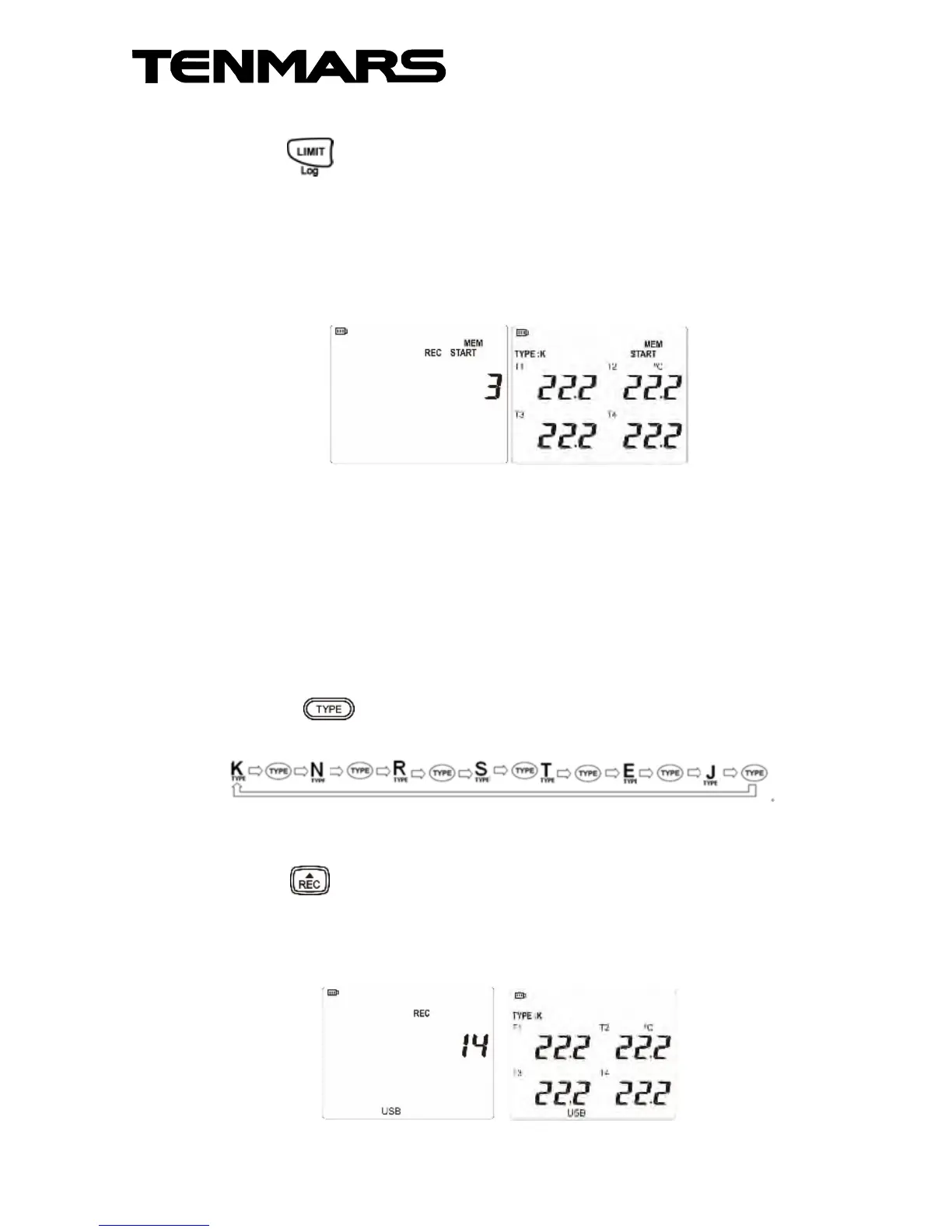
Press and hold for ≥ 2 seconds to enable or
disable the auto-recording function "LOG"
(TM747D)
The LCD display will first show the number of logs
for REC/MEM START mode and then switch back to
temperature mode after 1 second.
The auto-recording is such if the current number is 3,
it will be increased to X by 1 at each pressing. (the
number of logs in TM-747D is up to 16800)
* Execute "LOG" to disable the auto-shutdown
function. For recording for a long time, please
connect the meter to an external power supply.
5.5 Thermocouple Type Selection (TYPE):
Press to enable selection of different
thermocouple types in a full cycle.
5.6 Manual Record
Press , followed by "REC" appears on the LCD,
the log number of records will increase by +1 at
each time, and one log will be recorded.
The manual records are up to 200 logs.



 To Next Page