6
5.11 Offset Value
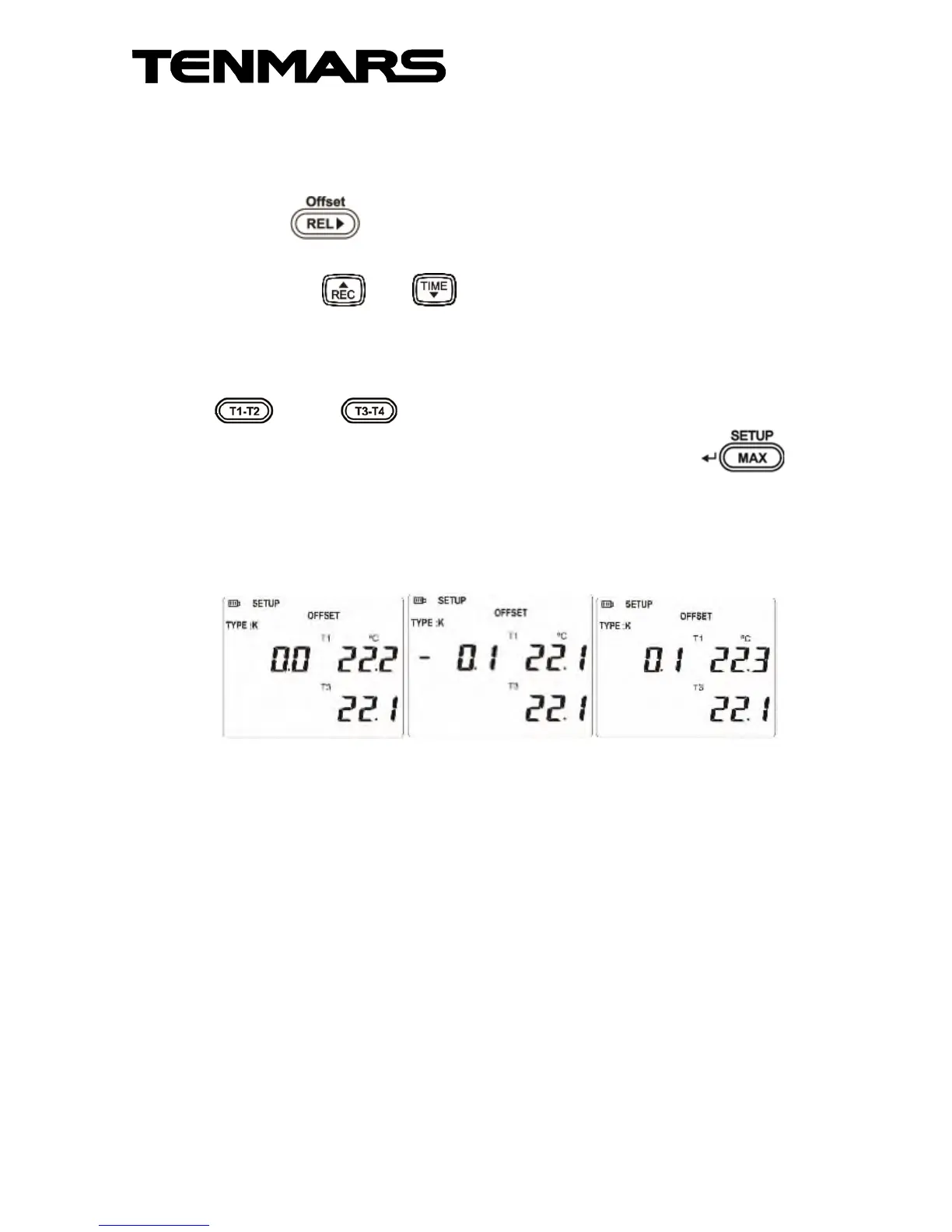
The user can set the offset value to compensate for
the error due to the working thermocouple wire.
Press and hold for ≥ 2 seconds to set the
offset value in OFFSET mode.
b. Press or to increase or decrease the
offset value by the scale of 0.1°C, °F, or K. The
setting range is ±5°C, ±5K, or ±9°F.
*If to set offset value of another channels, press
and to switch and select between "T1
& T2" and "T3 & T4" for adjustment. Press
to save the setting value and exit the setting mode.
*If the value updated to be 0.1, "OFFSET" will
continuously appear on the LCD. "OFFSET" will not
disappear unless it is corrected back to 0.0.



 To Next Page