- 7 -- 6 -
3
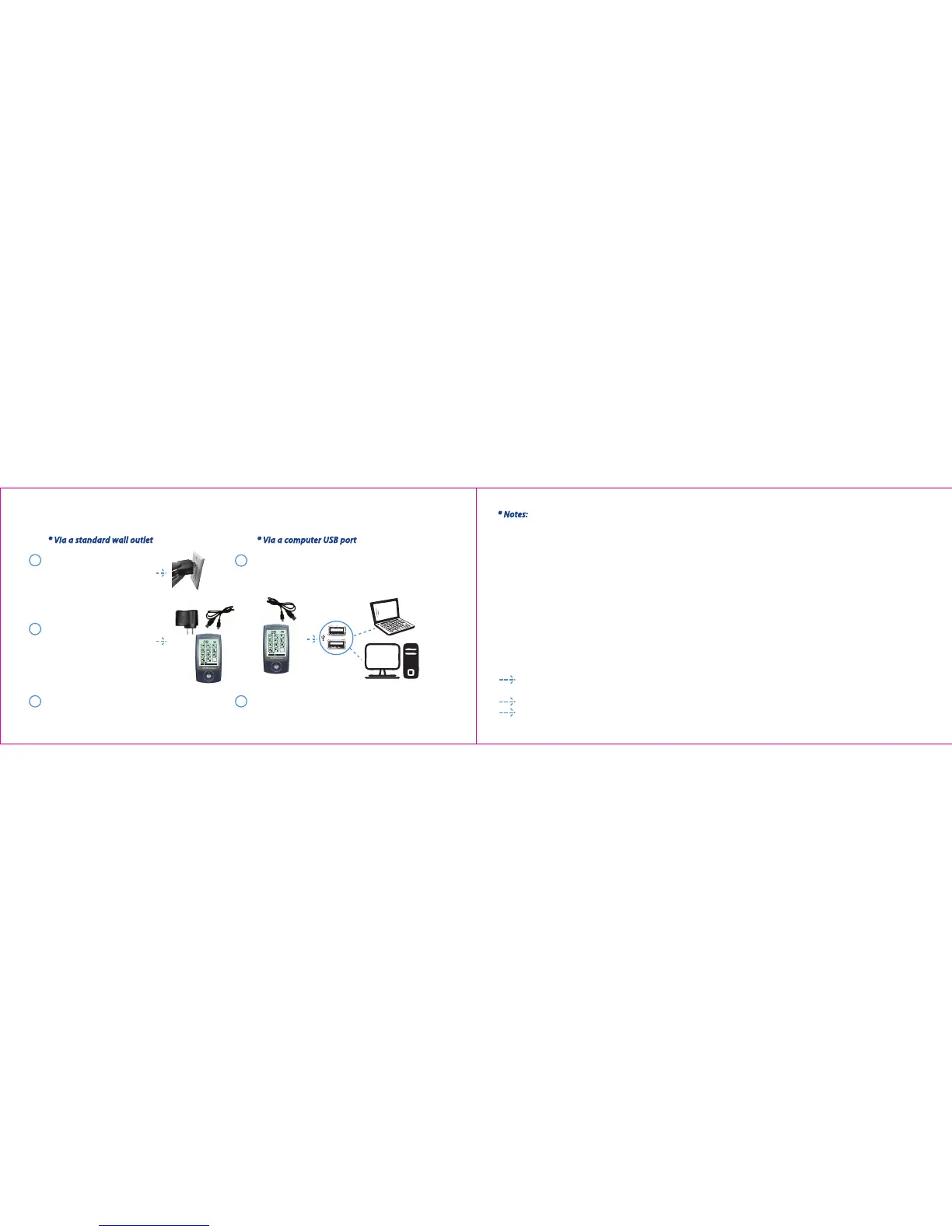
* Via a standard wall outlet
* Via a computer USB port
1
2
The unit is nished charging when the battery
icon on LCD indicating fully.
The unit is nished charging when the battery icon on
LCD indicating fully.
Charging the TENSMATE battery:
1
2
Connect the AC adapter to any
standard wall outlet.
(A red light will appear to show
that power is owing from the
outlet to the adapter)
Connect the small end of the
USB cable to the unit and the
bigger end to the AC adapter.
Connect the small end of the USB cable to the unit
and bigger end to the USB port on a computer
(computer must be turned on).
* Notes:
1. The lithium battery can be recharged through both AC adapter and USB cable.
2. While charging, the screen in ON position indicates the charge, while in OFF position the screen is blank.
However the battery will charge in either one of the power positions (ON or OFF).
3. The battery should be charged for 8-10 hours before rst use.
Features:
FDA approved Class II Medical Device Adjustable timer
A large, easy to read LCD display Dual outputs (2 ports)
Backlight for increased readability Rechargeable internal lithium battery
20 intensity level settings Stainless steel backing
11 modes +TENS 2 year warranty
Mode description:
We suggest that you initially experiment using each of the modes. The mode or combination of modes that gives you
the most desirable sensations and comfort is the most appropriate one to use for your current condition.
Intensity should be set at a level where you will experience some muscular vibration and involuntary muscle
movements. It should be set to give a “comfortable” intensity and should not be painful.
Timing of application should be at least 10 to 20 minutes.
Frequency of application should be at one to three times per day.


 To Next Page