First operation
LAP-TEQ PLUS 15
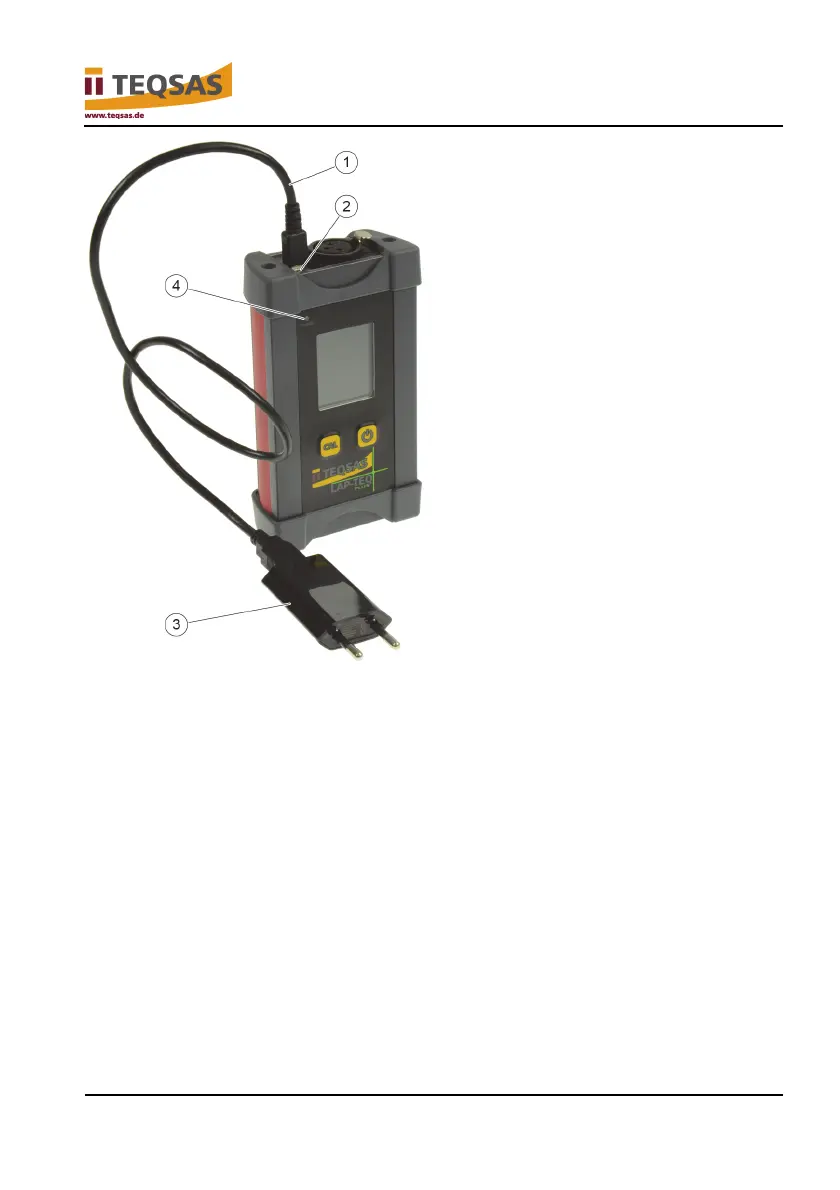
► Plug the USB charging cable (1) into the USB socket (2) on the display
unit.
► Plug the mains USB charger (3) into a type F socket or Euro socket.
When the device is switched on the charge process is indicated by a blue
arrow on the display.
The charge state is indicated by the indicator light (4):
Red LED = charging
Green LED = fully charged
► Terminate the charging process when the battery is charged.
► Disconnect the mains USB charger from the power supply as long as you
are not using it.


 To Next Page