Disposal
LAP-TEQ PLUS 31
10.2 Removing the battery
Notice
The battery must be removed before you dispose of the device.
If the battery is defective, it can be replaced by a service shop.
In this case please contact your sales partner.
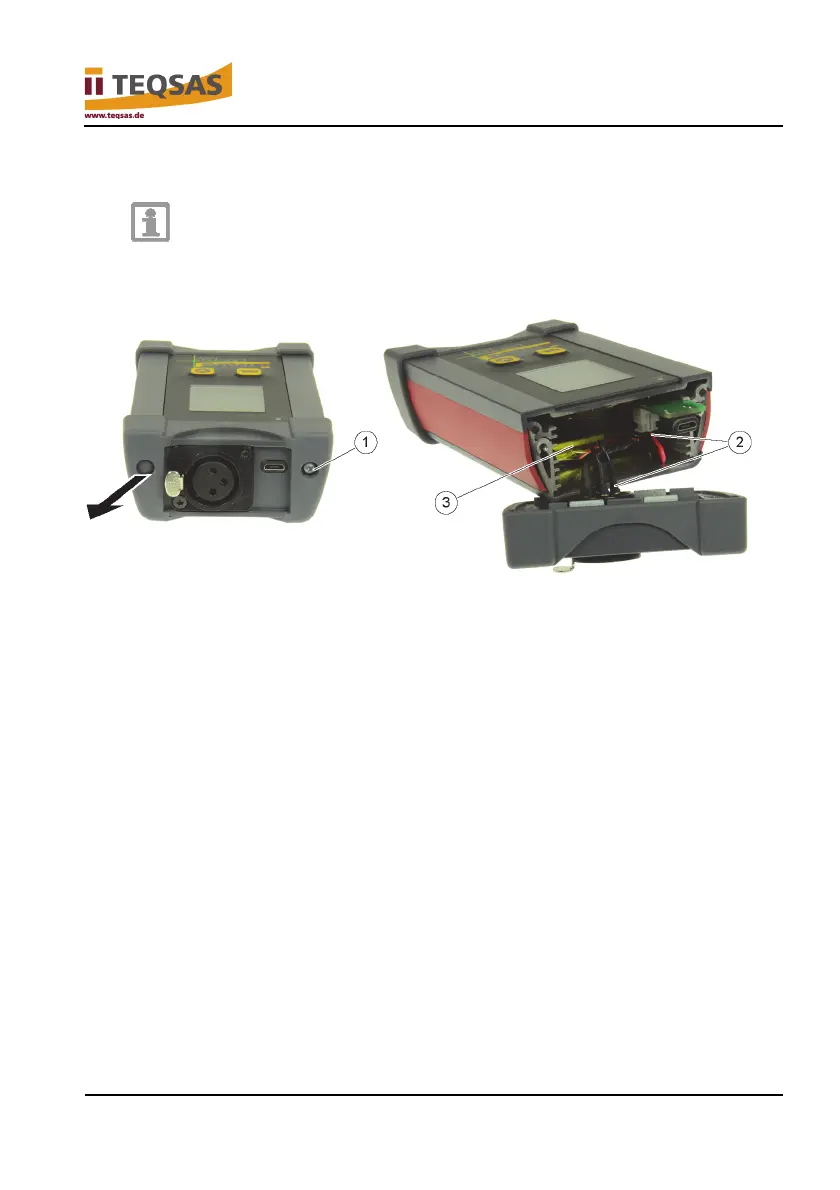
► Remove the caps on the display unit with a small screwdriver.
► Unscrew screws (1).
► Disconnect cable (2).
► Remove battery (3) and dispose of properly.


 To Next Page