3-93-9
HAZARDHAZARD
50%50%
(0)(0)
1 1 2 3 2 3 4 5 64 5 6
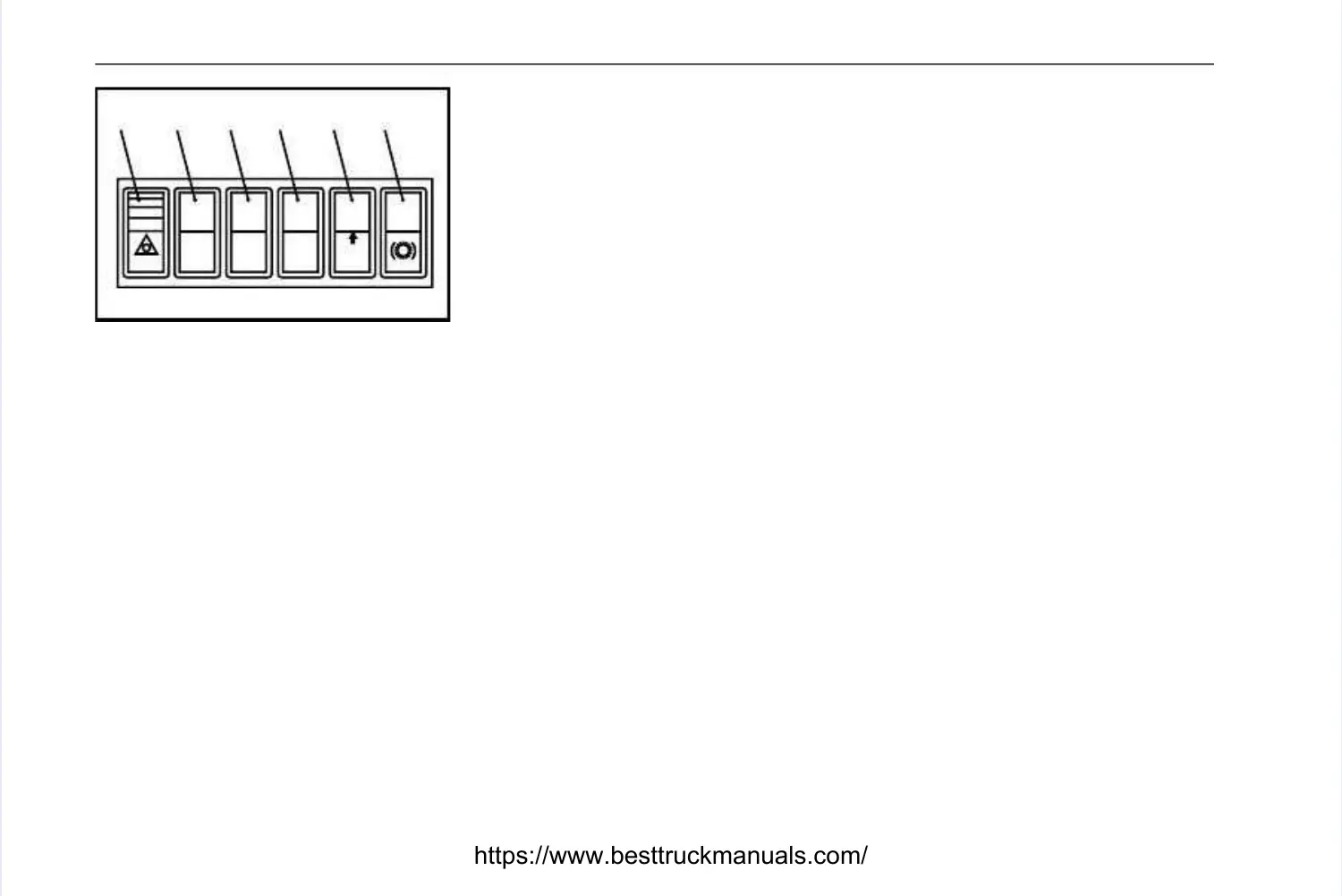
SwitchesSwitches
1. Hazard Warning Lights -1. Hazard Warning Lights -
Press bottom of switch to make turn indicators flashPress bottom of switch to make turn indicators flash
simultaneously as hazard warning lights. The light in the switch and directionsimultaneously as hazard warning lights. The light in the switch and direction
indicator warning light on the right hand dash panel will flash. To switch hazard lightsindicator warning light on the right hand dash panel will flash. To switch hazard lights
off; press the top of the switch.off; press the top of the switch.
2. Position not used.2. Position not used.
3. Position not used.3. Position not used.
4. Position not used.4. Position not used.
5. Front Brake Pressure Reduction (Optional) -5. Front Brake Pressure Reduction (Optional) -
Press bottom of switch to give aPress bottom of switch to give a
50% reduction in front brake pressure. The lower front pressure reduces the risk 50% reduction in front brake pressure. The lower front pressure reduces the risk ofof
wheel lockup in slippery conditions. To return to full front brake pressure; press thewheel lockup in slippery conditions. To return to full front brake pressure; press the
top of the switch.top of the switch.
6. Retarder Selection Switch -6. Retarder Selection Switch - Allows the operator to select which retarder isAllows the operator to select which retarder is
employed when using the retarder control lever.employed when using the retarder control lever.
Pressed at top = Disc BrakePressed at top = Disc Brake
Pressed at bottom = TransmissionPressed at bottom = Transmission
11631163
Left Left Hand PHand Panelanel



 To Next Page