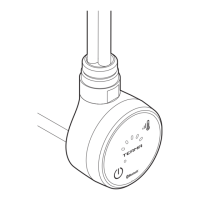
17
EN
It is useful to know that:
• Longer pressing of the buon will au-
tomacally set the mer to 5 hours or,
turn o the TIMER funcon,
• The buon can also be used when the
heater is o. On pressing the buon, the
heater will automacally turn on and set
the TIMER to 1 hour,
• If you want to turn the TIMER o, press
the buon several mes or simply turn
the heater o and on,
• TIMER LED diodes will turn o one by
one, to display the correct, remaining
drying me.
The construcon of the heater as well as
physical characteriscs of various heang
liquids may cause an uneven heat distribu-
on inside the towel rail. As a result, boom
pipes of the towel rail may stay cool. Such
phenomenon is completely normal and is
not an indicaon of heater failure.
Modicaon of radiator heang
temperature
The default temperature of the heater is
48° C. The user can modify the heang tem-
perature by following these steps:
1. Disconnect the device from the electric-
ity supply (i.e. unplug the device).
2. Press and hold the on/o buon while
reconnecng the heater to the electric-
ity supply.
3. Release the buon.
4. One of 5 TIMER diodes will start ashing.
Select the required temperature value by
pressing the buon unl the correspond-
ing diode starts ashing. Temperature
values for each diode are shown in the
table below:
52°
55°
60°
48°
43°
5. Wait for 10 seconds or press the TIMER
buon in order to conrm your chosen
value.


 To Next Page