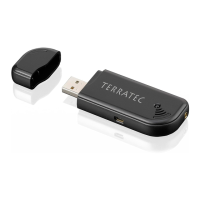
Need help?
Do you have a question about the TerraTec Cinergy T and is the answer not in the manual?
Minimum hardware and software specifications for the Cinergy T2.
Recommended hardware for optimal performance of the Cinergy T2.
Details of the device's physical connections and indicators like USB, antenna, LED.
Steps to connect the device to a PC via USB.
Procedure for driver installation on Windows 2000.
Procedure for driver installation on Windows XP.
Guide for connecting the magnetic-base rod antenna.
Instructions for correctly inserting batteries into the remote control.
Answers to common questions about the product.
Detailed technical specifications of the Cinergy T2.
Features and operation of the infrared remote control.
Overview of included operating and additional software packages.
 General
| Remote Control | Yes |
|---|---|
| Interface | USB |
| Supported TV Standards | DVB-T |
| Video Capture Resolution | 720x576 (PAL) |
| Supported Operating Systems | Windows XP, Windows Vista, Windows 7 |
| Type | External TV Tuner |


 To Next Page