TypingwithSwype
It’s also possible to type using Swype on Hudl.
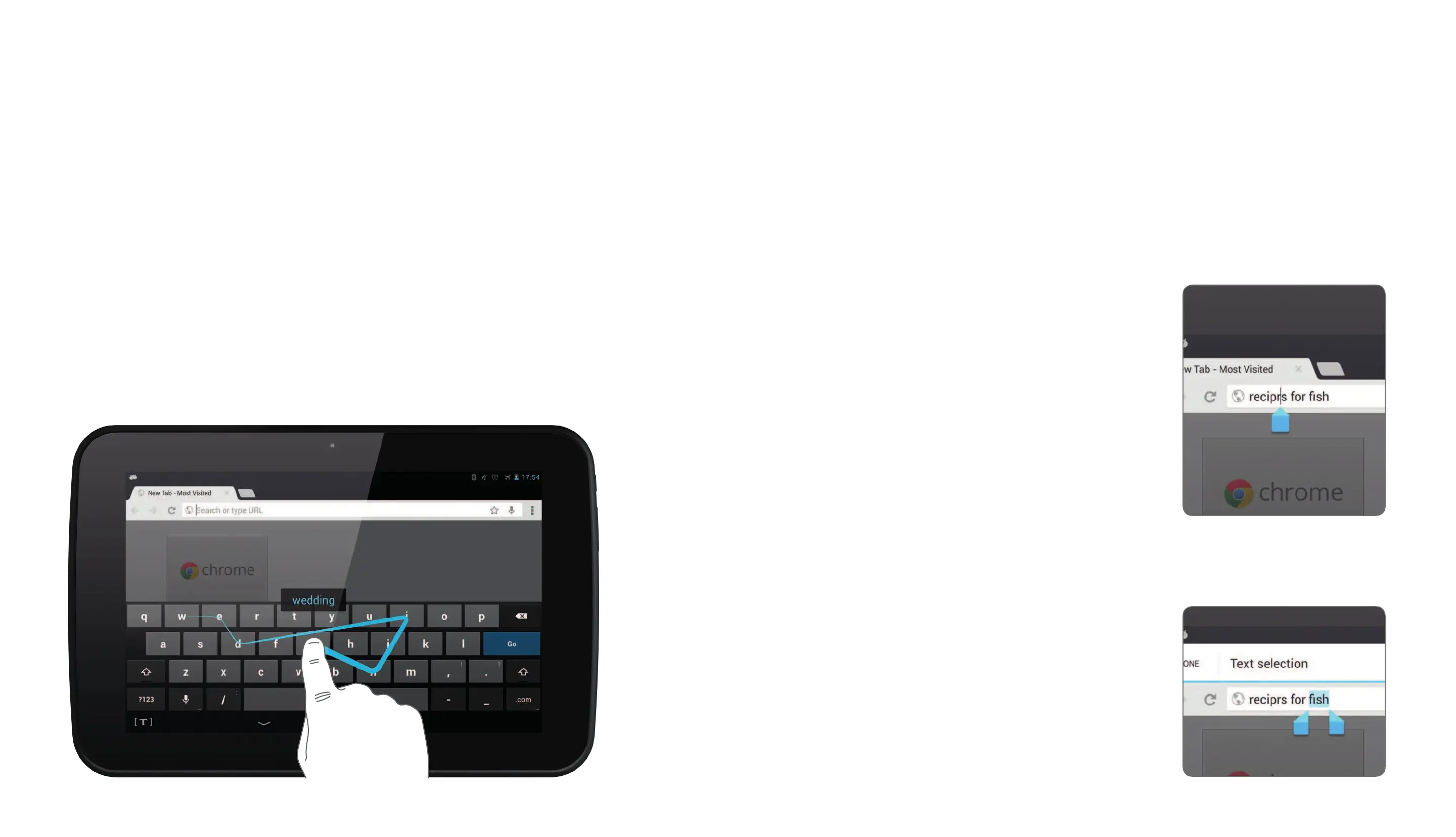
When entering text there is no need to li your finger
from the screen, just glide slowly from letter to letter.
You may find using Swype is quicker than touch-typing.
Glide your finger across the letters w e d i n g
Hudl will detect you are typing wedding and will enter
the word for you, adding in the double d.
Correctingtext
Occasionally, you may want to correct the text
entered in a text entry box.
Correcting a letter
Touch the text you are entering.
A pointer will appear as shown
in this Internet search example.
Slide the pointer to the place
you want to correct.
Correct the text.
Correcting a word
Touch and hold the word you
want to correct. The word will
be highlighted.
Correct the word.


 To Next Page