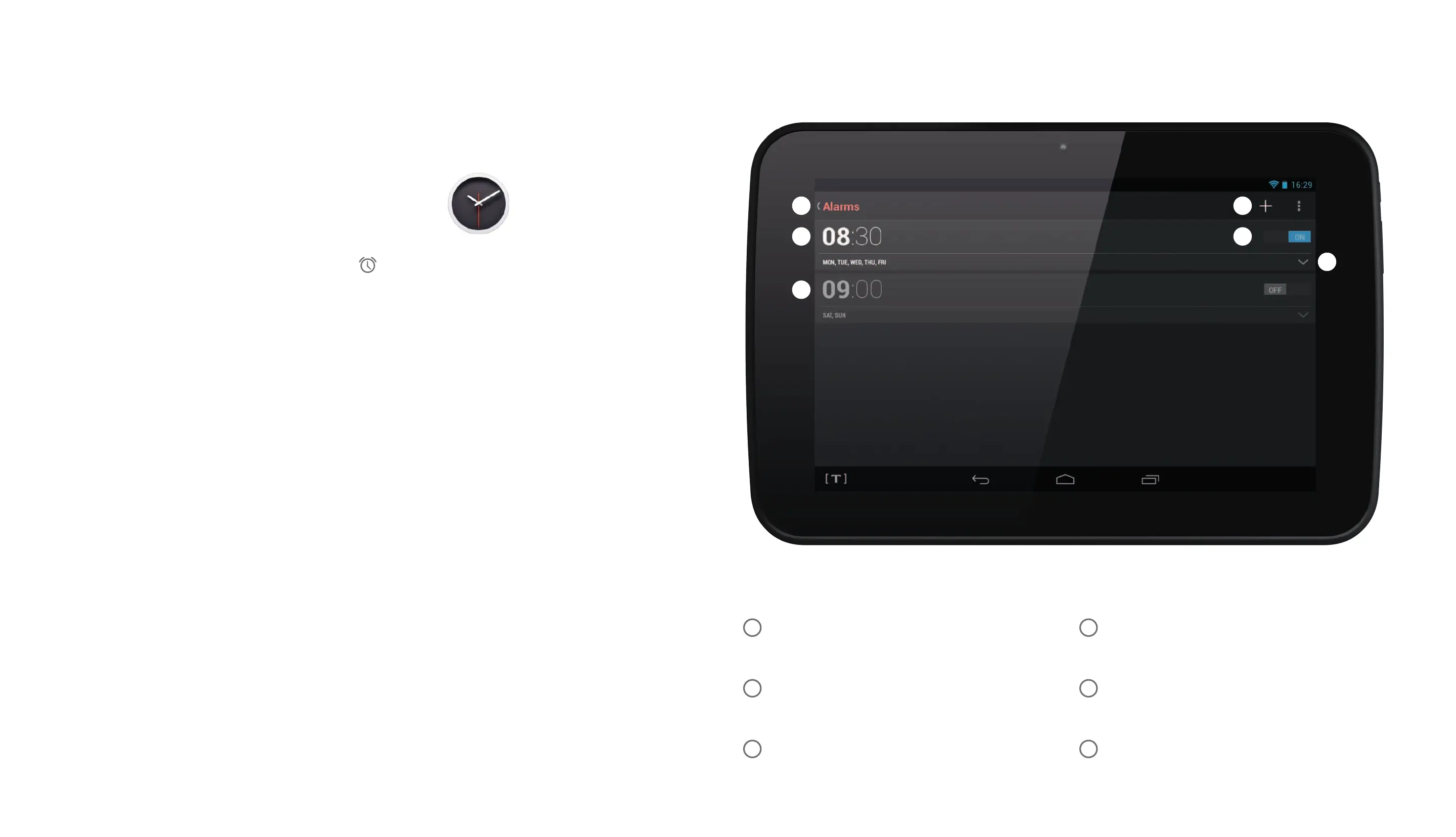
Exit the alarm screen
Alarm 1 time
Alarm 2 time
New alarm time
Activate alarm
Expand alarm settings
1 4
2 5
3 6
1
52
3
4
6
Clockapplication
Using the alarms
Launch the clock application.
Touch the alarm icon on the clock display.
The Alarms pane will open.
Alarms that are currently set will be displayed.
In the example shown there are two alarms set.
The alarms will still sound if you are using other
applications on your Hudl, so you can use the alarm
to remind you of appointments, meetings etc. while
you are working.


 To Next Page