51
7.3.4 Modem – UPS Connection Cable
Connection of Smart Modem device to UPS is made with standard modem cable and it’s supplied as
standard accessory for smart modem. This cable is required if an external modem will be used, and not
necessary for internal modems.
Connection cable between NULL Modem and UPS should be installed as follows:
UPS
DB9 Female
MODEM
DB25 Male
6 3
7 7
9 2
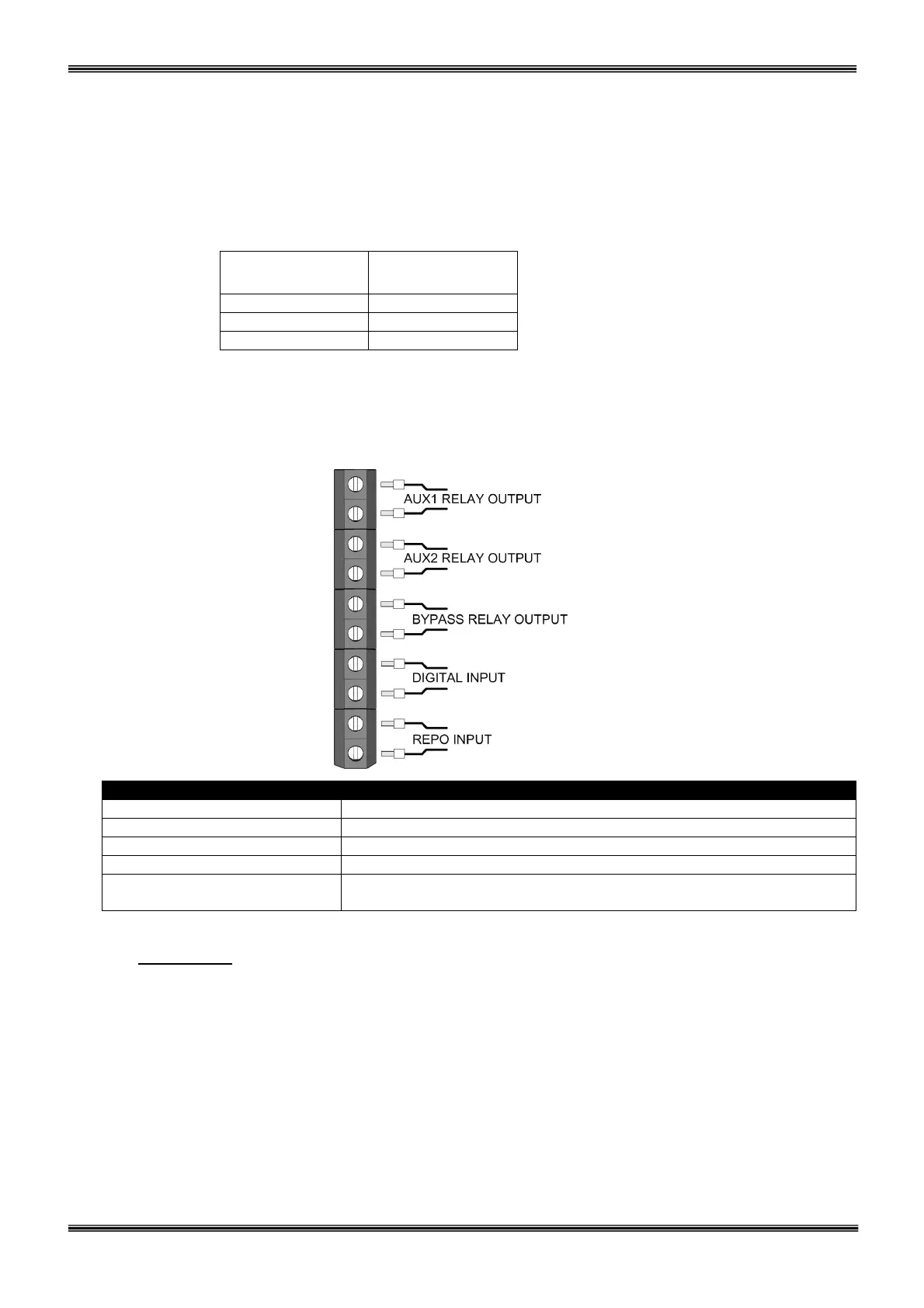
7.4 Dry Contact (Interface) Connections
Some important events of the UPS can be monitored or controlled by these connections. These functions
are listed below:
AUX1 RELAY (OPTIONAL) Function selectable (NO-NC programmable)
AUX2 RELAY (OPTIONAL) Function selectable (NO-NC programmable)
BYPASS RELAY(OPTIONAL) Standard connection to RS232 connector (NO-NC programmable)
DIGITAL INPUT OPTIONAL (Reserved for special applications)
REPO INPUT Standard Remote Emergency Power Off input (NO-NC
programmable)
ATTENTION: Maximum 42Vac or 60Vac voltage may be applied to the dry contacts of the
interface. Dry contact relay outputs are NO (Normally Open) type, ie. the relay is
not activated if alarm is not present and the contacts are open circuit.
7.5 Remote Monitoring Panel Connection of UPS
This panel is used to control and monitor UPS remotely up to 400 m. distance from it. Panel is located in
monitoring and control room. If the distance is not longer than 25 m. RS232, if longer RS485
communication protocol is used. RS485 requires additional adapter.
Remote monitoring panel communicates UPS in a serial way and transfers information to user. Remote
panel requires 220Vac 50Hz supply voltage and it is recommended to get this supply from UPS output.



 To Next Page