Need help?
Do you have a question about the Tescom T-300P Series and is the answer not in the manual?
Covers warnings, cautions, and essential safety instructions for UPS operation and handling.
Outlines specific safety measures and handling guidelines for UPS batteries.
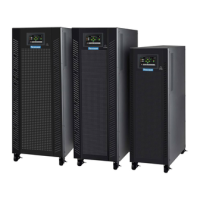
Overview of T-300P UPS, its advantages, and key features.
Explains the internal block diagram and components of the UPS system.
Details the different operational states of the UPS, like normal and battery modes.
Describes how the UPS is configured regarding power sources and connections.
Lists detailed electrical and physical specifications for the T-300P series UPS.
Describes the front panel layout, indicators, and function keys for UPS monitoring.
Lists and explains various alarm and status messages displayed by the UPS.
Explains how to navigate and use the UPS menu system via front panel controls.
Details the main menu structure and how to access different submenus.
Describes how to view measured UPS parameters like voltage, frequency, and load.
Explains how to access and clear recorded alarm events and UPS status.
Provides information about the UPS version, power rating, and synchronization status.
Covers user-configurable settings such as operation mode, UPS number, and remote enable.
Details commands that can be sent to the UPS for control and testing.
Explains how to view and adjust the UPS's internal clock and date.
Describes the password-protected menu for service personnel adjustments.
Explains the benefits and purpose of operating multiple UPS units in parallel.
Details the available modes for parallel UPS operation, like symmetric and redundant.
Lists and explains fault codes related to parallel UPS system malfunctions.
Identifies necessary components required for configuring a UPS for parallel operation.
Provides general notes and considerations for operating the UPS.
Step-by-step guide to safely power on the UPS from a completely shut down state.
Procedure for transferring the load to the maintenance bypass for servicing.
Procedure to turn on the UPS from a maintenance bypass condition.
Procedure to switch the UPS from static bypass back to normal inverter operation.
Instructions on how to completely shut down the UPS and disconnect power.
Describes UPS behavior and user actions during utility power outages.
General guidelines and warnings for UPS installation by qualified personnel.
Instructions for inspecting and unpacking the UPS unit upon arrival.
Recommendations for selecting a suitable location and environmental conditions for the UPS.
Details on how to properly connect the AC input and output power cables.
Explains the importance and procedure for establishing a safety earth connection.
General guidance on making all necessary cable connections within the UPS system.
Step-by-step instructions for safely installing the UPS battery modules.
Information on connecting the UPS to a server for monitoring and control via serial port.
Defines the pinout and signals for the RS232 communication port.
Routine maintenance tasks recommended for ensuring UPS longevity and performance.
A checklist and guide for diagnosing and resolving common UPS problems.
Guidelines for storing the UPS and batteries properly to maintain their condition.
How to use the serial port for UPS monitoring, parameter access, and commands.
Details about the RS232 communication cable, its length, and connector pinout.
Covers modem hardware, principles, programming, and connection cables for UPS control.
How to connect external devices to monitor UPS events via dry contact relays.
Information on using a remote panel for monitoring UPS status from a distance.
Explains the Econo operating mode and its requirements for non-critical loads.
Outlines conditions that void the warranty and the extent of manufacturer responsibility.
 General
| Model | T-300P Series |
|---|---|
| Category | UPS |
| Input Voltage | 220/230/240 VAC |
| Output Voltage | 220/230/240 VAC |
| Operating Temperature | 0°C to 40°C |
| Capacity | 300VA/180W |
| Input Frequency | 50/60Hz |
| Output Frequency | 50/60Hz |
| Battery Type | Sealed Lead Acid, Maintenance Free |
| Safety Approvals | CE |


 To Next Page