22
ENG
Play Music
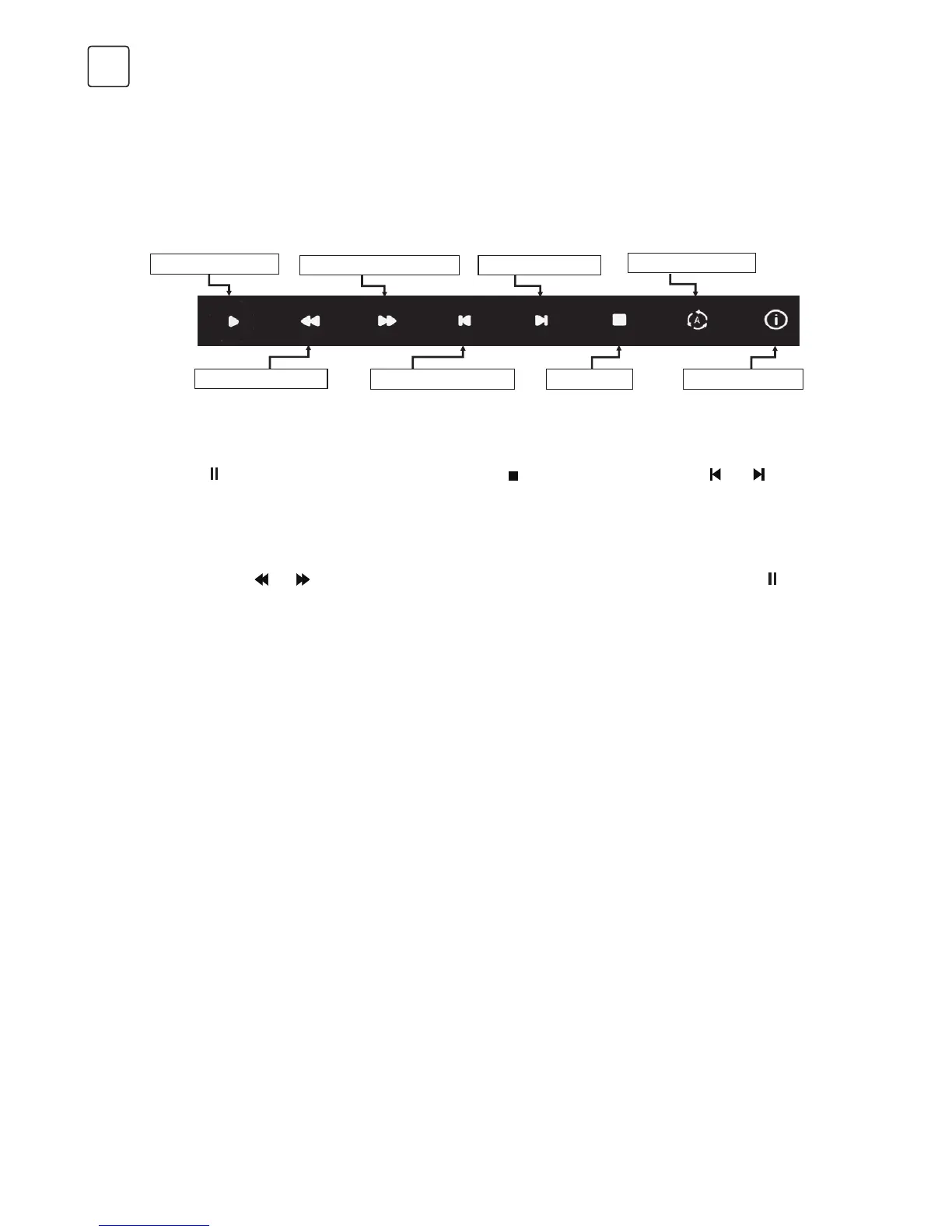
MUSIC CONTROL BAR
Play & Pause / Stop / Previous / Next
Press [/
] to play or pause the playing; press [ ] to stop playing; press [ ] / [ ] to
play the previous or the next music file. You can also press [ ] / [ ] tto highlight the
corresponding icon on the control bar and, after pressing [ ENTER ], the TV will respond
accordingly.
Fast Forward / Fast Backward
Press and hold [
] / [ ] for several seconds to reach the desired point, then press [/ ] on
the remote control to start playing from the new position.
Play Mode
Highlight the icon and press [ ENTER ] to switch to another play mode.
Information
Highlight the corresponding icon and press [ ENTER ] to check the information of the playing
music.
Press [ INFO ] / [ ] to display / exit from the below Menu Bar. Press USB control buttons on
the remote control to perform the relevant operations.
Play & Pause
Stop
Skip Next
Fast Forward
Information
Skip PreviousFast Backward
Play Mode


 To Next Page