Trac Lights
When driving with Autosteer or Trac-Aware Cruise Control engaged, and Trac Light and
Stop Sign Control enabled, Model X is designed to respond as follows when approaching
intersections controlled by a trac light:
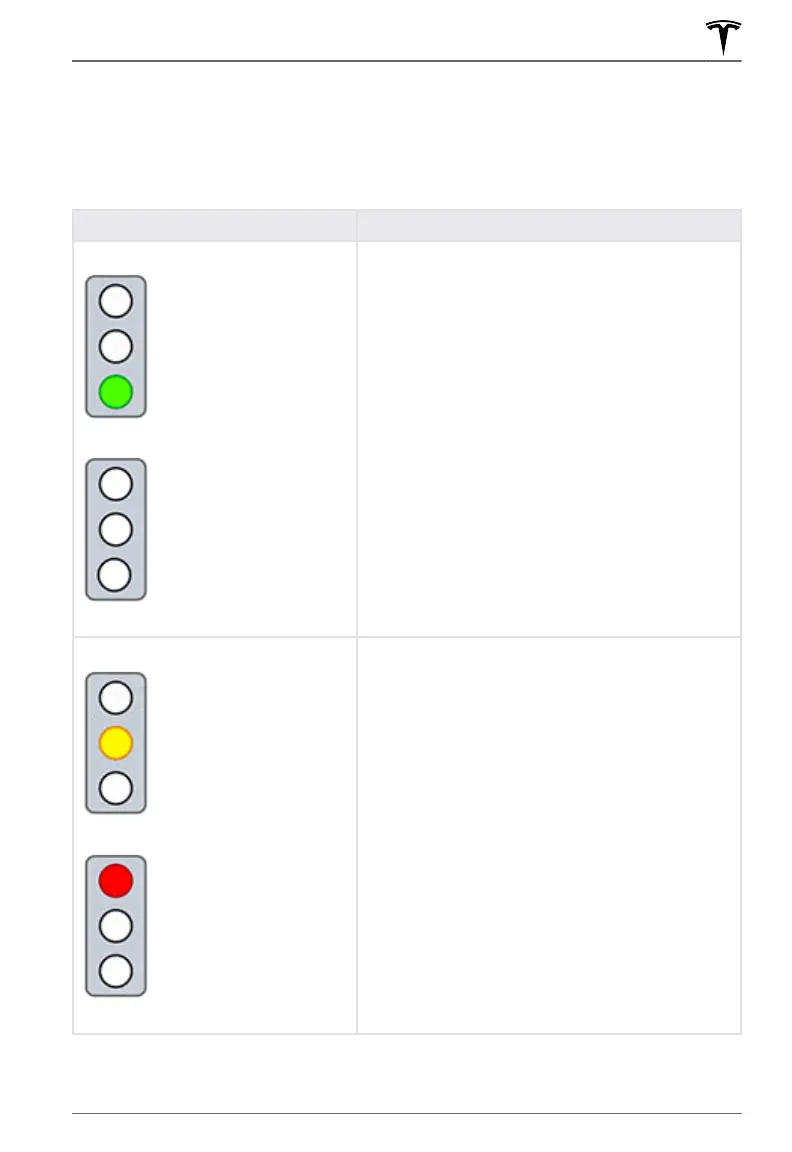
Type of Trac Light Vehicle Intended Response
At a solid green trac light, or at a trac light that
is currently o (not illuminated), Model X slows
down.
If you are following a car in front of you that
continues through the intersection, the
instrument
panel displays a green stop line and provided your
hands are detected on the
steering yoke, Model X
also continues. If a car is not in front of you, the
instrument panel displays a red stop line and you
must confirm that you want to continue through the
intersection by briefly pressing the accelerator pedal.
If you don’t confirm, Model X stops at the red stop
line.
NOTE: Model X resumes the set cruising speed when
it continues through the intersection, taking into
consideration the speed of a vehicle in front of you.
Model X slows down and comes to a complete stop
at the red stop line displayed on the instrument
panel. When you want to continue through the
intersection (for example, the light turns green again,
or once Model X has come to a complete stop), you
must briefly press the accelerator pedal.
Trac Light and Stop Sign Control
123Autopilot















 To Next Page