EasyManua.ls Logo

Tesla RoboStar iQ600 - User Manual

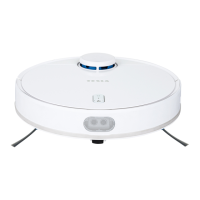
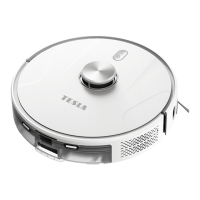
Tesla RoboStar iQ600
82 pages
Go to English
Print Icon
To Next Page IconTo Next Page
Loading...
Vážený zákazníku,
děkujeme, že jste si vybral TESLA RoboStar iQ600.
Před použitím robotického vysavače si prosím důkladně pročtěte pravidla bezpečného používání a dodržujte všechna běžná
bezpečnostní pravidla.
Tento uživatelský návod si uschovejte.
Dodržujte pravidla uvedená v tomto návodu, pro snížení rizika poškození robotického vysavače nebo pro případ vašeho
zranění.
DŮLEŽITÁ BEZPEČNOSTNÍ UPOZORNĚNÍ
Tento přístroj je složité elektromechanické zařízení, věnujte prosím pozornost těmto pokynům:
Robotický vysavač není určen k použití na vyvýšených místech bez bariér - vestavěné patro, schodiště, balkón, nábytek a další. Přístroj je
vybaven čidly proti pádu, ale mohou nastat okolnosti, kdy kontrolní systém vyhodnotí situaci chybně (znečištěné čidlo, aktuální porucha
čidla, odlesk světla, zachycená nečistota aj.) a pádu nezabrání (nezastaví robotický vysavač). V těchto případech nemůže prodávající uznat
případné nároky kupujícího za takto způsobené poškození přístroje.
Využijte také možnosti vytvořit si v aplikaci TESLA „Zakázanou oblastnebo „Virtuální zeď“, kterou robotický vysavač nebude uklízet/vytírat
vodou. I přesto však nelze používání robotického vysavače na vyvýšených místech z bezpečnostních důvodů doporučit.
Přístroj je určen pouze k čištění vnitřních podlah. Nepoužívejte jej venku, například na terase s otevřeným koncem.
Přístroj je určen pouze pro vnitřní použití při pokojové teplotě (max. 40°C).
Přístroj není určen pro používání venku ani v komerčním nebo průmyslovém prostředí.

CZ

Questions and Answers

Summary

Important Safety Warnings

Barrier-Free Area Usage

Do not use the device on elevated, barrier-free areas like stairs or balconies due to fall risk.

Indoor and Environmental Use

Intended for indoor use only at room temperature (max. 40°C); not for outdoor or commercial environments.

Electrical and Water Handling

Avoid touching electrical parts with wet hands and keep away from water to prevent damage or shock.

General Usage Precautions

Follow precautions for unattended use, children, proper handling, and avoid flammable substances.

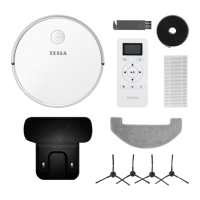
Package Content

First Start Guide

Charging Station Setup

Properly place the charging station against a wall on a level surface, ensuring adequate space and cable management.

Initial Charging Procedure

Place the robot on the charging station to initiate automatic charging. Charge fully before first use.

WiFi Connection and App Setup

Ensure strong WiFi signal for the charging station and set up the TESLA app for connection and advanced features.

First Cleaning Steps

Preparation for First Cleaning

Remove obstacles, secure carpets for mopping, and avoid direct sunlight or dark furniture interference.

Water Wiping Instructions

Mop Module Usage

Always draw water outside the body. Lightly dampen the mop cloth and attach it to the module.

Water Tank Maintenance

Remove mop module after cleaning. Empty water tank to prevent clogs. Do not use wet wipe on carpets.

Routine Maintenance

Dust Tank and HEPA Filter

Empty dust tank after each use. Clean or replace HEPA filter weekly; allow to dry completely.

Sensors and Brushes

Clean cliff, wall-following, and laser sensors weekly. Keep main and side brushes free of hair and debris.

Wheels and Charging Contacts

Clean front wheel weekly. Clean charging contacts and base every 14 days with a soft cloth.

Troubleshooting Common Issues

App Connectivity Problems

Resolve issues with adding or connecting the robot to the TESLA app, ensuring WiFi, Bluetooth, and GPS are enabled.

Robot Behavior and Performance

Address chaotic behavior, slow movement, poor cleaning, and connectivity loss by checking settings and environment.

Charging and Power Issues

Troubleshoot charging failures, inability to return to base, and low battery issues; ensure proper connection and temperature.

Warranty Information

Warranty Exclusions

Understand conditions that void the warranty, including improper use, natural damage, and unauthorized repairs.

Declaration of Conformity

Confirms compliance with EU Directive 2014/53/EU. Proper disposal of electronic waste is also advised.

Adapter Specifications

Tesla RoboStar iQ600 Specifications

General IconGeneral
ShapeRound
Product colorWhite
Number of wheels3 wheel(s)
Remotely operatedYes
Dust container typeBagless
Brush typeRoller brush
Noise level- dB
Number of brushes2
Vacuum air filteringHEPA
Dust capacity (total)0.46 L
Mobile operating systems supportedAndroid, iOS
Battery life340 m²
Battery capacity6400 mAh
Battery technologyLithium
Weight and Dimensions IconWeight and Dimensions
Height9.3 mm
Weight3500 g
Diameter35.5 mm

Related product manuals